snom 3x0 VoIP Phones User Manual English
© snom technology AG 2007
Basic Call Functions
• 67
English
DND (Do Not Disturb) Mode
L Note: The following settings must have been configured in advance:
Operation Directory / Address Book Add or Edit Entry/Contact Type: <VIP>
The following configuration is mandatory on snom 300, but optional for snom
320/360/370 if additional feedback via LEDx is desired:
Setup Function Keys Px Context: <Active>
Setup Function Keys Px Type: <Key Event>
Setup Function Keys Px Number: F_DND
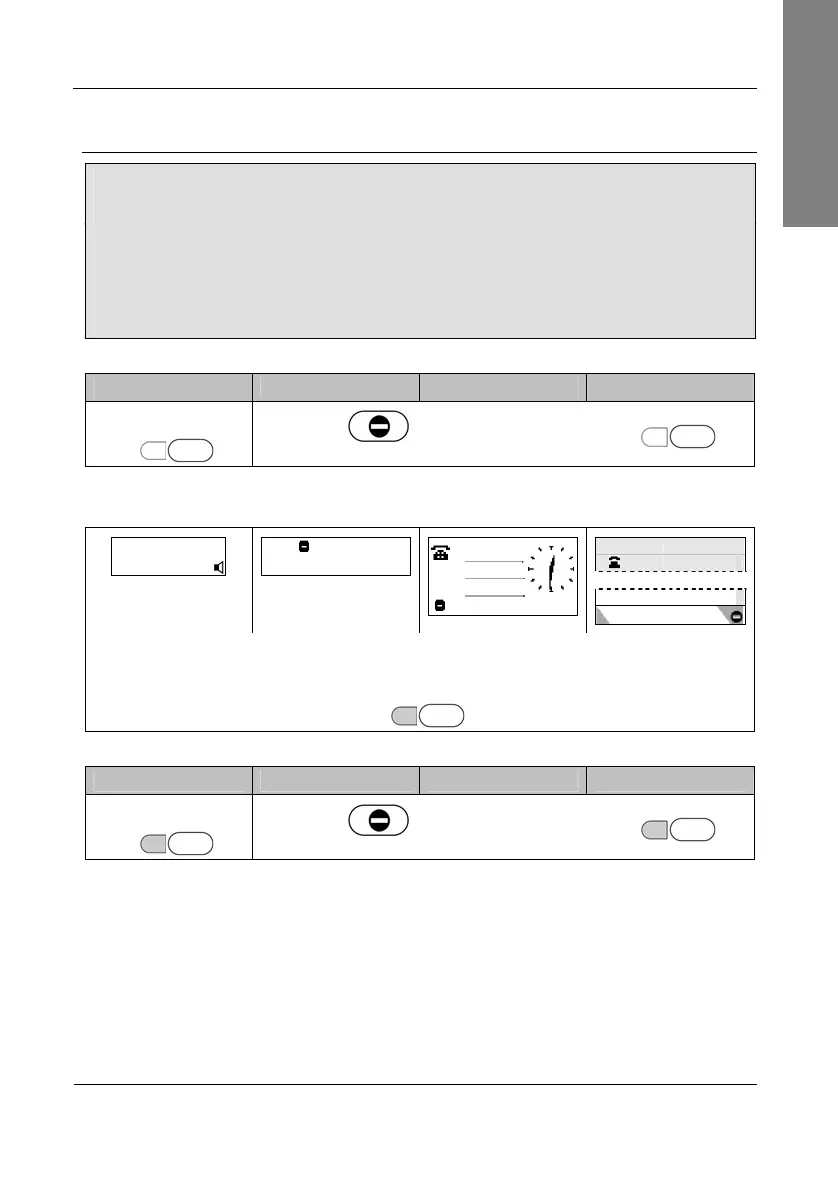
Action: Activate DND (Do Not Disturb) Mode
snom 300 snom 320 snom 360 snom 370
Press
LEDx Px
Press
DND
or press
LEDx Px
Result: DND Mode has been activated. Further incoming calls will be rejected
(except those from ”VIP” numbers). The display shows:
ext1 time
date DND time
… … … …
ext1
DND active!
date
date time
ext1
or
LEDx lights up
LEDx Px
Action: Deactivate DND (Do Not Disturb) Mode
snom 300 snom 320 snom 360 snom 370
Press
LEDx Px
Press
DND
or press
LEDx Px
Result: DND Mode has been deactivated. Further incoming calls will not be rejected
anymore.



 To Next Page