snom 3x0 VoIP Phones User Manual English
16 • Getting Started
© snom technology AG 2007
English
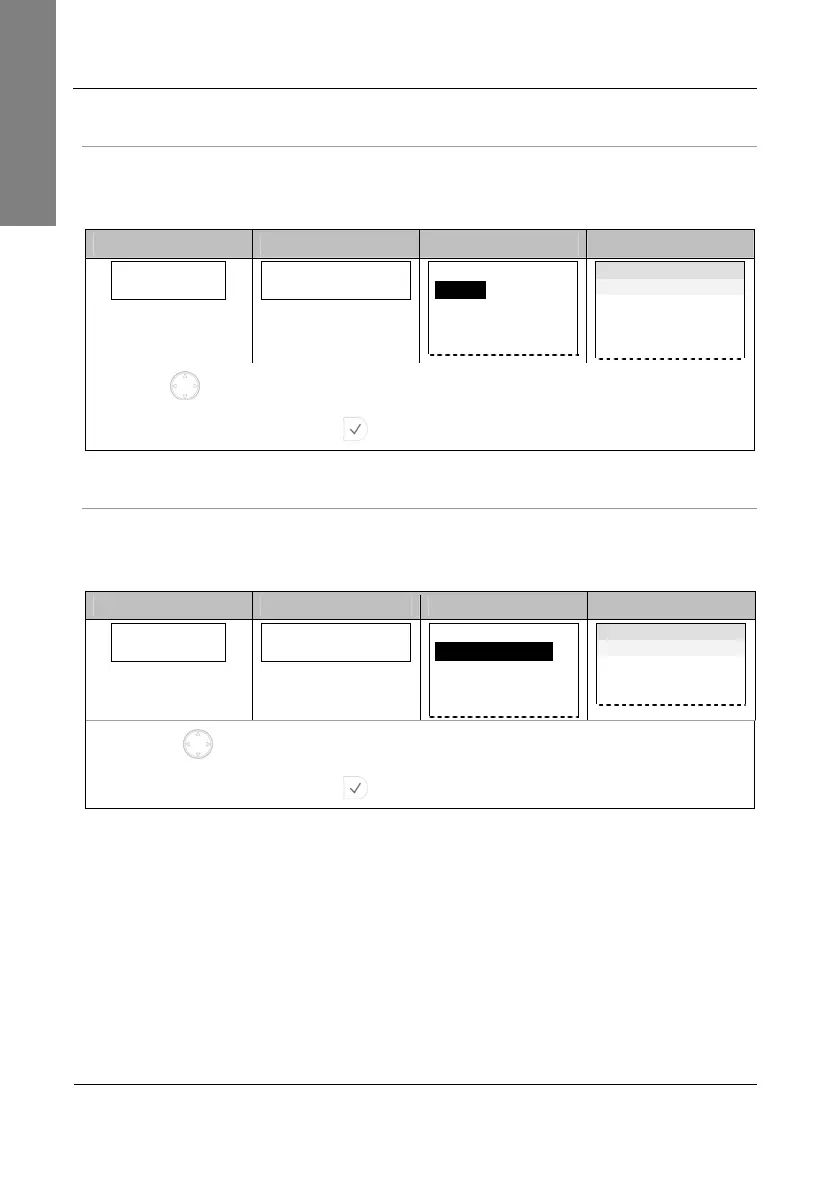
Tone Scheme (Dialtone)
This setting determines country-specific call progress tones, e.g. dial tone, busy signal,
etc.
Action: Choose the country tone scheme (Australia … USA)
snom 300 snom 320 snom 360 snom 370
Sel. Dialtone:
Australia
Select Dialtone
Australia
Select Dialtone:
Australia
China
Denmark
France
Dialtone time
Australia
China
Denmark
France
…
Use for navigation and select your country’s tone scheme from the list.
Press to confirm your choice.
Result: The tone scheme has been configured.
Time zone
This setting determines the correct display of the time including daylight saving time
(DST) switching.
Action: Choose the time zone of your country / area (-10 … +13)
snom 300 snom 320 snom 360 snom 370
Select Time Zone
-10: USA (Honolu
Select Time Zone
-10: USA (Honolulu)
Select Time Zone:
-10: USA (Honolulu)
-9: USA (Anchorage)
-8: Canada (Vancouver)
…
Time Zone time
-10: USA (Honolulu)
-9: USA (Anchorage)
-8: Canada (Vancouver)
…
Use for navigation and select your country’s time zone from the list.
Press to confirm your choice.
Result: The time zone has been configured.



 To Next Page