© 2009 snom technology AG
man_snom870_v101_en
60
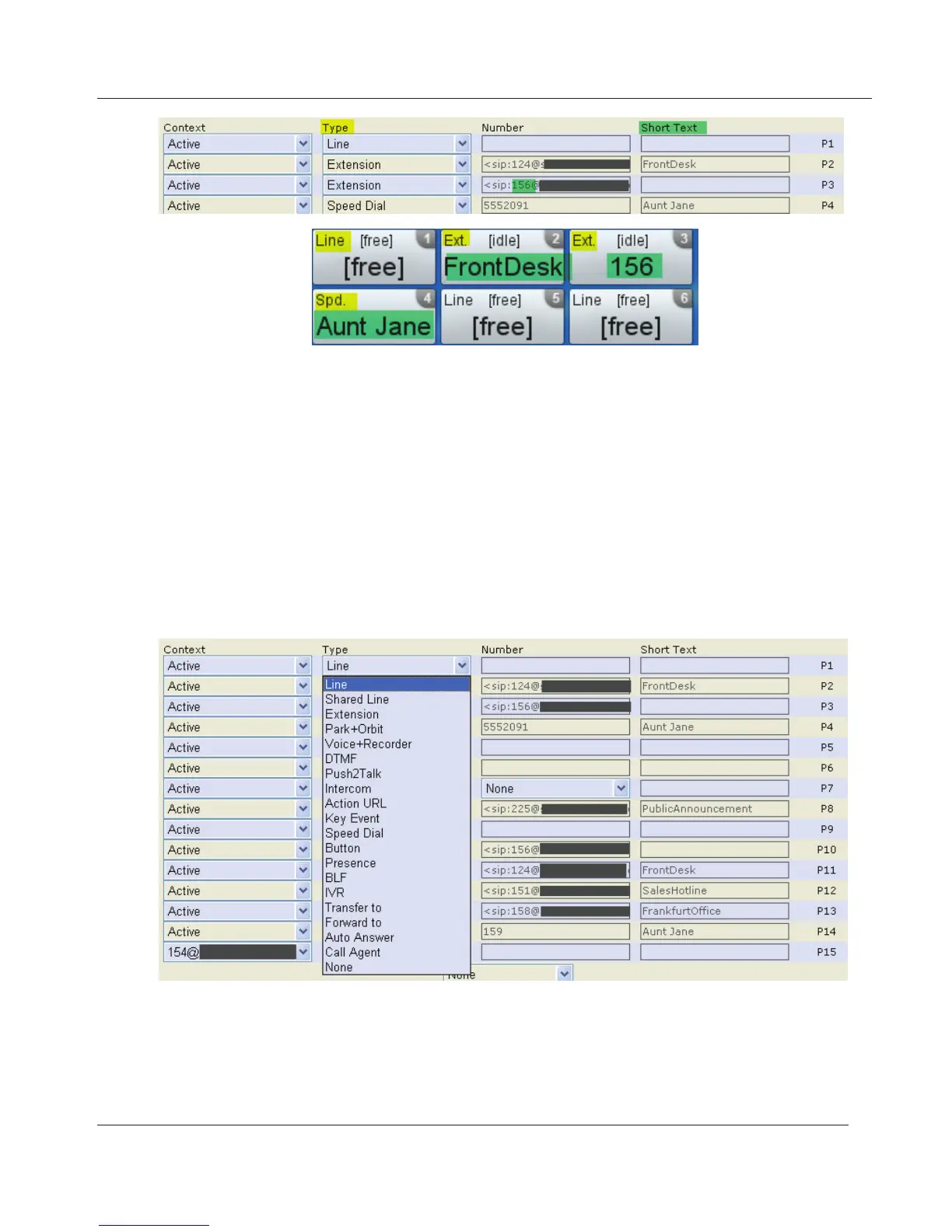
1. The text in the upper left corner of the phone's v.key indicates the type of
functionality mapped onto the key.
The factory default is "line". Incoming and outgoing calls will use any
available line unless you enter a phone line under "Number". If you do, all
calls arriving on that line will go to that key. To make calls using that line,
tap the virtual key and enter the number to be dialed in the text field.
2. The text or number in the main section is the text you entered on the web
interface in the text field under "Short Text". If the text field is empty, it is
the number entered under "Number".
3. Settings.
a. Context. Select "Active" or one of the configured identities from the
drop-down list. "Active" means the identity selected as the outgoing
identity at any one time.
b. Type. Select the type of functionality from the drop-down list. See
www.InternetVoipPhone.co.uk | sales@internetvoipphone.co.uk | 0800 088 48 46



 To Next Page