Paramount MX User Guide
101 | Page
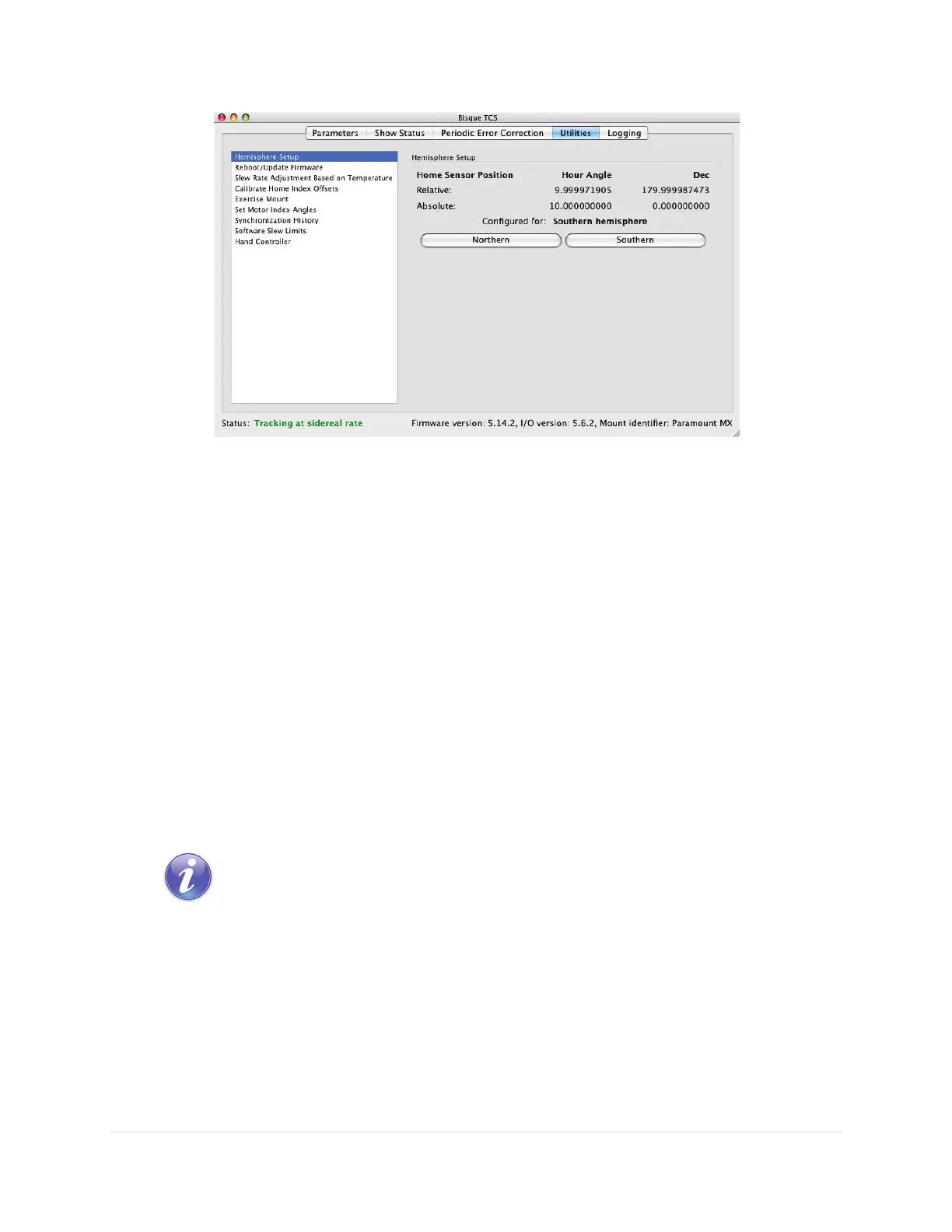
Figure 48: Example hemisphere settings for the southern hemisphere.
Relative Home Sensor Position (Hour Angle)
Shows the hour angle of the homing sensor based on the mount’s synchronization information.
Relative Home Sensor Position (Declination)
Shows the declination of the homing sensor based on the mount’s synchronization information.
Absolute Home Sensor Position (Hour Angle)
Shows the mechanically fixed hour angle of the homing sensor. This value cannot be changed for the
Paramount ME and Paramount MX mounts and is always HA = 2.0 and Dec = 0.0.
Absolute Home Sensor Position (Declination)
Shows the mechanically fixed declination of the homing sensor. This value cannot be changed for the
Paramount ME and Paramount MX mounts.
See the “Advanced Parameters” on page 78 for a discussion of the differences between the relative and
absolute homing position.
Note on Southern Hemisphere Hour Angle and Declination Values
Figure 48 shows the home sensor’s absolute position and relative position for
the southern hemisphere. Both values reflect the mechanical position of the
mount, not actual sky coordinates. This convention allows TheSkyX Professional
Edition to know which side of the pier the OTA is on.
To convert the mechanical hour angle to the sky hour angle, subtract 12. Take
180 minus the declination to convert the mechanical declination to sky
declination.



 To Next Page