Paramount MX User Guide
106 | Page
Slew Axis Settings
These settings can be used to slew the RA or Dec axis using different four different “slew units”.
Units
Enter the unit of measurement to slew the selected axis.
• Encoder Tics – Specifies the smallest division or angular rotation of the DC servo motor. The
relative angular size of a Paramount encoder tic is one third of one arcsecond.
• Degrees – Slew the mount in angular degrees.
• Arcminutes – Slew the mount in arcminutes.
• Arcseconds – Slew the mount is arcseconds.
Slew
After entering the number of units to slew the mount in the adjacent text box, click the Slew button to
perform the slew.
By design, two Slew buttons and two unit input text boxes appear so that slews using different can be
performed.
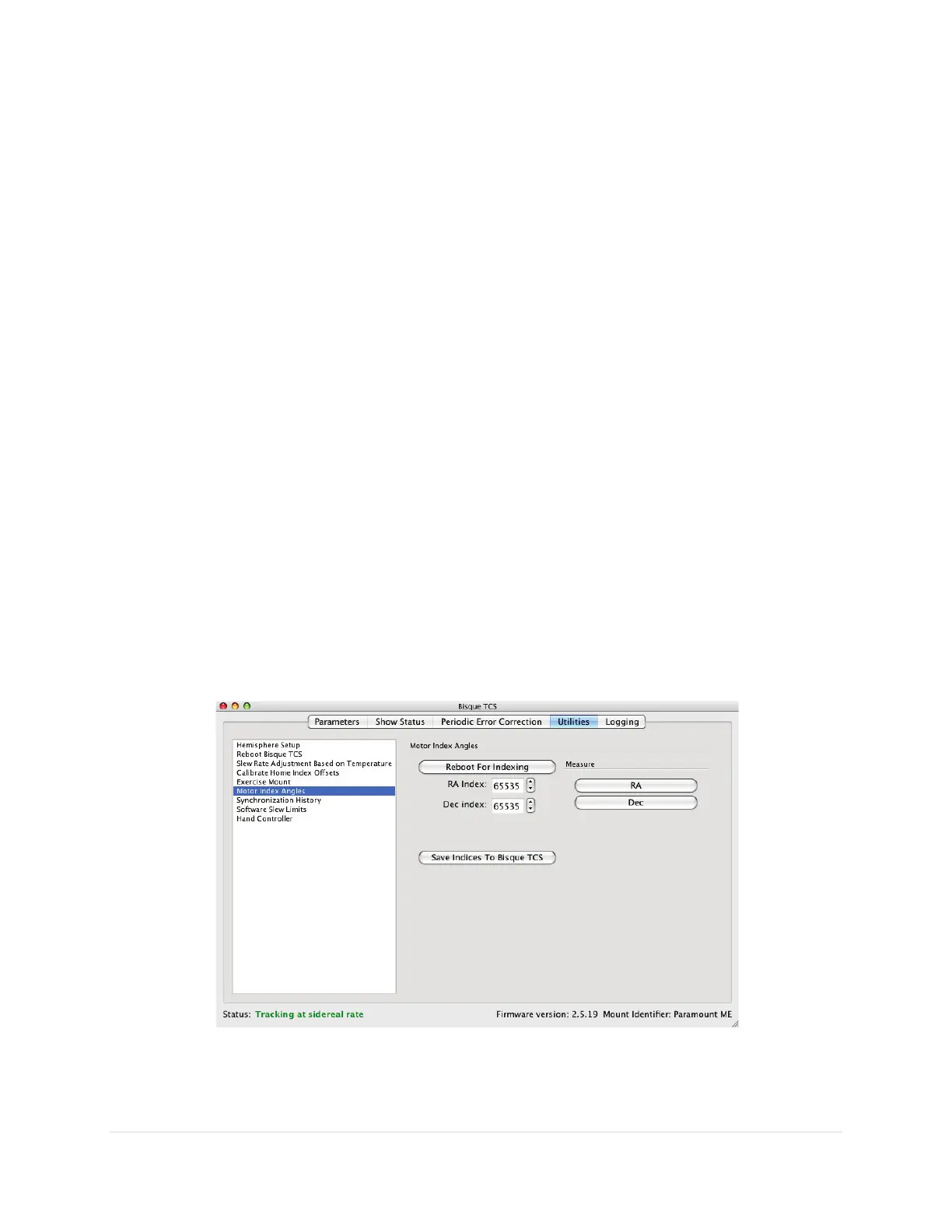
Motor Index Angles
Each DC servomotor has a unique motor index angle that must be stored in the control system’s
firmware for normal mount operation. The Motor Index Angle settings allow the control system to
measure and record these angles.
Measuring and retrieving index angles is required when installing a new motor or a new control system
on a Paramount, only. Do not attempt to change or set the firmware’s motor index angles otherwise.
Figure 52: The Motor Index Angles settings on the Utilities tab.



 To Next Page