Paramount MX User Guide
73 | Page
The Paramount MX must be turned on before the operating system will
recognize the built-in USB port on the Electronics Box.
2. From TheSkyX Professional Edition, choose the Telescope Setup command from the Telescope
menu.
3. On the Imaging System Setup window, highlight Mount in the Imaging System list.
4. Select the Choose command from the Mount Setup pop-up menu.
5. Expand Software Bisque, select Paramount MX and click OK.
6. Choose the Settings command from the Mount Setup pop-up menu.
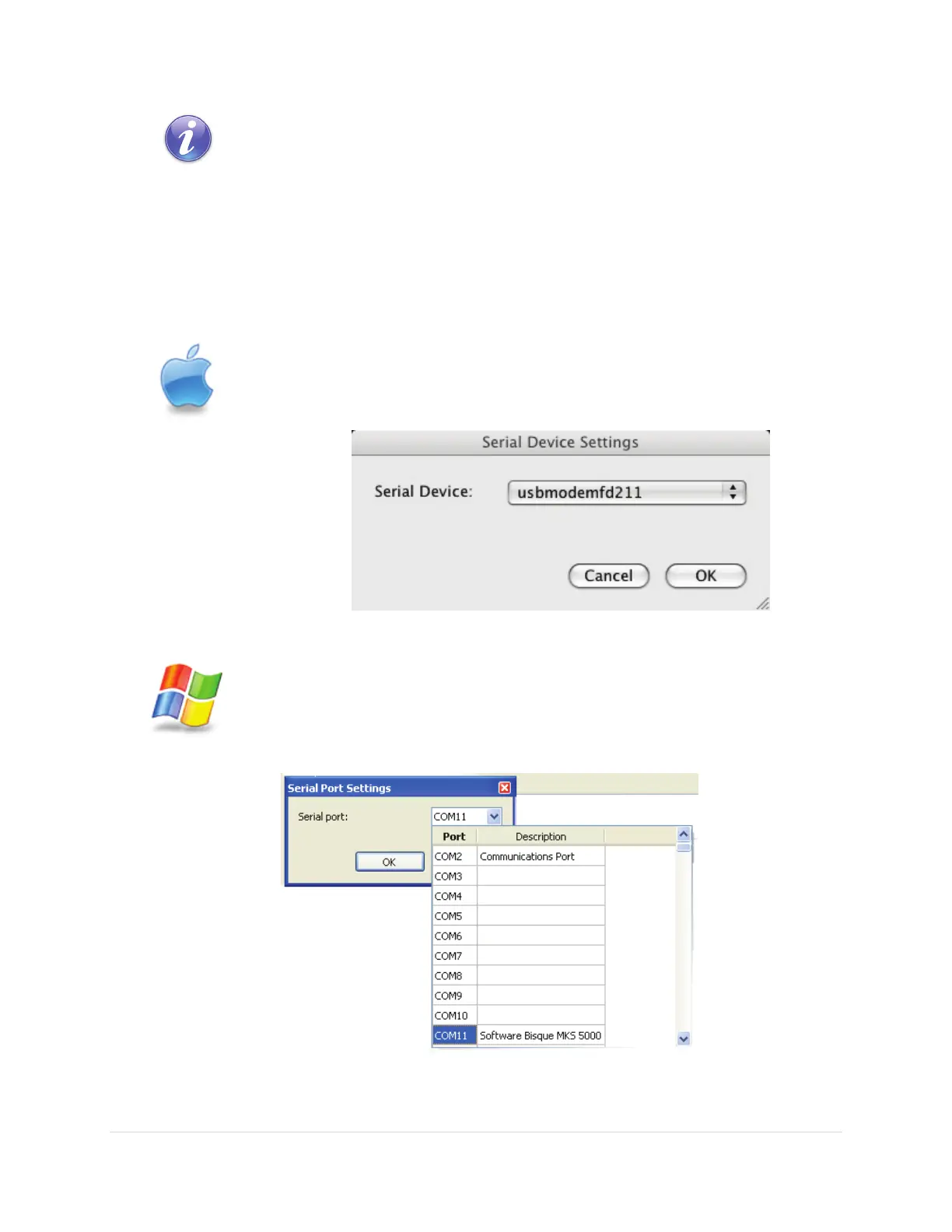
On the Mac, the Paramount MX control system name is “usbmodem” with a
“numerical identifier” (see Figure 35). The numerical identifier in the name
varies depending on which version of Mac OS X is installed.
Figure 35: The Mac Serial Device Settings window.
On Windows, select the COM port number assigned to the Paramount MX’s USB
port (see page 121 for details about installing the MKS 5000 driver) and click OK.
The Description of the Port in the Serial Port list will appear as Software Bisque
MKS 5000.
7. Click the Connect command from the Telescope menu and then click the Close button on the
Imaging System Setup window.



 To Next Page