April 21, 2021 26
Powering on the system:
1. Turn on the Built-In battery disconnect
2. Make sure that Sol-Ark 5K is properly connected to the batteries, panels, grid, etc. (see system wiring diagram).
3. Turn on grid power breakers.
4. Press the power button on the front of the unit.
5. Make sure Solar panel inputs are not connected to Ground, then Turn on DC disconnect switch.
6. Turn on load breakers.
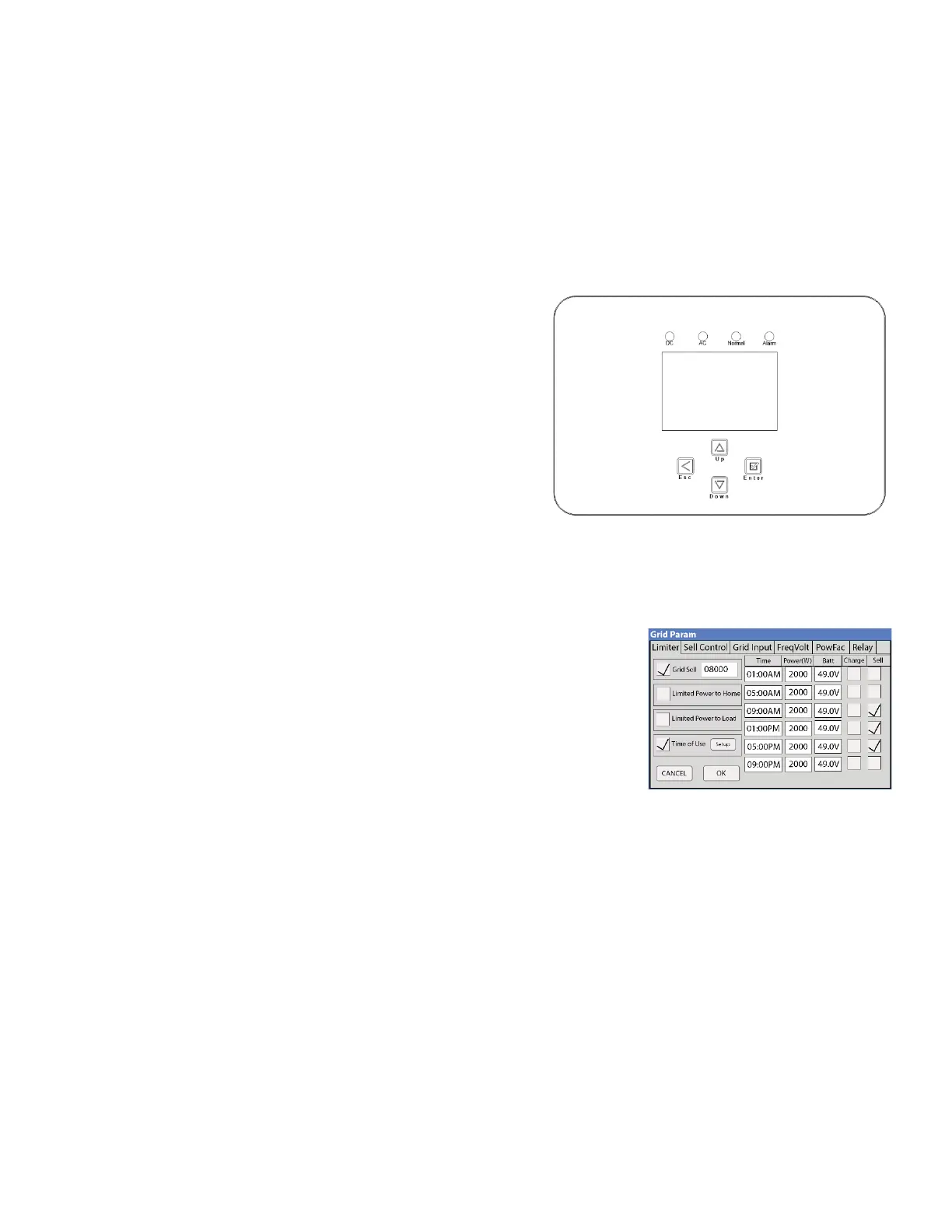
Indicator LEDs
• DC
o Green = DC Solar Panels are producing
o Off = Solar Panels are not producing
• AC
o Green = Grid (or Gen or AC Coupled) is Connected
o Off = Grid is not Connected
• Normal
o Green = Sol-Ark 5K is working properly
o Off = Sol-Ark 5K is not working properly
• Alarm
o Red = Alarm, check the alarms menu
o Off = No alarms
Selecting your Power Mode:
Sol-Ark 5K will simultaneously use various power sources available to meet loads demand. The following power modes
allow the user to determine the power sources available to Sol-Ark 5K.
• Limited Load / Self Consumption
o Sol-Ark will only power loads connected to it. It will not produce
more power than the connected loads require. This mode will
neither sell back to the home nor grid.
• Limited To Home (zeroing home meter)
o Pushes power to your whole home without selling back any excess
to the grid (no net metering agreement required)
o This mode requires the use of the limiter sensors
1. Main Menu → System Settings → Grid Setup → Limiter → Limited to Home
o Power source priority is same as Grid Sell Back
• Grid Sell Back
o This Mode allows Sol-Ark 5K to sell back any excess power produced by the solar panels to the grid.
1. Main Menu → System Settings → Grid Setup → Limiter → Grid Sell
o Power source priority is as follows:
1. Solar Panels
2. Grid
3. Generator
4. Batteries (until programable % discharge is reached)
• Time Of Use (using batteries during peak power times)
o Only available when using Limited To Home mode (Limiter sensors required)
and/or Grid Sell Back (Limiter sensors not required) modes



 To Next Page