April 21, 2021 29
Screens
• Home Screen (Touchscreen)
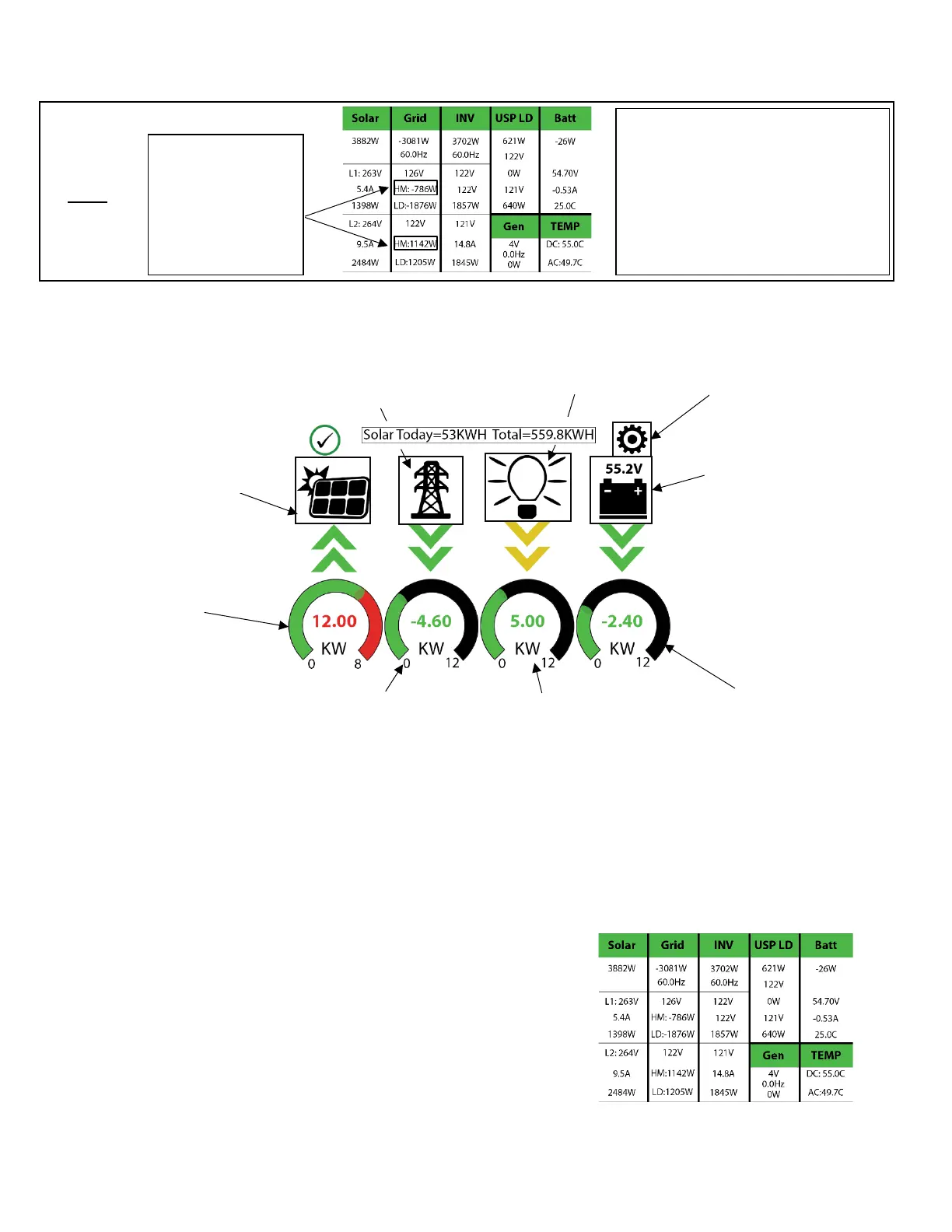
• Detailed Volts View
o Top row = Total power for column
o Middle Row = Line 1/PV1 voltage, Amps, and Watts (note: PV Voltage not to exceed 500)
o Bottom Row = Line 2/PV2 voltage, Amps, and Watts (note: PV Voltage not to exceed 500)
o Batt Temperature will show -20°C if temperature sensor is not connected.
o Batt SOC % = % batteries are charged
o DC Temp = Temperature of DC conversion electronics
▪ Batt → AC
▪ PV → Batt
▪ AC → Batt
o AC Temp = Temperature of AC conversion electronics
▪ Batt → AC
▪ PV → AC
o Grid Column
▪ If selling to grid, Grid Watts = negative
▪ If buying from grid, Grid Watts = positive
Possible Limiter Sensor issues:
Sensors are facing wrong direction
Sensors are on the wrong wire(s)
Sensors are not fully closed on wire(s)
Sensor Polarity is wrong (White = + BLK = -)



 To Next Page