April 21, 2021 8
8. Connect Batteries (Sol-Ark should be POWERED “OFF”)
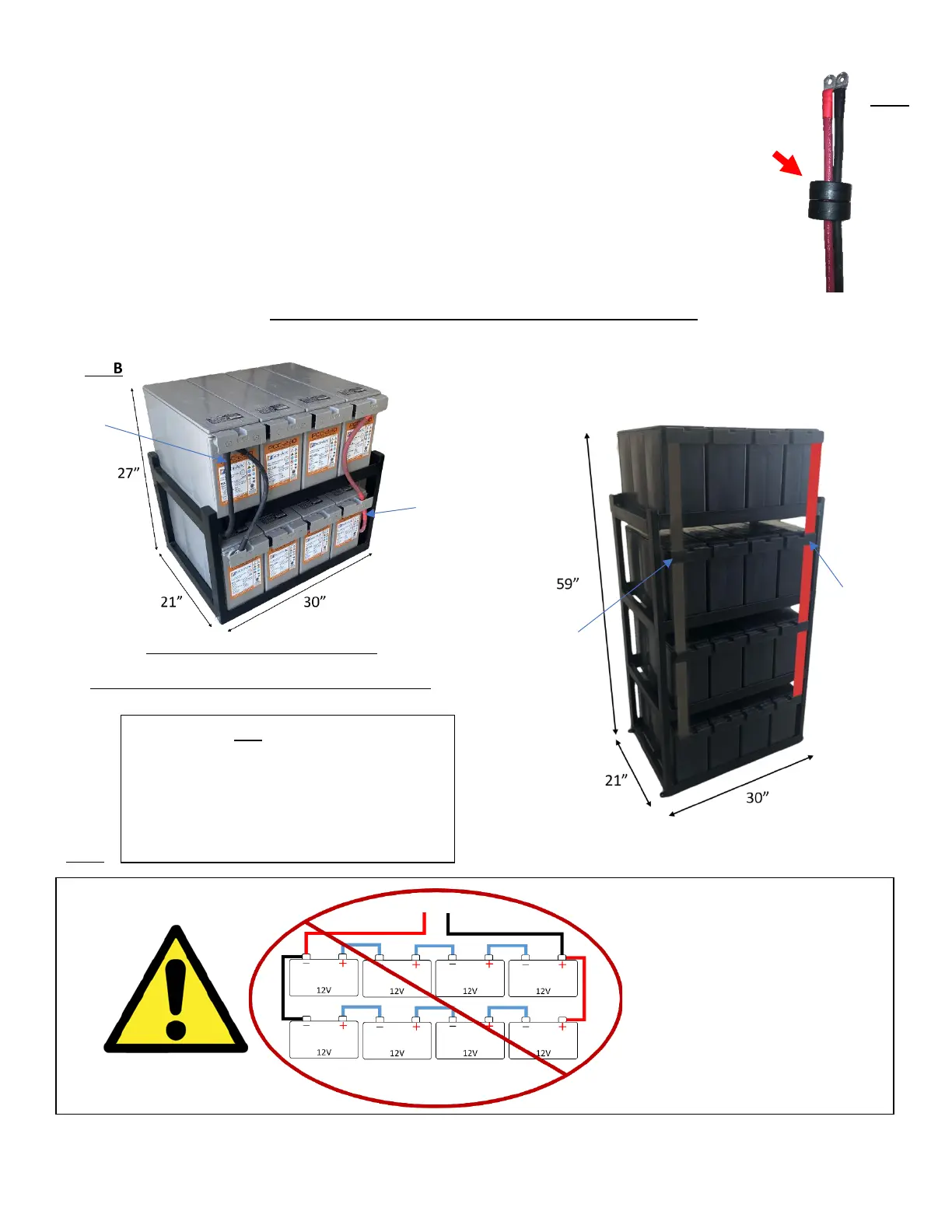
a. Connect the batteries to the Sol-Ark 5K as shown in the diagrams Fig. B below:
b. Fig. A: Install included ferrites (part e. on pg. 3) on the battery input cables. Slide
the ferrite over the battery cables so that both cables are within the toroid (as
shown in Fig. A).
c. When connecting batteries make sure the built-in battery disconnect is in the off
position while the batteries are connected, or arcing will occur.
d. Multi-system installs:
i. All systems in parallel are connected to the same battery bank, with each
system having its own battery cables to connect to the same large battery
bank. Do not use separate battery banks for parallel systems.
Sol-Ark 5K is a 48V system. Do not wire the
battery bank to any other nominal voltage.
When using 12V batteries do not exceed 4
batteries in series. When using other
battery chemistries, stay within the voltage
range: Min 43V-Max 63V



 To Next Page