Solarwise SWF850 QuickStart/Troubleshooting Manual 6 / 73
2. Hardware Structure & Installation
2.1 Hardware Walkthrough
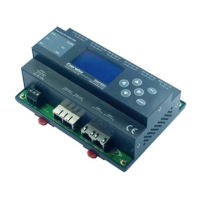
SWF850 have the following features in hardware:
1. Utilize ARM CPU processor and built-in 128 MB SDRAM with embedded Linux which provide
strong ability in communication data operation and processing
2. Built-in 256MB NandFlash for storing 10 years of data.
3. Two 100M Ethernet interfaces for accessing local network and remote network simultaneously.
4. Two serial ports, each COM port can access up to 32 peripherals for the inverter or SWF812
array box.
5. Six analog inputs for connecting with sensors, such as irradiation, temperature, wind speed,
humidity.
6. Six digital inputs for connecting with remote sensors of SPD or MCCB to monitoring the
equipment status; they also can be used as input of energy pulse from electricity meter.
2.2 Installation Safety Pre-Cautions
Note1:Damage due to in correctly connected cables!
All interfaces of SWF850 have fixed connection method, if cables are connected
incorrectly, this can damage or destroy the measuring and the device.
Connect cables only to the correct locations.
Ensure the correct polarity of the cables being connected.
Note2: Damage due to over overvoltage or overcurrent!
The SWF850 has a rated tolerance for each input types, each tolerance level is different
depending on the input type, it is absolutely necessary to double check the specifications
of each input to avoid damage.
For AI1 to AI4, the maximum input current is 20mA, if exceeded, will damage the input
interface.
For AI5 to AI6, the maximum input voltage is 5V, if exceeded, will damage the input interface.
For DI1 to DI6, the maximum input voltage is 30V, if exceeded, will damage the input interface.


 To Next Page