EasyManua.ls Logo

SOLIS S5-EH1P-L - User Manual

SOLIS S5-EH1P-L
49 pages
Print Icon
To Next Page IconTo Next Page
Loading...
Instruction Manual
Ginlong Technologies Co., Ltd.
No. 57 Jintong Road, Binhai Industrial Park, Xiangshan, Ningbo,
Zhejiang, 315712, P.R.China.
Tel: +86 (0)574 6578 1806
Fax: +86 (0)574 6578 1606
If you encounter any problem on the inverter, please find out the inverter S/N
and contact us, we will try to respond to your question ASAP.
Ver1.1
Please adhere to the actual products in case of any discrepancies in this user manual.
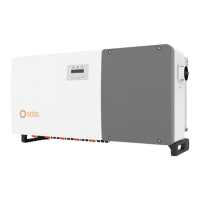
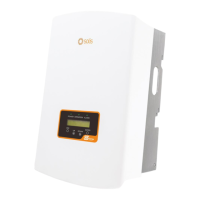
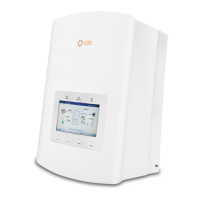
Solis S5-EH1P-L Hybrid Inverter
UK mark for conformity

Questions and Answers

  • E
    Eric AguirreSep 10, 2025
    How to troubleshoot 12Power-FAULT (1038 DATA:0000) on SOLIS S5-EH1P-L?
    • K
      Kirsten MartinezSep 12, 2025
      If your SOLIS Inverter displays '12Power-FAULT (1038 DATA:0000)', it means there is a 12V undervoltage failure. Check for any current leakage to ground, verify your grounding, and ensure all wires are in good condition and not leaking current to ground.
  • J
    Jeffrey JohnsonAug 22, 2025
    Why does my SOLIS S5-EH1P-L Inverter show OV-G-V01 error?
    • M
      Monica MartinAug 23, 2025
      If your SOLIS Inverter shows the error 'OV-G-V01', it means the grid voltage is exceeding the upper voltage range. To address this: 1. Check to see if there are any known issues with the power grid in your area. 2. Make sure the AC cable is securely and correctly connected. 3. Restart the inverter to see if the problem goes away.
  • A
    Ashley MorrisAug 25, 2025
    How to fix OV-TEM (1032 DATA:0000) error on SOLIS S5-EH1P-L Inverter?
    • A
      Arthur MillerAug 25, 2025
      If your SOLIS Inverter displays 'OV-TEM (1032 DATA:0000)', it means the module is overheating. Check if the inverter has enough space around it for proper ventilation. Also, check that the installation is correct according to the manual.
  • D
    David GonzalesAug 26, 2025
    What causes DCInj-FAULT (1037 DATA:0000) error on SOLIS S5-EH1P-L Inverter?
    • B
      Bradley PenaAug 27, 2025
      If your SOLIS Inverter shows the error 'DCInj-FAULT (1037 DATA:0000)', it means that the DC component of the current is too high. To solve this: 1. Make sure there are no known problems with the power grid. 2. Check the AC cable to be sure it is properly connected. 3. Restart the inverter to see if the problem goes away.
  • C
    Candice ChapmanAug 28, 2025
    What to do if SOLIS Inverter shows OV-G-V03 error?
    • W
      Wyatt Gonzalez DDSAug 28, 2025
      If your SOLIS Inverter displays 'OV-G-V03', it indicates a grid transient overvoltage. Try restarting the system to see if the error disappears.
  • T
    travissmithAug 29, 2025
    Why does my SOLIS Inverter show IGFOL-F error?
    • C
      Cynthia RodriguezAug 29, 2025
      If your SOLIS Inverter shows the error 'IGFOL-F', it means the grid current tracking has failed. To troubleshoot this: 1. Check to see if there are any known issues with the power grid in your area. 2. Make sure the AC cable is securely and correctly connected. 3. Restart the inverter to see if the problem goes away.
  • N
    Nichole HallSep 18, 2025
    How to fix ARC- FAULT (1041 DATA:0000) on SOLIS Inverter?
    • M
      Maria FisherSep 22, 2025
      If your SOLIS Inverter displays 'ARC- FAULT (1041 DATA:0000)', it means there is an AFCI failure. Check that all connections within your PV system are tight. If further adjustment is needed, arc fault settings can be changed in advanced settings.
  • K
    Kimberly JohnsonSep 12, 2025
    Why is the Fan Alarm showing on my SOLIS S5-EH1P-L?
    • A
      Ashley FarrellSep 12, 2025
      If your SOLIS Inverter displays 'Fan Alarm', this indicates an issue with the fan. Check to see if the internal fan is working correctly or if it's jammed.
  • C
    Cassie RodriguezSep 8, 2025
    What does OV-Vbackup mean on my SOLIS S5-EH1P-L?
    • K
      kimlindaSep 8, 2025
      If your SOLIS Inverter displays 'OV-Vbackup', it means there is an inverting overvoltage. Check that the wiring of the backup port is correct. Then, restart the system to see if the error disappears.
  • E
    Emily BradleySep 5, 2025
    Why does my SOLIS S5-EH1P-L say NO-Battery?
    • M
      Mark ScottSep 5, 2025
      If your SOLIS Inverter displays 'NO-Battery', it means the battery is not connected. Check the information page to verify the battery voltage is within the correct range. Measure the battery voltage at the plug.

Summary

Introduction

Product Description

Details the Solis S5-EH1P-L Series inverter's design for residential hybrid systems and its operational modes.

Packaging

Lists all components included in the inverter's package to ensure completeness upon delivery.

Safety & Warning

Safety

Defines hazard symbols (Danger, Warning, Caution, Note) and their implications for user safety.

General Safety Instructions

Provides essential safety guidelines for electrical installations and handling of the inverter.

Notice For Use

Outlines critical specifications and requirements for inverter installation and operation.

Overview

Screen

Describes the 7-inch color screen of the inverter and its display functions.

Keypad

Explains the function of the four keys on the inverter's front panel for navigation and control.

Terminal Connection

Details the inverter's terminal connections, differentiating it from normal on-grid inverters.

Installation

Select a Location for the Inverter

Provides criteria for choosing an optimal and safe installation location for the inverter.

Mounting the Inverter

Details the process and requirements for securely mounting the inverter on a wall.

PE Cable Installation

Explains the procedure for connecting the protective earth (PE) cable for grounding.

PV Input Cable Installation

Guides on connecting DC cables from the PV array to the inverter, including polarity and cable specifications.

Battery Power Cable Installation

Provides instructions for connecting battery power cables, including normal and extended installations.

AC Cable Installation

Details the steps for safely connecting the AC power cables to the inverter.

Communication Cable Installation

Covers connections for CAN, RS485, and DRM ports for system communication and data logging.

Meter Installation

Explains how to install and connect smart meters for monitoring and control purposes.

LED Indicators

Describes the function and status indications of the POWER, OPERATION, and ALARM LEDs.

Commissioning

Preparation of Commissioning

Lists essential checks and preparations before initiating the inverter's commissioning process.

Commissioning Procedure

Outlines the recommended steps for setting up and commissioning the inverter after installation.

Shutdown procedure

Provides a step-by-step guide on how to safely shut down the inverter and the system.

Operation

Initial Display

Guides the user through the initial setup process, including language selection upon first power-up.

Main Menu

Explains the navigation structure of the inverter's main menu and its sub-sections.

Information

Details how to view operating data, status, and system information on the inverter's display.

Settings

Covers adjusting time/date, slave address, and system language settings.

Advanced Information

Provides access to detailed operational data such as alarm, running messages, and energy details.

Advanced Settings - Technicians Only

Details advanced configurations accessible only to authorized technicians for system optimization and maintenance.

SOLIS S5-EH1P-L Specifications

General IconGeneral
BrandSOLIS
ModelS5-EH1P-L
CategoryInverter
LanguageEnglish

Related product manuals