FDEx2 INSTRUCTION MANUAL FDEx2 INSTRUCTION MANUAL
14 +44 (1753) 214 500 sollateksupport@sollatek.com 15
4.5 CELLULAR CONNECTIVITY
The FDEx2 is equipped with cellular connectivity capabilities of 2G or Cat-M (depending on the model), enabling it to transmit
data over the secure global network for you to access on the online portal for cooler monitoring. The online portal can be
accessed on any device with an internet connection. The FDEx2 is provided with a global roaming SIM pre-installed. Via the
online portal, you can:
• Detailed Reports - View a vast list of controller operational data such as temperature, event history, and faults.
• Intelligent Data Analysis - Monitor technical and operational data in easy-to-read graphs and charts.
• Accurate Sales Performance - view and analyse cooler KPIs for enhanced sales forecasting and strategy.
• Over the Air Parameter Configuration - View and configure predefined FDEx2 controller parameters for cooler optimisation
• Remote Cooler Shut-down - In the event the cooler is stolen, disable the cooler so it cannot be used. Once the cooler is
recovered the cooler can then be enabled.
The transmission interval of cooler health data can be configured via the Sollatek Smart Device Application. Health data will not
be transmitted while being powered by the battery.
4.6 BLUETOOTH CONNECTIVITY
FDEx2 controllers are equipped with Bluetooth capability, enabling them to connect to the Sollatek Smart device Application.
The Sollatek App has extensive cooler management capabilities providing technicians with all the tools to view and upload
controller status and event data.
• Real-time Data Analysis - View real-time telemetry data, operational status, and performance data.
• Cooler Event Log - Access all historical data that has occurred between store visits to identify any issues or problems.
• Manage Settings and Parameters - View and configure predefined FDEx2 controller parameters for cooler optimisation. Set
BLE Beaconing protocols and event logging.
• Connect to the Cloud - Upload data to the cloud for access on the online portal for further analysis.
The FDEx2 controller also features iBeacon and Eddystone Beacon capabilities allowing proximity marketing to send engaging
and interactive content to consumers’ smartphones while they buy in real-time.
4.7 GEO-LOCATION
The FDEx2 provides Wi-Fi geo-location for precise asset tracking anywhere in the world. The FDEx2 collects and sends Wi-Fi
signal strength and WAP information from nearby devices (without connecting to the Wi-Fi network). The system then uses the
leading Wi-Fi location database to determine the location of the FDEx2 and cooler. The location can be seen on a dynamic map
on the portal.
• View current and historic cooler location.
• Real-time tracking of cooler location during movement (depending on transmission interval set).
The transmission interval of Wi-Fi data is fully configurable via the Sollatek Smart Device Application.
In addition, a GPS module (GGR) can be connected to the FDEx2 to provide multi-GNSS including GPS, GLONASS & Galileo
positioning for more rural remote locations where Wi-Fi location may struggle to provide an accurate location.
4.8 INTERNAL RECHARGEABLE BATTERY
The internal battery allows the FDEx2 to transmit cooler location to the online portal in the event of no mains power.
The battery will last approximately 4 months on a single charge depending on the transmission interval.
CAUTION! RISK OF EXPLOSION
It is not recommended for users to replace the battery so please contact Sollatek. The replacement
battery should be of the same type.
Dispose of the used batteries according to national standards and directives.
4.9 DIGITAL DISPLAY MODULE
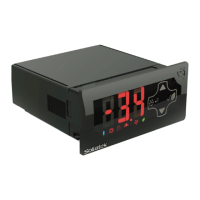
The FDEx2 can be connected to the Sollatek FDM4 and FDM5 digital displays. These allow you to:
• View and configure controller status/mode.
• Configure pre-set parameters.
• View controller alarms and faults.
5. INSTALLATION
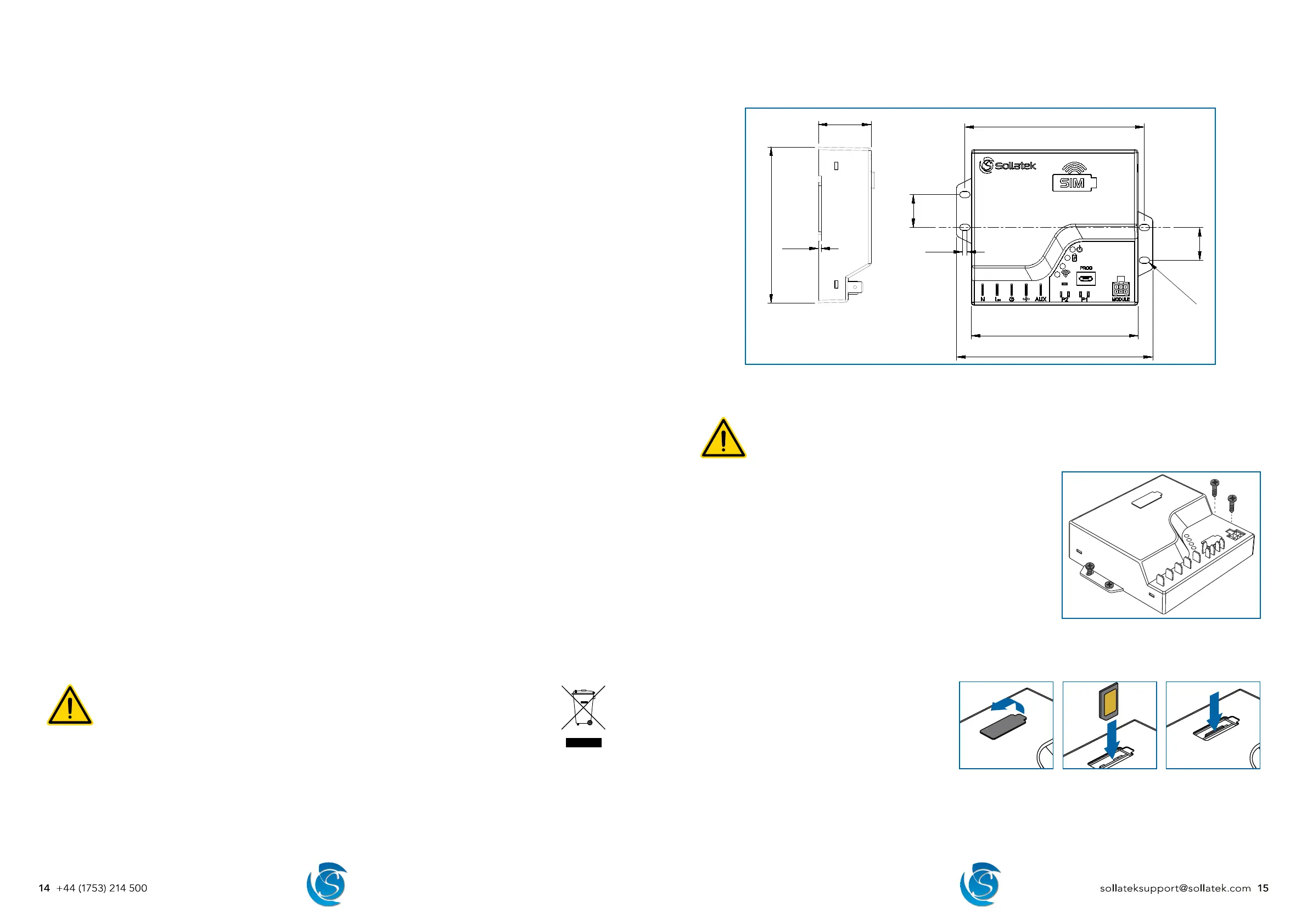
5.1 FDEX2 DIMENSIONS
95.2
112
102.5
℄
18.8
18.8
R1.8
2.5
1.5
5.2 MOUNTING INSTRUCTIONS
WARNING!
FDEx2 MUST be mounted with terminals in an isolated area, either in a plastic or earthed metal case.
For the best signal, avoid mounting the FDEx2 near/behind metal surfaces and mount it as close to the front of the
cooler, facing the front plastic grid.
Note: The FDEx2 can be mounted horizontally or vertically
1. Mark and drill pilot holes in the surface where the FDEx2 is to be mounted.
Ensuring the holes are free of burrs and sharp edges.
2. Place the FDEx2 in place and insert the provided screws into the holes.
3. Tighten the screws using a screwdriver to secure the FDEx2 into position.
5.3 INSERTING AND REMOVING THE SIM CARD
Note: FDEx2 is provided with a SIM pre-installed
Insert the SIM card
1. Remove the plastic bung.
2. Insert the SIM card with the chip facing towards the
front of the unit as shown, until it clicks into place.
3. Replace the bung in the hole, ensuring it is fully
pressed down.
Remove the SIM card
1. Remove the bung and press the SIM card in until it clicks, and then slowly release it
2. The SIM card will pop up. Pull the SIM card out.
3. Replace the bung in the hole, ensuring it is fully pressed down.


 To Next Page