MIC-5010, MIC-5005 – USER MANUAL
ATTENTION!
To display the correct battery discharge status, it is necessary to completely discharge and
then fully charge the battery, before starting the regular use of the meter.
Note:
An attempt to install drivers in 64-bit Windows 8 may result in displaying "Installation failed"
message.
Cause: Windows 8 by default blocks drivers without a digital signature.
Solution: Disable the driver signature enforcement in Windows.
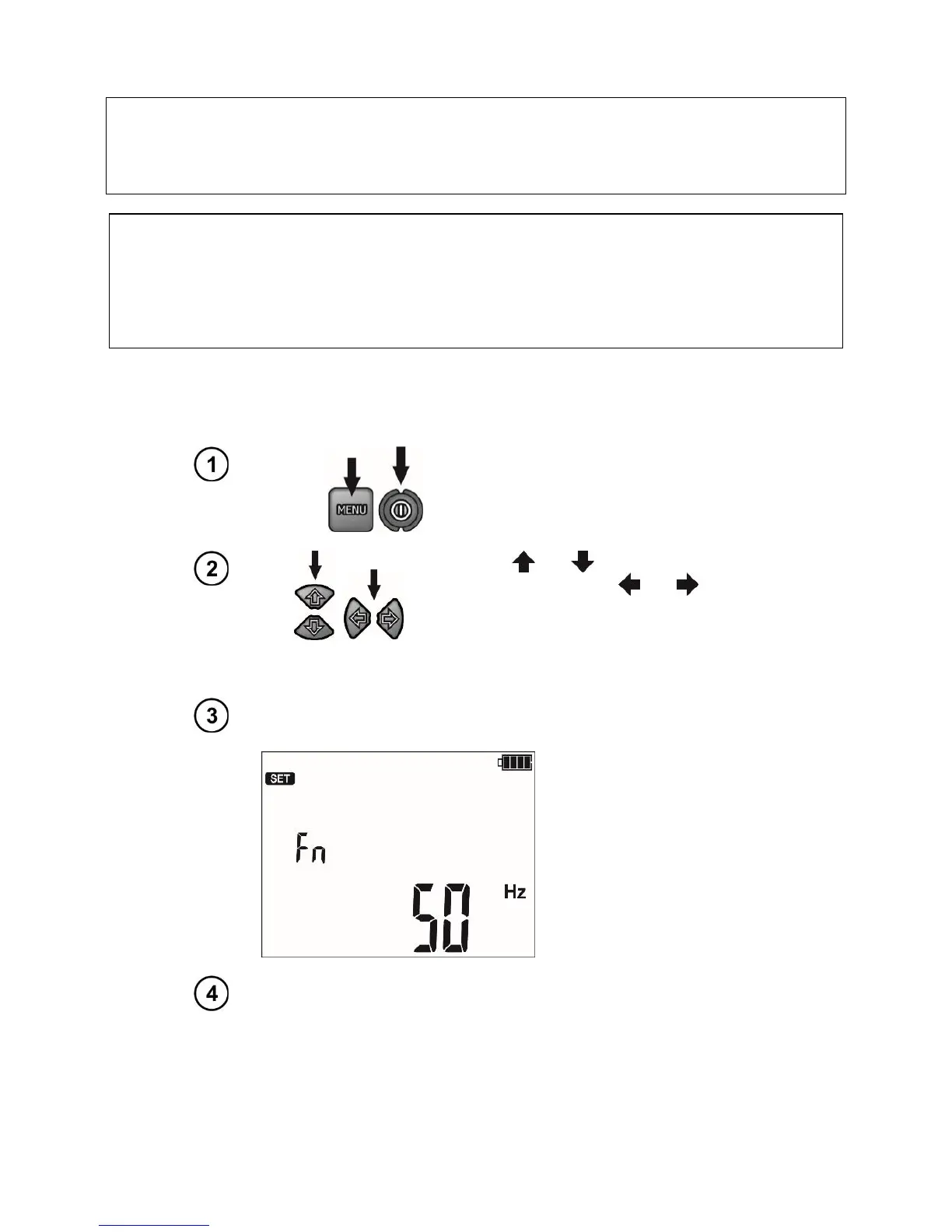
Turn on the meter by pressing and
holding the MENU button.
The buttons and
are used to set the
parameter value, while the and but-
tons move to the next parameter.
The setting sequence is as follows:
Rated grid frequency (50 Hz and 60 Hz).
Auto-off time (300 s, 600 s, 900 s) or none (---).



 To Next Page