Help Guide
Interchangeable Lens Digital Camera
ILCE-7CM2 α7CII
Selecting a person to track (Select Face to Track)
When the camera recognizes multiple people, you can choose which person to track.
Note
[Select Face to Track] is unavailable in the following situations:
When [
Focus Mode] is set to [Manual Focus] in still image shooting mode
When using the Smart Zoom, Clear Image Zoom and Digital Zoom in still image shooting mode
Related Topic
Assigning frequently used functions to buttons and dials (Custom Key/Dial Set.)
TP1001171102
5-054-865-11(1) Copyright 2023 Sony Corporation
MENU →
(Setup) → [Operation Customize] → [ Custom Key/Dial Set.] or [ Custom Key/Dial Set.]
→ Assign the [Select Face to Track] function to the desired key.
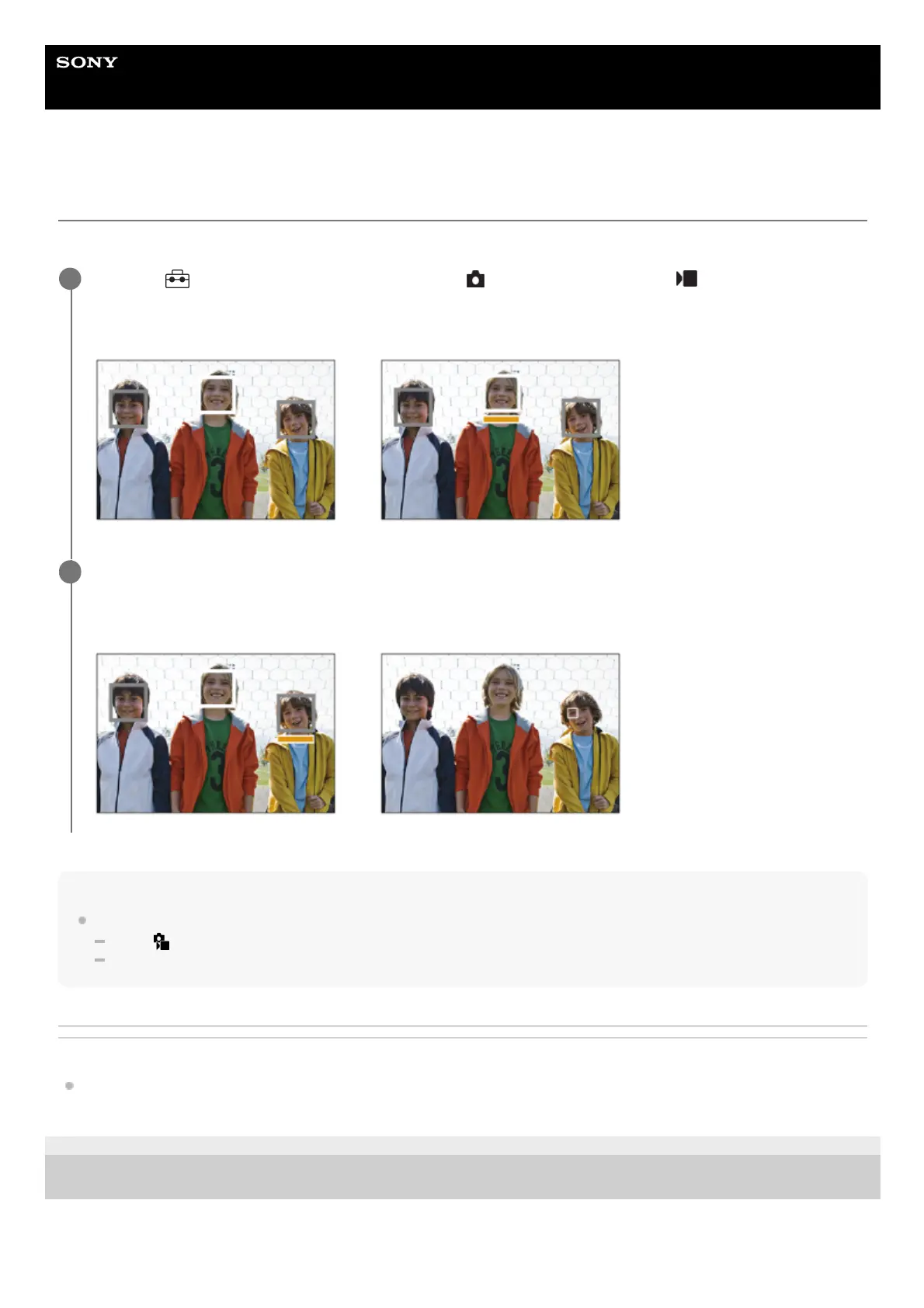
The [Select Face to Track] screen will appear, and an orange bar will be displayed below the face to be tracked.
1
Select a face to track using the control wheel and press the center.
The orange bar will move to the selected face. Once the selection is confirmed, exit the [Select Face to Track]
screen and start tracking the selected face.
2


 To Next Page
 Loading...









