Help Guide
Interchangeable Lens Digital Camera
ILCE-7CM2 α7CII
Front side
Related Topic
Rear side
Top side
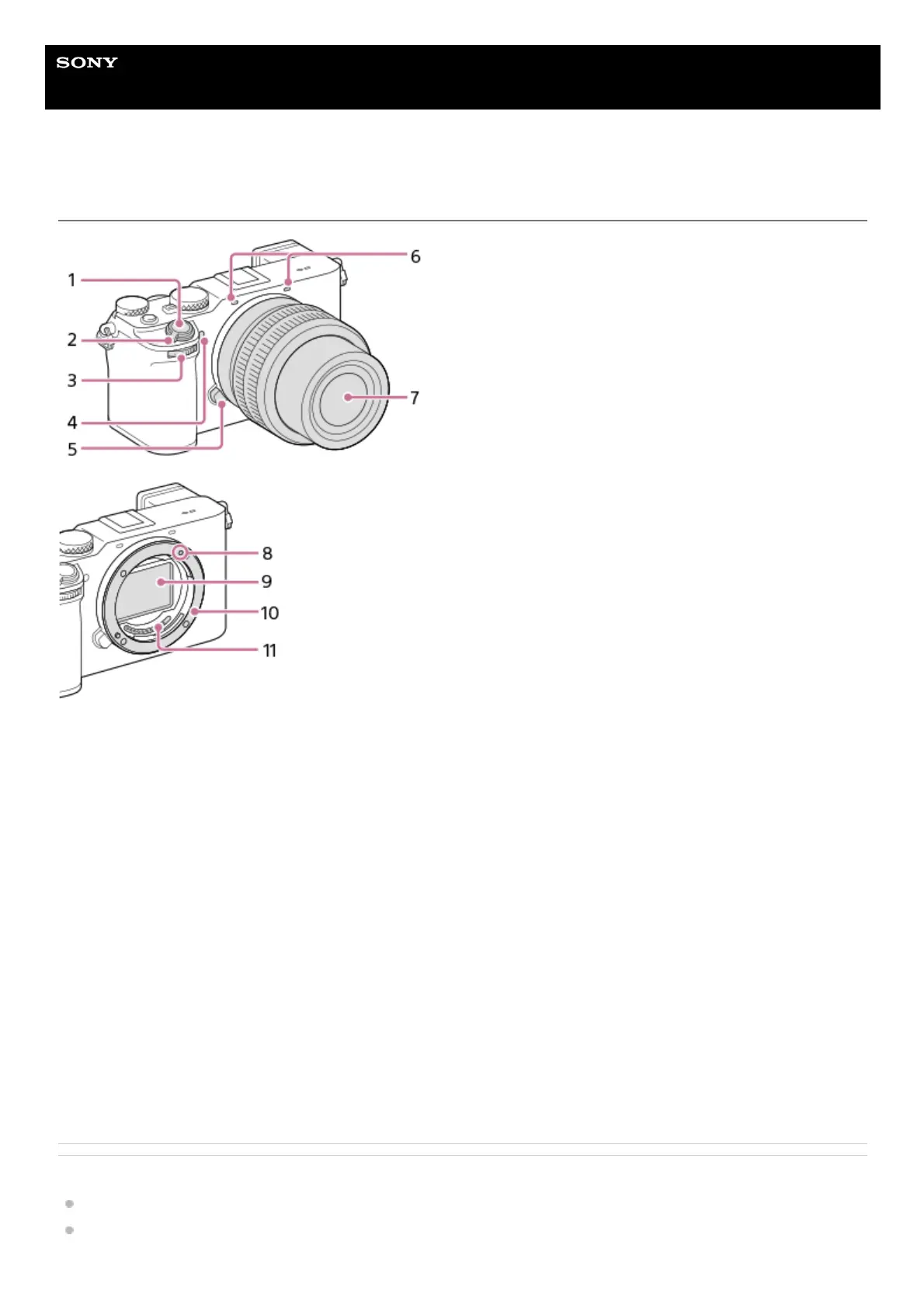
Shutter button1.
ON/OFF (Power) switch2.
Front dial
You can quickly adjust the settings for each shooting mode.
3.
Self-timer lamp/AF illuminator
Do not cover this part during shooting.
4.
Lens release button5.
Microphone
Do not cover this part during movie recording. Doing so may cause noise or lower the volume.
6.
Lens7.
Mounting index8.
Image sensor*9.
Mount10.
Lens contacts*11.
Do not directly touch these parts.
*



 To Next Page