Help Guide
Interchangeable Lens Digital Camera
ILCE-7CM2 α7CII
Inserting/removing a memory card
Explains how to insert a memory card (sold separately) to the camera. You can use the SD memory cards with this
camera.
Hint
When you use a memory card with the camera for the first time, it is recommended that you format the card on the camera for
more stable performance of the memory card.
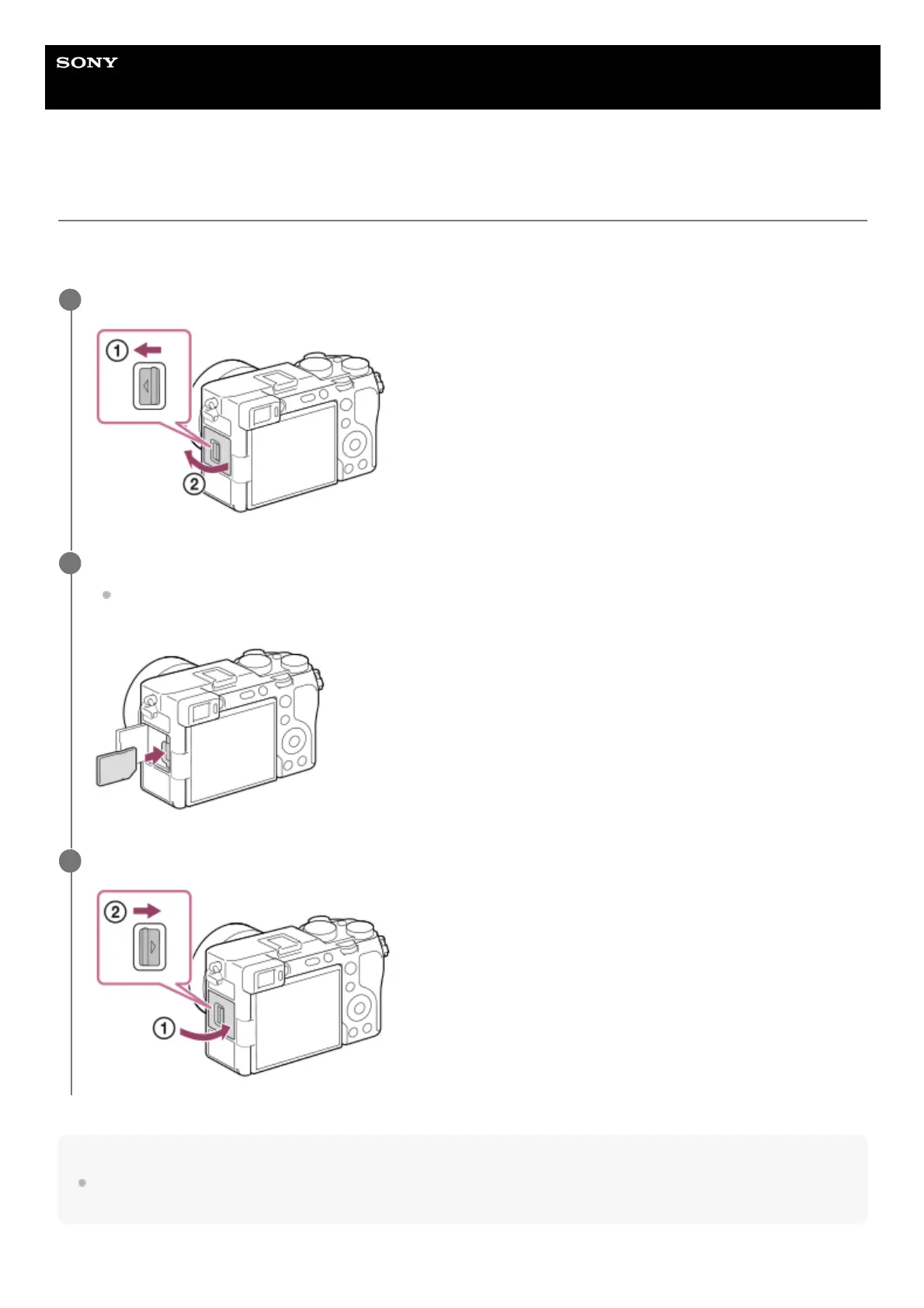
Slide the switch on the memory card cover to open the cover.
1
Insert the memory card.
With the notched corner facing in the direction illustrated, insert the memory card until it clicks into place. Insert
the memory card correctly. Not doing so may cause a malfunction.
2
Close the cover, and then slide the switch towards the LOCK side.
3



 To Next Page