Specifications
100
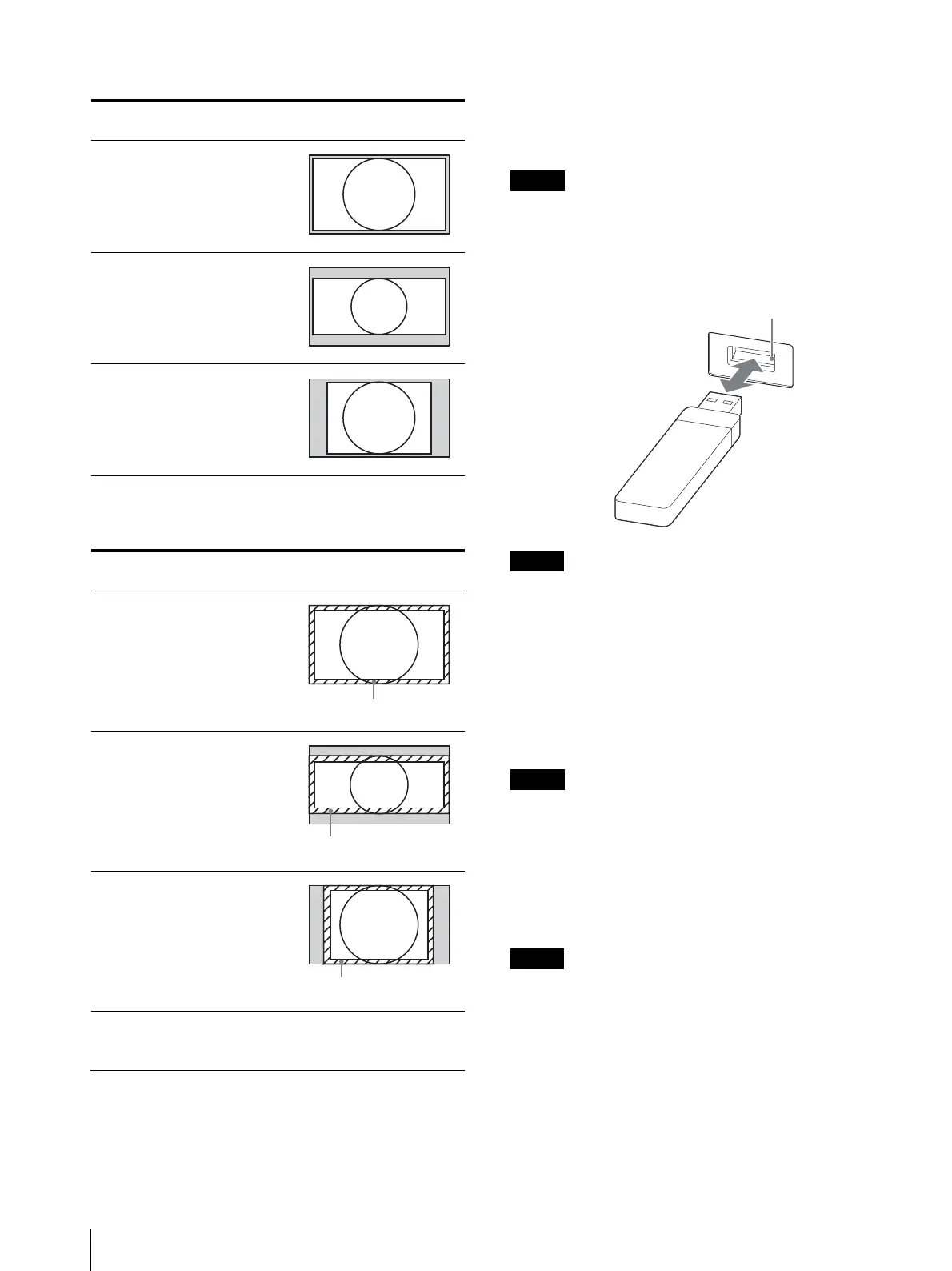
[Under Scan]
1) When a 2048 × 1080 signal is input
[Over Scan]
1) When a 2048 × 1080 signal is input
Inserting/Ejecting the USB memory
stick
The BKM-17R Monitor Control Unit has a USB
connector.
Proceed as illustrated to insert and eject a USB memory
stick (sold separately).
See each menu for information about operations on USB
memory stick data.
Do not eject the USB memory stick while data is being
saved or loaded.
To insert and eject the USB memory stick
Make sure to insert the USB memory stick into the
USB connector in the correct direction.
When ejecting the USB memory stick, make sure that
the unit is not accessing the USB memory stick.
Notes on USB memory sticks
The USB 3.0 memory sticks up to 8 GB have been tested
with this product.
This does not guarantee complete support of all USB
memory sticks.
Note on data read/write speed
Data read/write speed may vary depending on the
combination of the USB memory stick and the product
that you use.
Image data may be damaged in the following cases:
– If you eject the USB memory stick, or turn the unit
off while accessing the data
– If you use a USB memory stick near static electricity
or a magnetic field
We recommend backing up important data.
Do not touch the connector of the USB memory stick
with anything, including your finger or metallic
objects.
Do not strike, bend, or drop the USB memory stick.
Scan mode Input signal system and scan mode
image
Aspect: [16:9]
([1.896:1]
1)
)
Aspect: [2.39:1]
Aspect: [4:3]
Scan mode Input signal system and scan mode
image
Aspect: [16:9]
([1.896:1]
1)
)
Aspect: [2.39:1]
Aspect: [4:3]
1920 × 1080
1280 × 720
2048 × 1080
720 × 576
720 × 487
1920 × 1080
1280 × 720
2048 × 1080
720 × 576
720 × 487
5% mask portion
2048 × 1080
1920 × 1080
5% mask portion
720 × 576
720 × 487
5% mask portion






 To Next Page