Specifications
99
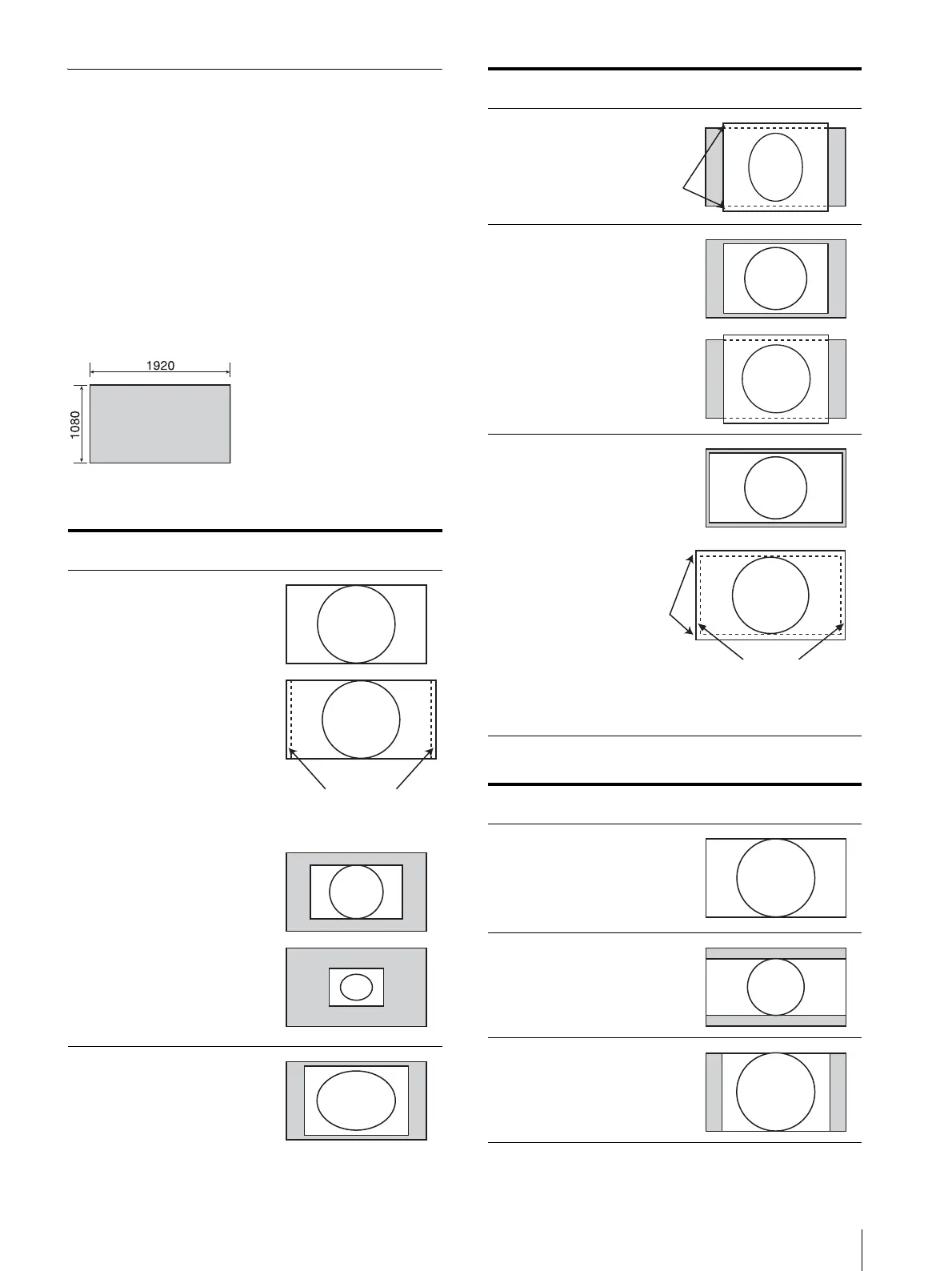
Scan Mode Image
Example: Scan images of available signal systems
when a signal is input from the SDI input or
composite input
For details of the picture display size, see “Picture
Display Size” (page 94).
For setting of the [Native Scan Mode] menu, see
[Native Scan Mode] (page 45) of the [Auxiliary
Setting] menu.
For setting Aspect, see the [Screen Aspect] menu
(page 38) of the [Channel Configuration] menu.
Panel size
[Native Scan]
[Normal Scan]
1) When a 2048 × 1080 signal is input
Scan mode Input signal system and scan mode
image
[Native Scan
Mode]:
[×1]
[Native Scan
Mode]:
[×2]
1920 × 1080
2048 × 1080
Displayed by sliding the
picture with the PHASE
knob of the controller.
1280 × 720
720 × 576
720 × 487
[Native Scan
Mode]:
[Aspect
Correction]
Aspect: [4:3]
[Native Scan
Mode]:
[Aspect
Correction]
Aspect: [16:9]
Scan mode Input signal system and scan mode
image
Aspect: [16:9]
([1.896:1]
1)
)
Aspect: [2.39:1]
Aspect: [4:3]
Scan mode Input signal system and scan mode
image
720 × 576
Displayed by sliding the
picture with the UP/DOWN
button of the controller.
720 × 576
Displayed the whole picture
of the H direction by sliding
the picture with the PHASE
knob of the controller.
Displayed the whole picture of
the V direction by sliding the
picture with the UP/DOWN
button of the controller.
1920 × 1080
1280 × 720
2048 × 1080
720 × 576
720 × 487






 To Next Page