16
Attaching the Handle (BVM-E171) / Connecting the Controller (BKM-17R)
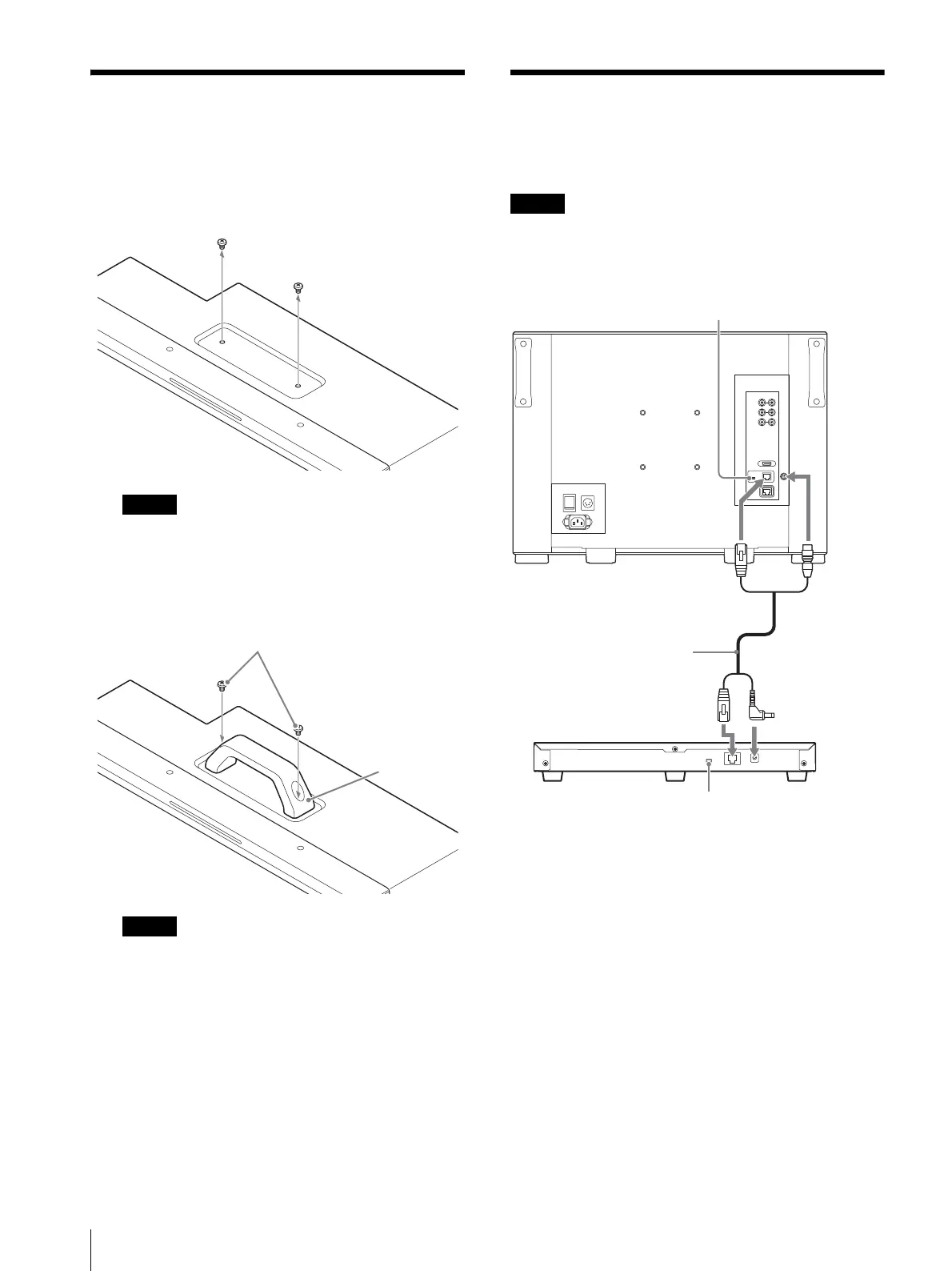
Attaching the Handle
(BVM-E171)
1
Remove the 2 screws on the top side.
Keep the removed screws in a safe place to prevent
them from being lost.
2
Attach the handle with the supplied screws.
Make sure that the screw clamp is not loosened.
Secure the handle attachment.
Connecting the Controller
(BKM-17R)
When you connect the BKM-16R, refer to the operating
instructions of BKM-16R.
1
Turn off the power switch of the monitor before
connecting the units.
2
Set the NETWORK switches of the monitor and the
controller to PEER TO PEER.
3
Connect the LAN (10/100) connector of the
monitor and the LAN (10/100) connector of the
controller by using the SMF-17R20 or the cable
supplied with the BKM-37H/38H/39H, or a
10BASE-T/100BASE-TX straight LAN cable
(shielded-type, sold separately).
4
Connect the DC 12V OUT connector of the
monitor and DC 12V connector of the controller by
using the SMF-17R20 or the cable supplied with the
Screws (supplied)
Handle
(supplied)
NETWORK switch:
Set to PEER TO PEER.
LAN (10/100)
connector
DC 12V OUT
connector
LAN (10/100)
connector
DC 12V connector
SMF-17R20, etc.
Controller
(BKM-17R)
NETWORK switch:
Set to PEER TO PEER.






 To Next Page