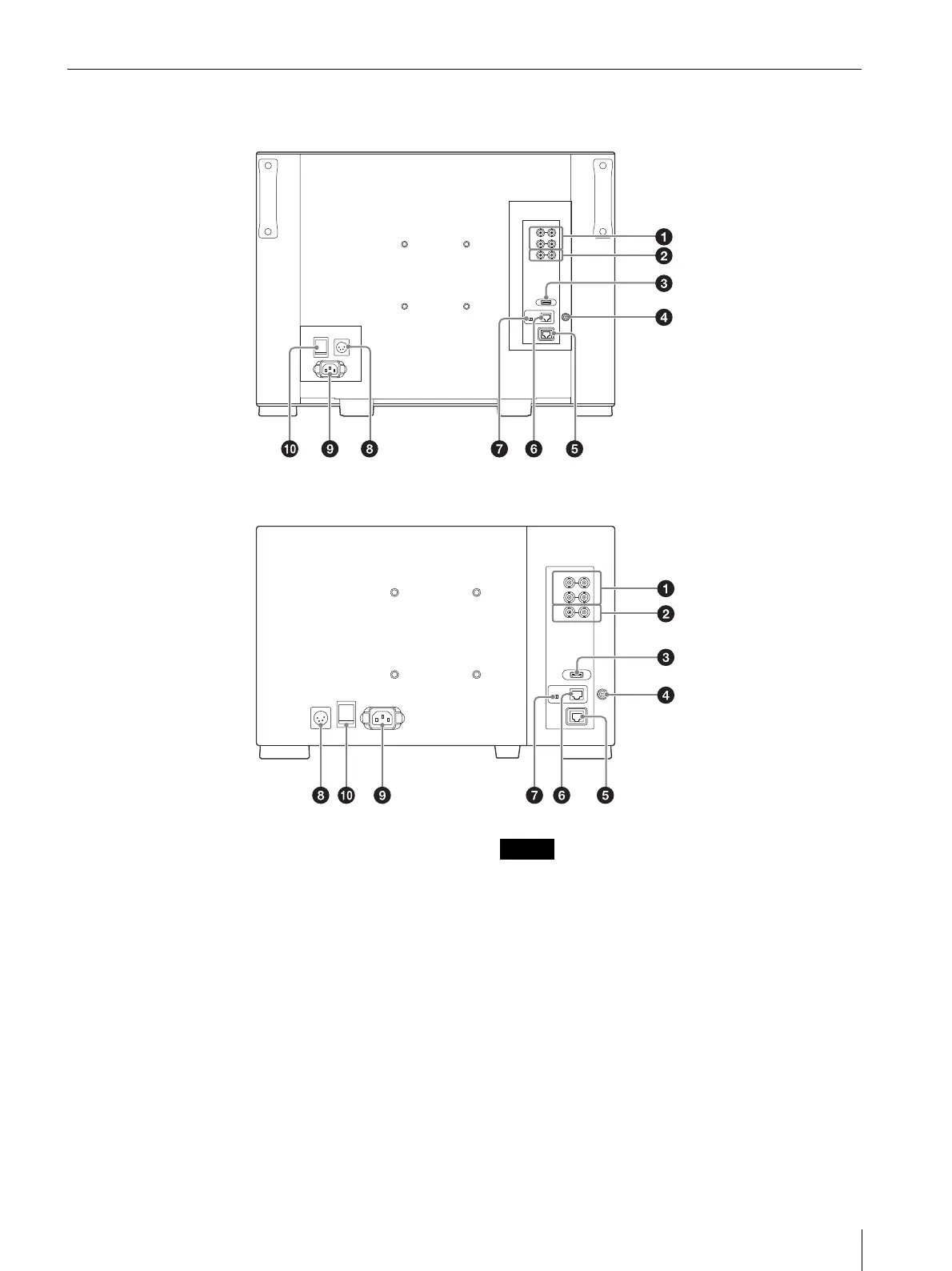
Location and Function of Parts and Controls
13
Rear Panel
SDI input and output connectors (BNC)
SDI 1 IN connector
Input connector for serial digital signals.
SDI 2 IN connector
Input connector for serial digital signals.
MONITOR OUT connector
MONITOR OUT for SDI 1 IN and SDI 2 IN
connectors.
COMPOSITE input and output connectors
(BNC)
IN connector
Input connector for composite video signals.
OUT connector
Loop-through output connector.
When the composite signal is used, adjust the signal
level in the [Picture Adj] menu (page 31).
When inputting a video signal with the jitters, etc.
the picture may be disturbed. We recommend using
the TBC (time base corrector).
When the unit is turned off, the signal wave of the
COMPOSITE input and output connectors may be
distorted.
HDMI IN (HDMI input) connector
Input connector for HDMI
1)
signals.
HDMI (High-Definition Multimedia Interface) is an
interface that supports both video and audio on a single
digital connection, allowing you to enjoy high quality
digital picture and sound. The HDMI specification
supports HDCP (High-bandwidth Digital Content






 To Next Page