Connecting the HDMI cable
18
2
Connect to the network by using a 10BASE-T/
100BASE-TX cable (shielded-type, sold separately).
We recommend to use an optional switching hub
with auto selection function (AUTO MDI/MDI-X)
of a straight/cross cable.
3
Connect the output cable on the AC adaptor
supplied with the controller to the DC 12V
connector of the controller.
When multiple units are connected, set for the LAN
before setting the NETWORK switch to LAN
(page 22).
4
Set the NETWORK switches of each monitor and
the controller to LAN.
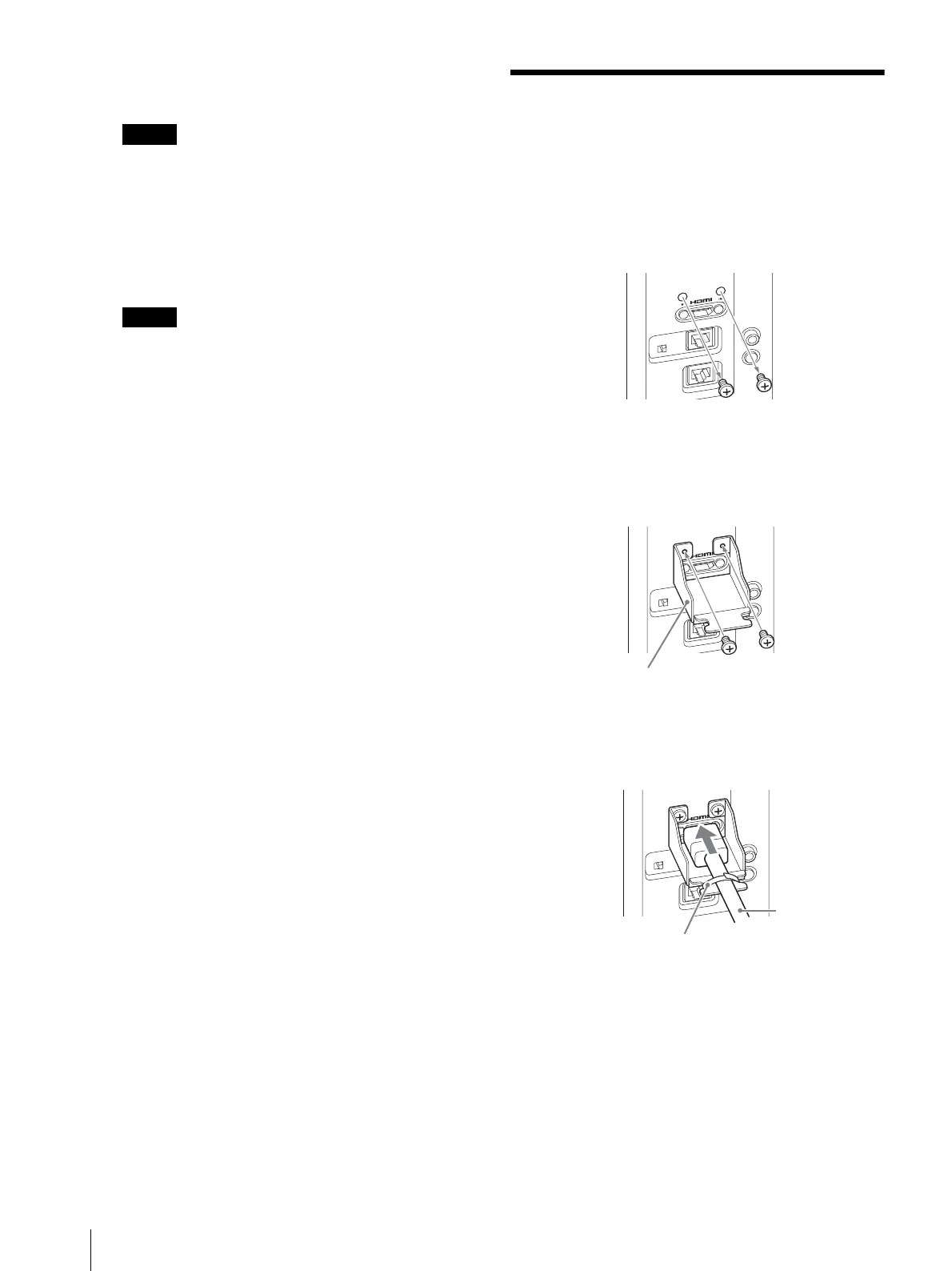
Connecting the HDMI
cable
1
Remove the two screws on both sides of the HDMI
IN connector.
2
Attach the HDMI cable holder (supplied) with the
removed screws.
3
Insert the HDMI cable and fix with a commercially-
available cable fixer (1 piece).
HDMI cable holder (supplied)






 To Next Page