-
Tuning automatically
1 Select the band, then push the multi
way encoder left/right to search for the
station.
Scanning stops when the unit receives a
station. Repeat this procedure until the
desired station is received.
Tip
Ifyou know the frequency
of
the station you want
to
listen
to,
push
and
hold the multi way encoder left/right
to
quickly locate the approximate frequency, then push
the multi way encoder left/right repeatedly to fine
adjust to the desired frequency (manual tuning).
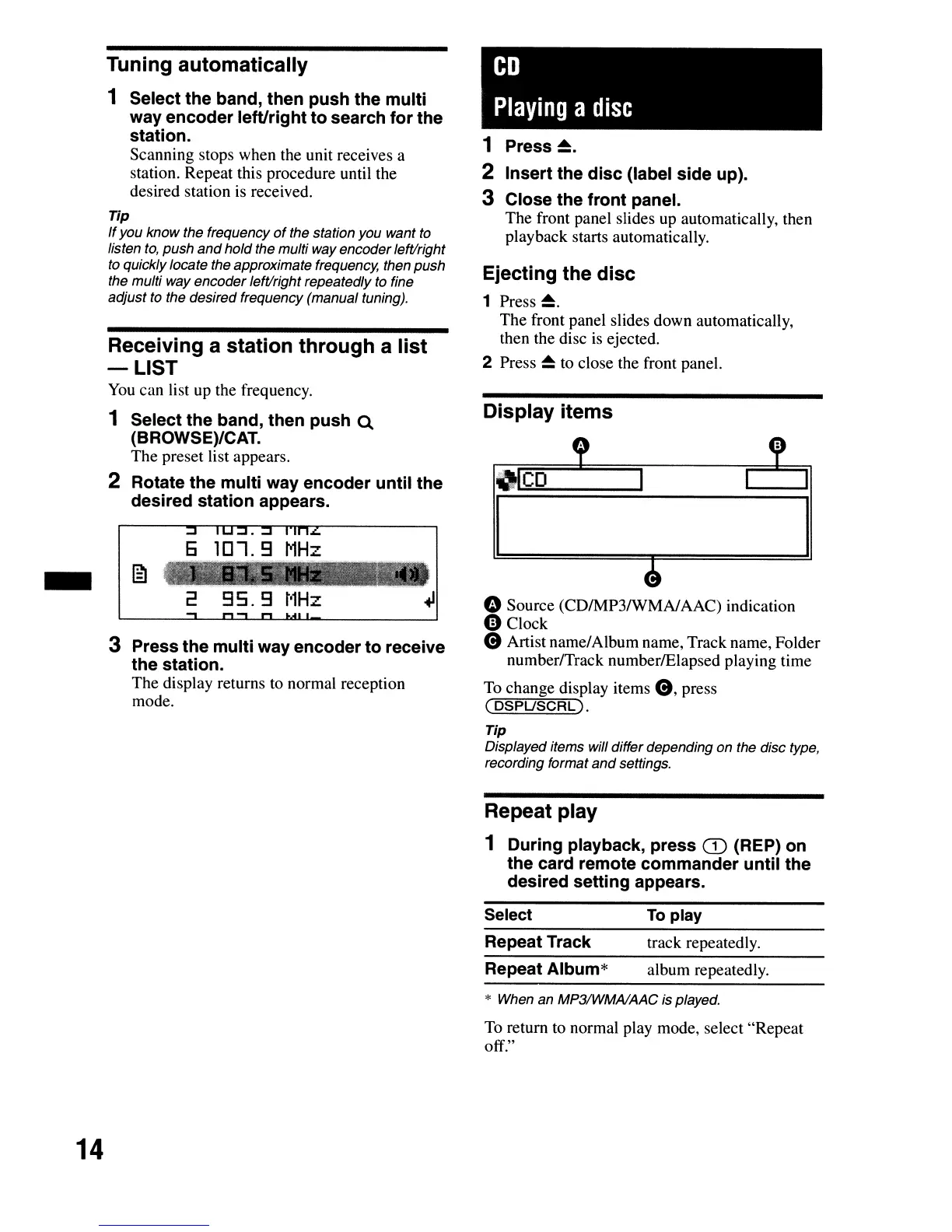
Receiving a station through a list
-LIST
You
can list up the frequency.
1 Select the band, then push Q
(BROWSE)/CAT.
The preset list appears.
2 Rotate the multi way encoder until the
desired station appears.
6
lOl.9
MHz
2
95.9
t'1Hz
3 Press the multi way encoder to receive
the station.
The display returns to normal reception
mode.
CD
Playing
a
disc
1
Press~.
2 Insert the disc (label side up).
3 Close the front panel.
The front panel slides
up
automatically, then
playback starts automatically.
Ejecting the disc
1
Press~.
The front panel slides down automatically,
then the disc is ejected.
2 Press
~
to close the front panel.
Display items
" Source (CDIMP3IWMAIAAC) indication
e Clock
e Artist name/Album name, Track name, Folder
numberlTrack numberlElapsed playing time
To
change display items
e,
press
(
DSPUSCRL).
Tip
Displayed items will differdepending on the disc type,
recording format
and
settings.
Repeat play
1 During playback, press
CD
(REP) on
the card remote commander until the
desired setting appears.
Select
Repeat Track
Repeat Album*
To
play
track repeatedly.
album repeatedly.
14
* When an MP31WMAlAAC is played.
To return to normal play mode, select "Repeat
off."


 To Next Page