29
GB
Operations
Note on Repeat Play
“REP1” indicates that a single track or file is repeated
until you stop playback.
Notes on playing MP3 discs
• Do not save other types of tracks or files, or
unnecessary folders on a disc that contains MP3 files.
• Folders that contain no MP3 files are skipped.
• MP3 files are played back in the order that they are
recorded onto the disc.
• The system can only play MP3 files that have a file
extension of “.mp3.”
• Even when file name has the “.mp3” file extension, if
the actual file differs, playing this file may generate a
loud noise that could damage the speaker system and
cause the system to malfunction.
• The maximum number of:
– folders is 255 (including the root folder).
– MP3 files is 511.
– MP3 files and folders that can be contained on a
single disc is 512.
– folder levels (the tree structure of files) is 8.
• Compatibility with all MP3 encoding/writing software,
recording device, and recording media cannot be
guaranteed. Incompatible MP3 discs may produce noise
or interrupted audio or may not play at all.
To protect the CD mechanism
When carrying this system, remove the disc to
prevent the CD mechanism and the disc being
damaged. Use the buttons on the unit.
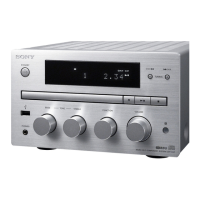
1
Open the disc tray and remove the
disc.
2
Press FUNCTION repeatedly to
select the CD function.
3
Press and hold Z for 5 seconds or
longer.
4
After “LOCK” appears, unplug the
power cord.


 To Next Page
 Loading...