Getting started
12
Getting started
Step 1: Checking
supplied items
Make sure you have following items supplied
with your camcorder.
The number in parentheses indicates the number
of that item supplied.
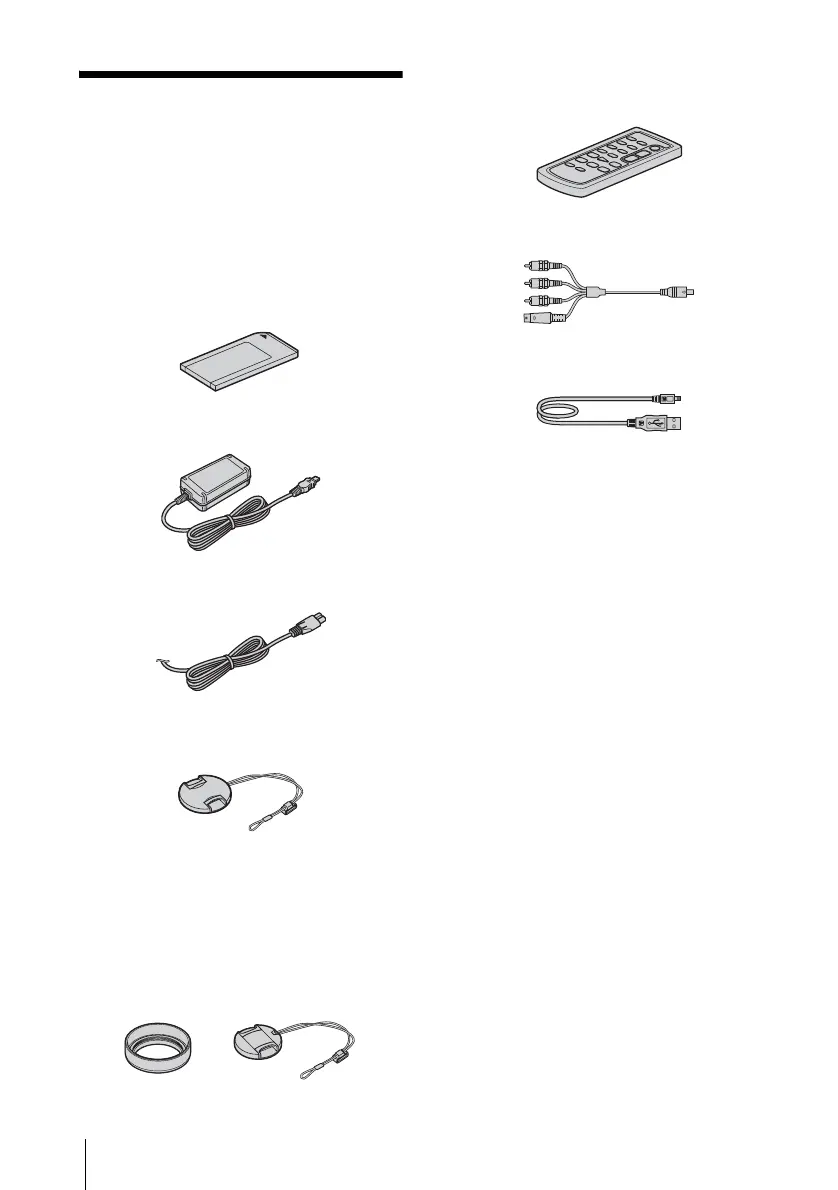
“Memory Stick” 16MB (1)
AC Adaptor (1)
Power cord (1)
Lens cap (Large, 1)
Attached to the camcorder.
Lens hood (1) and Lens cap (Small, 1)
Use the lens hood to record under strong light, such as
under the sun. When you use the lens hood, use the
small lens cap. See page 127 on how to replace the
lens cap. Note when you use a filter (optional), the
shadow of the lens hood may appear on the screen.
Also, if you force the lens hood on, you may not be
able to remove it again.
Wireless Remote Commander (1)
A button-type lithium battery is already
installed.
A/V connecting cable (1)
USB cable (1)
Rechargeable battery pack NP-FM30 (1)
Battery terminal cover (1)
CD-ROM “SPVD-010 USB Driver” (1)
Cleaning cloth (1)
Camera Operations Guide (This manual)
(1)
Computer Applications Guide (1)















 To Next Page