Recording
38
Adjusting the frame and focus
when recording a still image in
darkness – NightFraming
You can observe the subject in total darkness.
When recording, the HOLOGRAM AF light is
emitted to focus on a subject until the focus is
fixed.
1 Slide the POWER switch repeatedly to
select the CAMERA-MEMORY
mode.
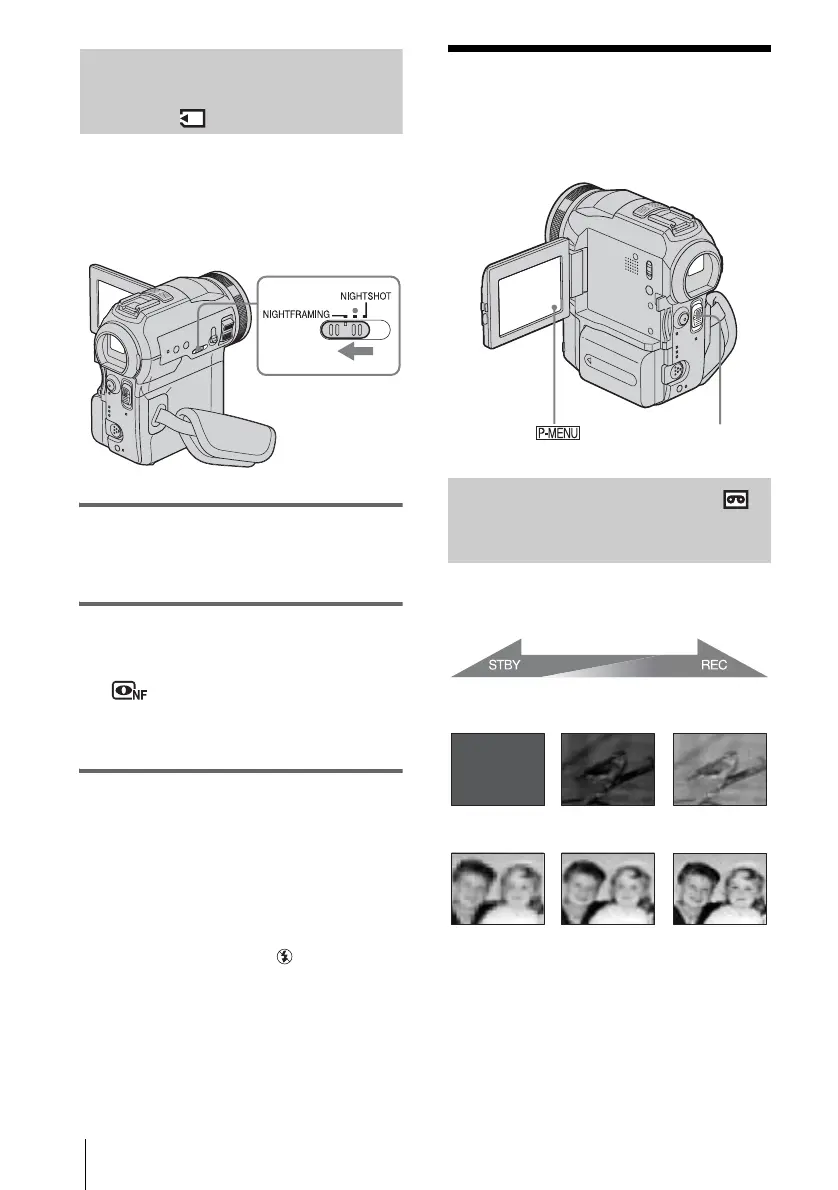
2 Set the NIGHTSHOT/
NIGHTFRAMING switch to
NIGHTFRAMING.
and [NIGHTFRAMING] appear.
To cancel NightFraming, set the
NIGHTSHOT/NIGHTFRAMING switch
to z (green).
b Note
• The focus may not be correctly adjusted if you are
using a conversion lens (optional) as it may block the
HOLOGRAM AF light.
• The focus will be adjusted automatically even if
manual focusing is selected.
• Supplementary light will be emitted even if
[HOLOGRAM AF] is set to [OFF].
• Flash will be activated even if
(No flash) is
selected.
z Tip
• Even though the subject may not appear on the LCD
panel in natural colors when you are shooting, it will
be recorded in natural colors.
Recording a picture
using various effects
Fading in and out of a scene
– FADER
You can add the following effects to
currently recording pictures.
[NORMAL FADER]
[MOSAIC FADER]
[MONOTONE]
When fading in, the picture gradually changes
from black-and-white to color.
When fading out, the picture gradually changes
from color to black-and-white.
POWER switch















 To Next Page