Recording
40
9 Press START/STOP to start recording.
[M. OVRLAP] stops flashing, and
disappears when fading is finished.
Using special effects – Digital
effect
You can add digital effects to the recordings.
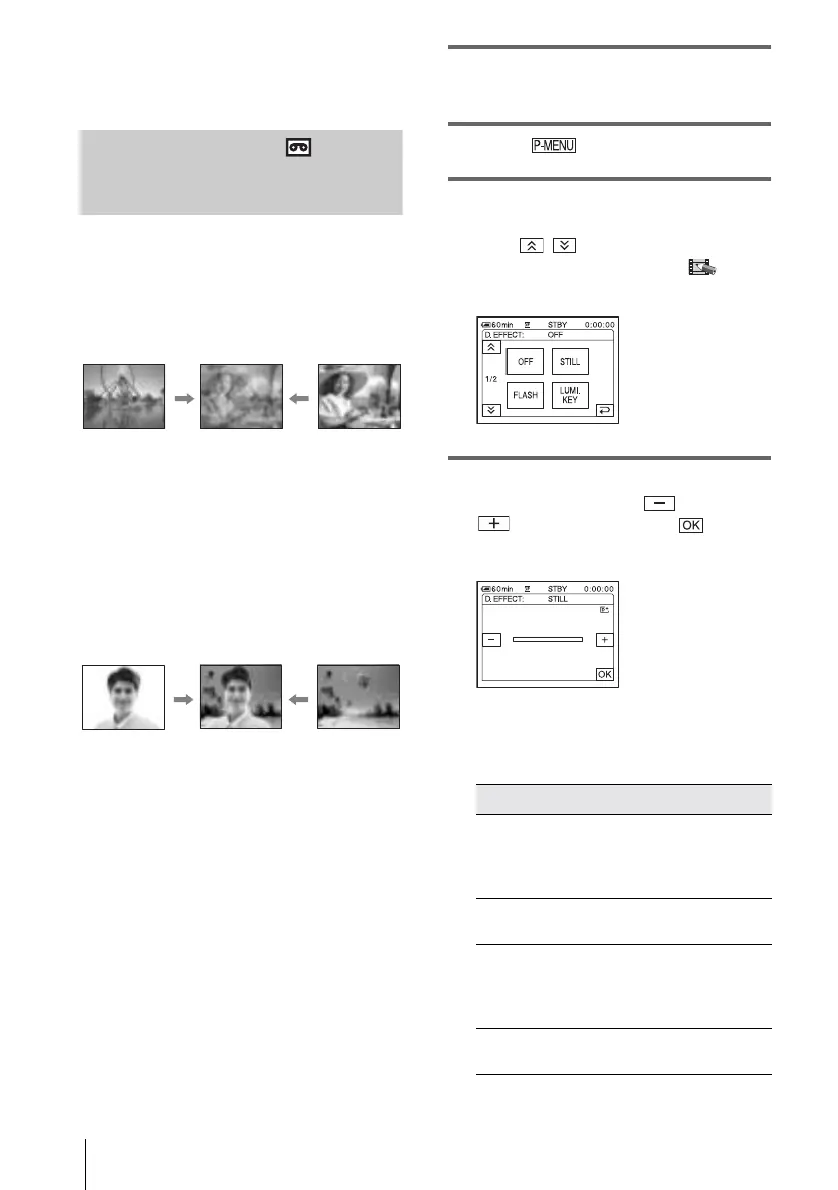
[STILL]
You can record a movie while superimposing it
on a previously recorded still image.
[FLASH] (flash motion)
You can record a movie with a serial-still-image
effect (strobe effect).
[LUMI. KEY] (luminance key)
You can replace a brighter area in a previously
recorded still image, such as the background of
a person or a title written on white paper, with a
movie.
[TRAIL]
You can record a picture so that an incidental
image like a trail is left.
[SLOW SHUTTR] (slow shutter)
You can slow down the shutter speed. This
mode is suitable for shooting a subject more
clearly in a dark place.
[OLD MOVIE]
You can add an old movie-type atmosphere to
pictures. Your camcorder automatically records
pictures in the letterbox mode for all screen size,
sepia in color, and at a slower shutter speed.
1 Slide the POWER switch to select the
CAMERA-TAPE mode.
2 Touch .
3 Touch [D. EFFECT].
If the item is not displayed on the screen,
touch / . If you cannot find it, touch
[MENU], and select it from the (PICT.
APPLI.) menu.
4 Touch the desired effect, then adjust
the effect by touching (decrease) /
(increase) and touch .
When you touch [STILL] or [LUMI. KEY],
the image displayed on the screen at that
time is saved as a still image.
Effect Items to adjust
[STILL] The degree of transparency
of the still image you want
to superimpose on a
movie.
[FLASH] The interval of frame-by-
frame playback.
[LUMI. KEY] The color scheme of the
area in the still image
which is to be swapped
with a movie.
[TRAIL] The fade time of the
incidental image.
Adjustment screen example:















 To Next Page