Recording
Recording
31
z Tips
• The amount of light used by the flash is adjusted
automatically. To adjust it manually, select [FLASH
LEVEL] from the (CAMERA SET) menu
(p. 58).
• When the focus is hard to adjust, use the
HOLOGRAM AF function (p. 37), or refer to
“Adjusting the focus manually” (p. 36) for the
proper focal distance information.
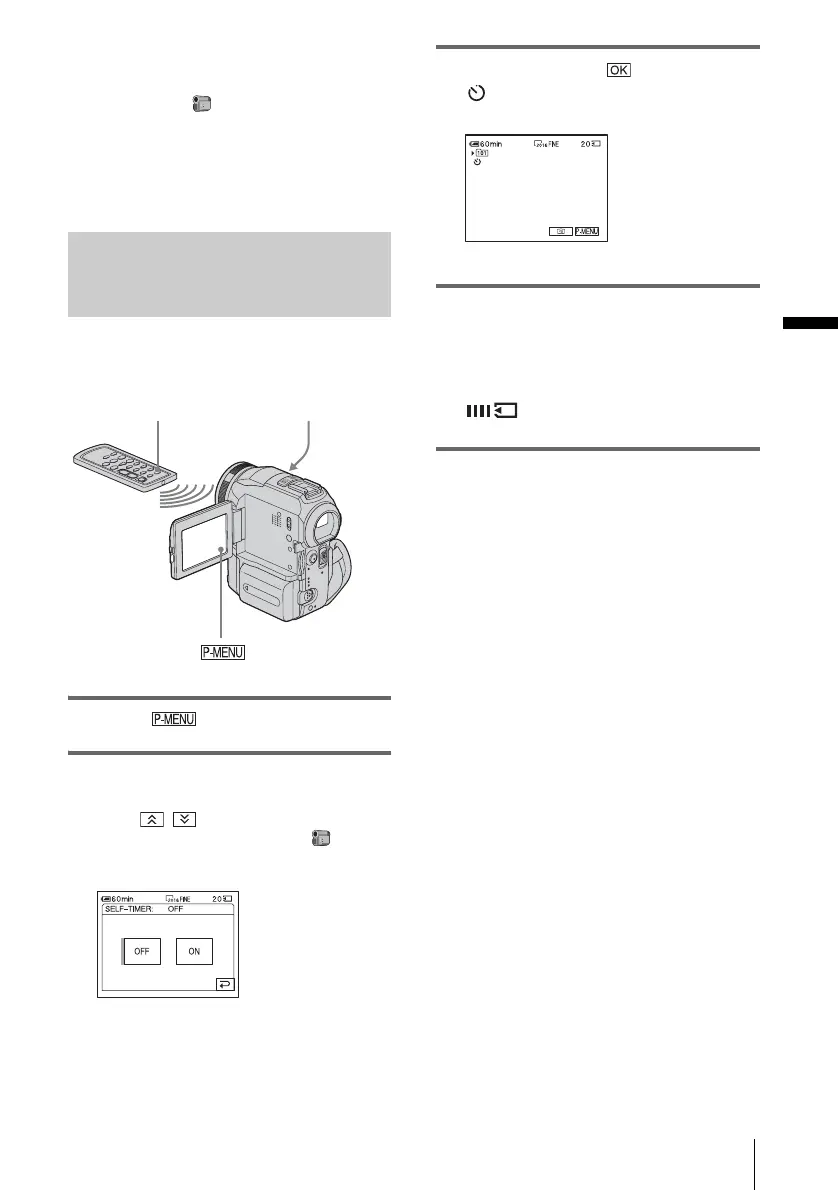
Using the self-timer
With the self-timer, you can record a still
image after a delay of about 10 seconds.
1 Touch .
2 Touch [SELF-TIMER].
If the item is not displayed on the screen,
touch / . If you cannot find it, touch
[MENU] and select it from the
(CAMERA SET) menu.
3 Touch [ON], then .
appears.
4 Press PHOTO.
You will hear a beep sound counting down
for about 10 seconds (The count down
indication begins from 8).
The image is recorded. When bars of
disappears, the image is recorded
on the “Memory Stick.”
To cancel the count down
Touch [RESET].
To cancel the self-timer
Follow steps 1 and 2, then select [OFF] in step
3.
PHOTO
PHOTO
,continued















 To Next Page