Dubbing/Editing
Dubbing/Editing
99
Checking and adjusting the
recorded sound
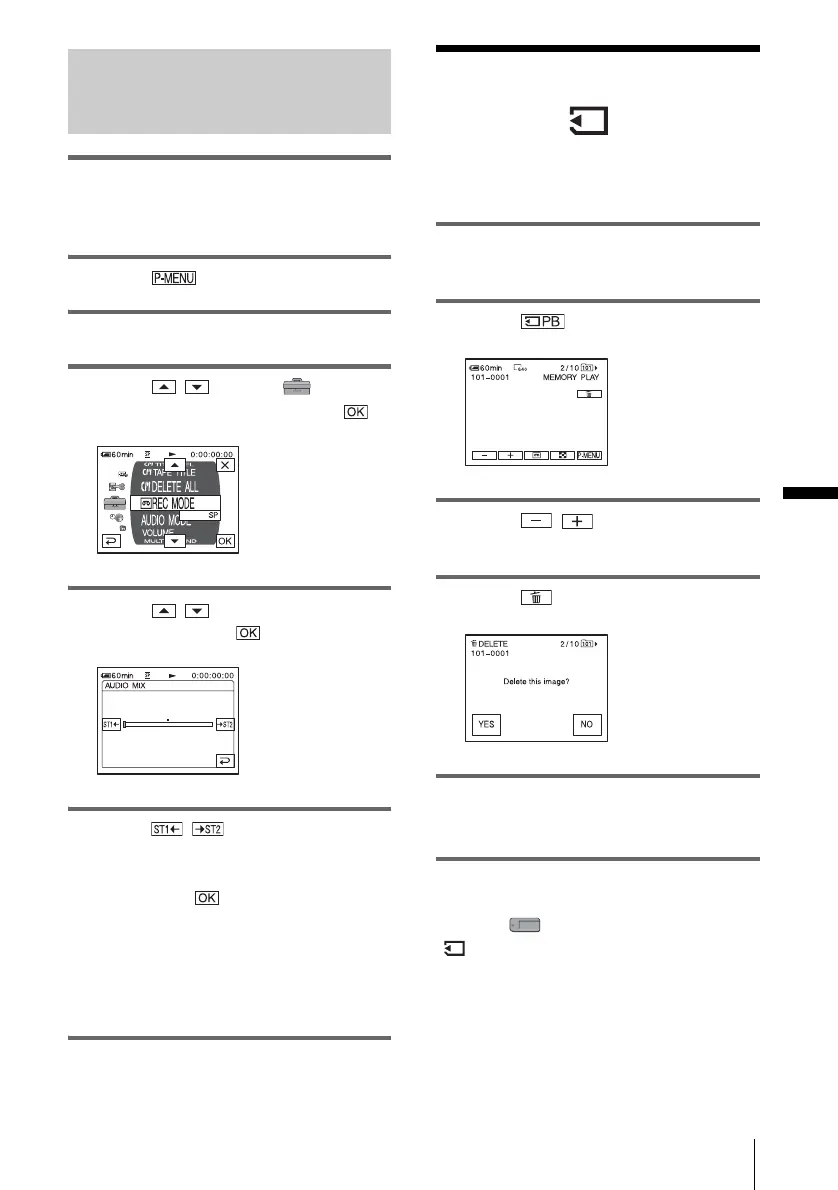
1 Play back the tape on which you have
recorded audio in “Recording sound”
(p. 98).
2 Touch .
3 Touch [MENU].
4 Touch / to select
(STANDARD SET), then touch .
5 Touch / to select [AUDIO
MIX], then touch .
6 Touch / to adjust the balance
between the original sound (ST1) and
the sound recorded afterwards (ST2).
Then, touch .
The original sound (ST1) is output in the
default setting.
The adjusted audio balance returns to the
default setting in about 5 minutes after the
battery pack or other power sources have
been disconnected.
Deleting recorded
pictures
You can delete all or selected pictures stored
on a “Memory Stick.”
1 Slide the POWER switch repeatedly to
select the PLAY/EDIT mode.
2 Touch .
3 Touch / to select a picture
you want to delete.
4 Touch .
5 Touch [YES].
The selected picture is deleted.
To cancel deletion, touch [NO].
To delete all pictures at once
Select the (MEMORY SET) menu, then
[ ALL ERASE] (p. 65).
,continued















 To Next Page