Recording
Recording
41
* It is hard to adjust the focus automatically when
you choose this effect. Adjust the focus
manually using a tripod to steady the
camcorder.
5 Touch .
appears.
To cancel Digital effect
Follow steps 2 and 3, then select [OFF] in step
4.
b Notes
• You cannot use Digital effect together with:
– Super NightShot function
– Color Slow Shutter function
– FADER function
– Memory overlap
– MEMORY MIX function
• You cannot use [SLOW SHUTTR]/[OLD MOVIE]
together with [PROGRAM AE] (except [AUTO]).
• You cannot use [OLD MOVIE] together with:
– [16:9 WIDE] mode
– Picture effect ([PICT. EFFECT])
z Tip
• You can create a picture with color and brightness
reversed or a picture that looks like a pastel drawing
while recording on a tape. For details, refer to
Picture effect ([PICT. EFFECT], p. 68).
Overlaying still images on movies
on a tape – MEMORY MIX
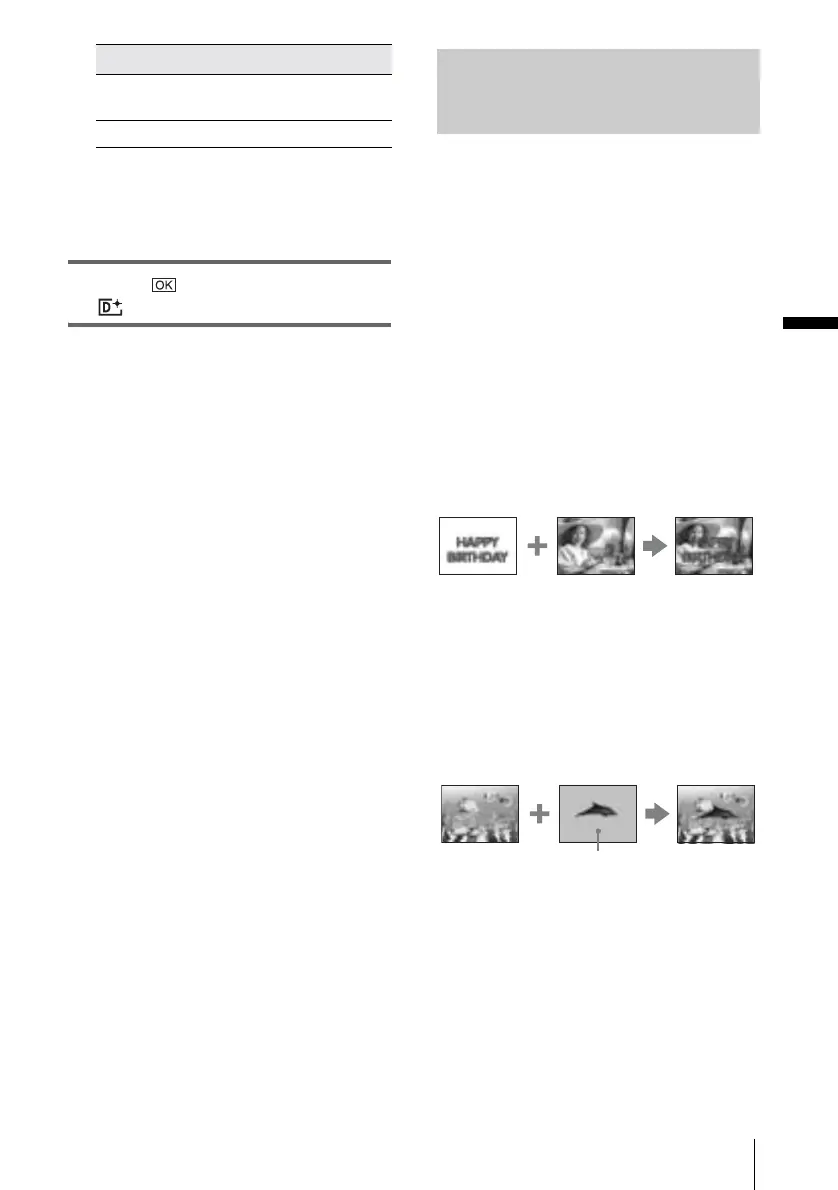
You can superimpose a still image you have
recorded on a “Memory Stick” over the
movie you are currently recording on a tape.
You can then record the superimposed
pictures on a tape or a “Memory Stick.” (You
cannot superimpose a still image on a tape
which you have already finished recording.)
[MTCAM LUMI.] (Memory Luminance
key)
You can swap the brighter (white) area of a still
image into a movie. To use this function, have a
still image of an illustration or title handwritten
on white paper recorded on a “Memory Stick”
beforehand.
[CAMTM CHROMA] (Camera Chroma
key)
You can superimpose a movie on top of a still
image, such as an image which can be used as
background. Shoot the movie with the subject
against a blue background. Only the blue area of
the movie will be swapped with the still image.
[SLOW
SHUTTR]*
Shutter speed (1 is 1/30, 2
is 1/15, 3 is 1/8, 4 is 1/4).
[OLD MOVIE] No adjustment necessary.
Effect Items to adjust
Still image
Movie
Still image
Blue
Movie
,continued















 To Next Page