Playback
52
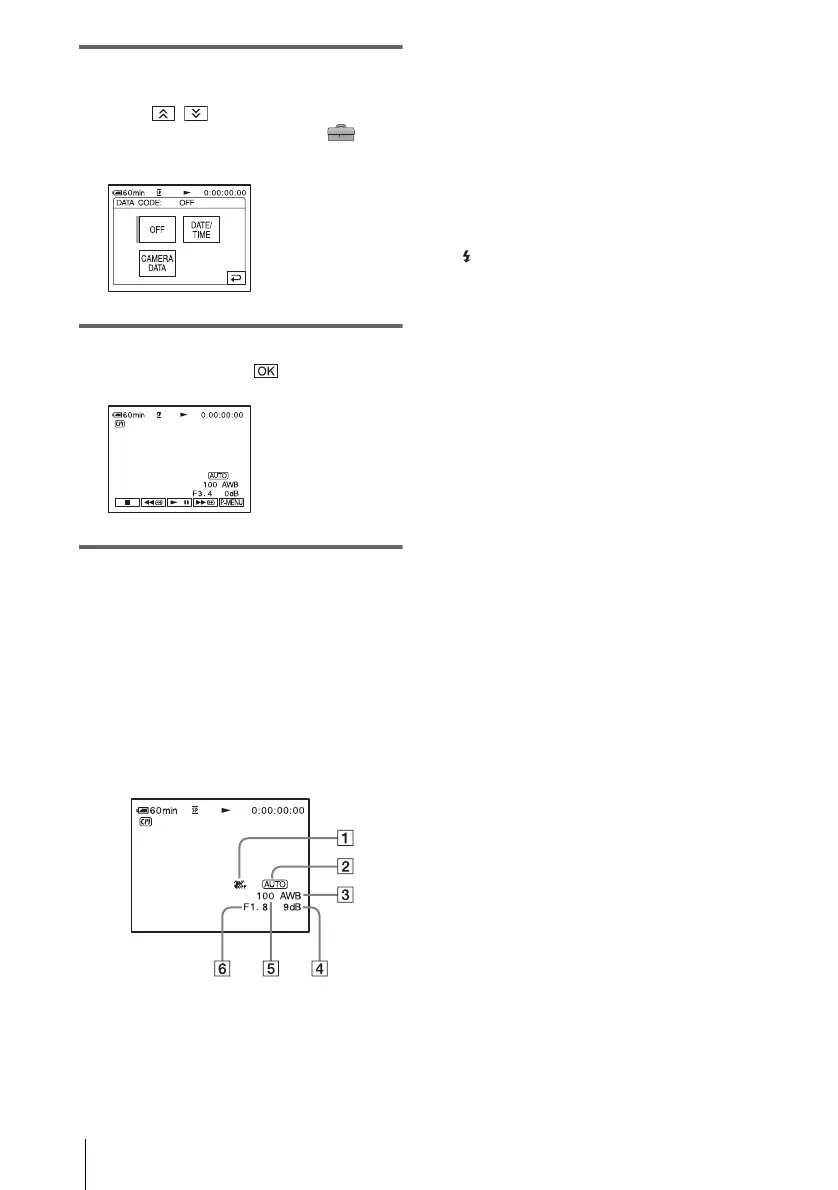
3 Touch [DATA CODE].
If the item is not displayed on the screen,
touch / . If you cannot find it, touch
[MENU], and select it from the
(STANDARD SET) menu.
4 Select [CAMERA DATA] or [DATE/
TIME] then touch .
To hide the date/time/the camera
settings data
Follow steps 2 and 3, and select [OFF] in step 4.
Camera settings data display
In the date/time data display, the date and time
is displayed in the same area.
If you record the picture without setting the
clock, [--- -- ----] and [--:--:--] will appear.
A SteadyShot off*
B Exposure*
C White balance*
D Gain*
E Shutter speed
F Aperture value
* Appears only during tape playback
b Note
• Camera setting data do not appear when movies on a
“Memory Stick” are played back.
z Tips
• Exposure adjustment value (0EV) appears when a
“Memory Stick” is played back.
• appears for the picture recorded using flash.















 To Next Page