Using the Menu
74
END SEARCH
SEARCH
TITLE
Any titles you have superimposed using this camcorder can only be viewed on a
video cassette device with the index titler function. If you superimpose a
title, you will be able to search for it using Title search. You can superimpose up
to about 20 titles (about 5 letters per title) on a cassette with Cassette Memory.
Note, however, that only 11 titles can be recorded when other data (6 date/time
data/1 cassette label) is recorded.
1 Select a desired title from the displayed titles (2 original titles that you
have created before and the preset titles that have been stored in your
camcorder). You can create original titles (up to 2 types of title of within
20 characters each) in the following procedure.
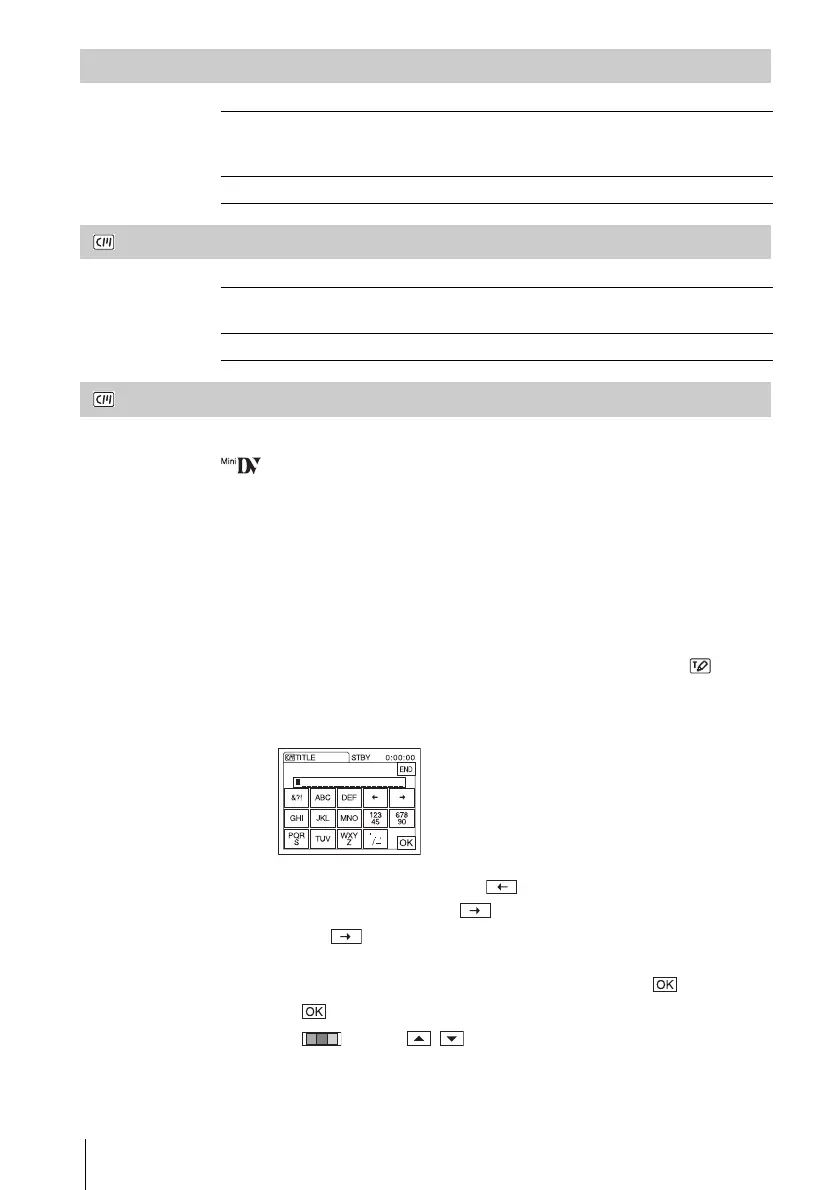
1 Select [CUSTOM 1 ” ”] or [CUSTOM 2 ” ”], then touch .
2 Select a desired character. Touch the button repeatedly to select the
desired character on the button.
To erase a character: Touch .
To insert a space: Touch .
3 Touch to move s to select the next character, and enter the
character in the same manner.
4 When you have finished entering characters, touch .
2 Touch .
3 Touch (color), / (position), [SIZE] as necessary to select a
desired color, position or size.
EXEC Select to activate the END SEARCH function. The most recently
recorded picture is played back for about 5 seconds and then stops
automatically.
CANCEL Select to stop the END SEARCH function.
GON Select when you want to search for a scene, title, etc. using the
Cassette Memory (p. 54, 55).
OFF Select to search without using Cassette Memory.















 To Next Page