18
GB
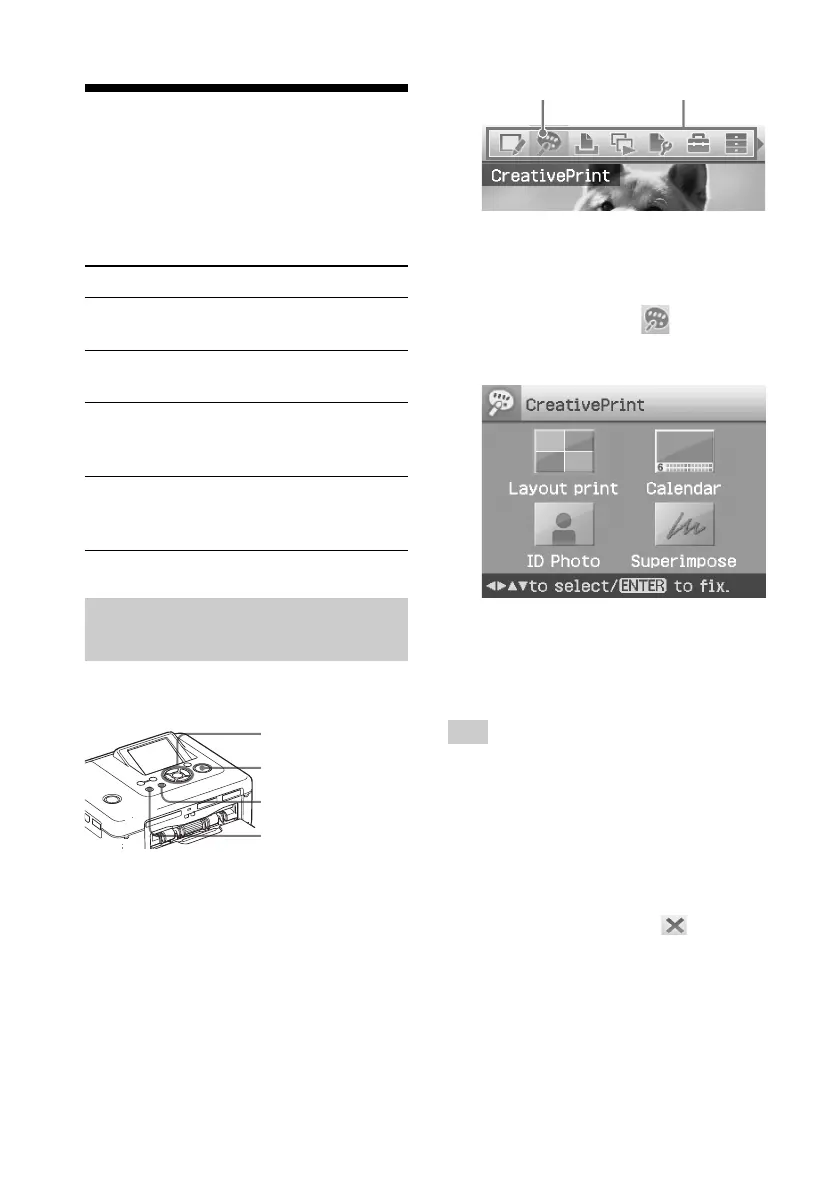
Creative Print menu icon Menu bar
To exit the menu mode
Press MENU again. The previous
window is displayed.
2
Press g/G to select (Creative
Print) and then press ENTER.
The Creative Print menu is displayed.
To undo the operation midway
Press CANCEL. The window of the
previous step is displayed. Depending on
the step, you cannot undo the operation.
Tip
You can press MENU while making a Creative
Print and set part of the Print setup menu items.
To exit the Creative Print menu
• Press MENU in the middle of the
operations and select “Creative Print
Complete”.
• Display the preview image and then
press g/G/f/F to select
and press
ENTER.
The dialog box for saving an image may
be displayed (page 17).
Making a Creative
Print
With images saved in a memory card or an
external device, you can make the
following prints:
Menu You can make...
Layout Print A print with 2/4/9/13/16
split images.
Calendar Calendars with your
favorite images.
ID Photo An ID photo by specifying
vertical and horizontal
sizes for an image.
Superimpose A print with superimposed
message, handwrite
characters or illustrations.
Displaying the Creative Print
menu
Buttons to be used in Creative Print
g/G/f/F/ENTER
PRINT
CANCEL
MENU
1
Press MENU.
The menu bar is displayed.



 To Next Page