29
GB
Making various printing
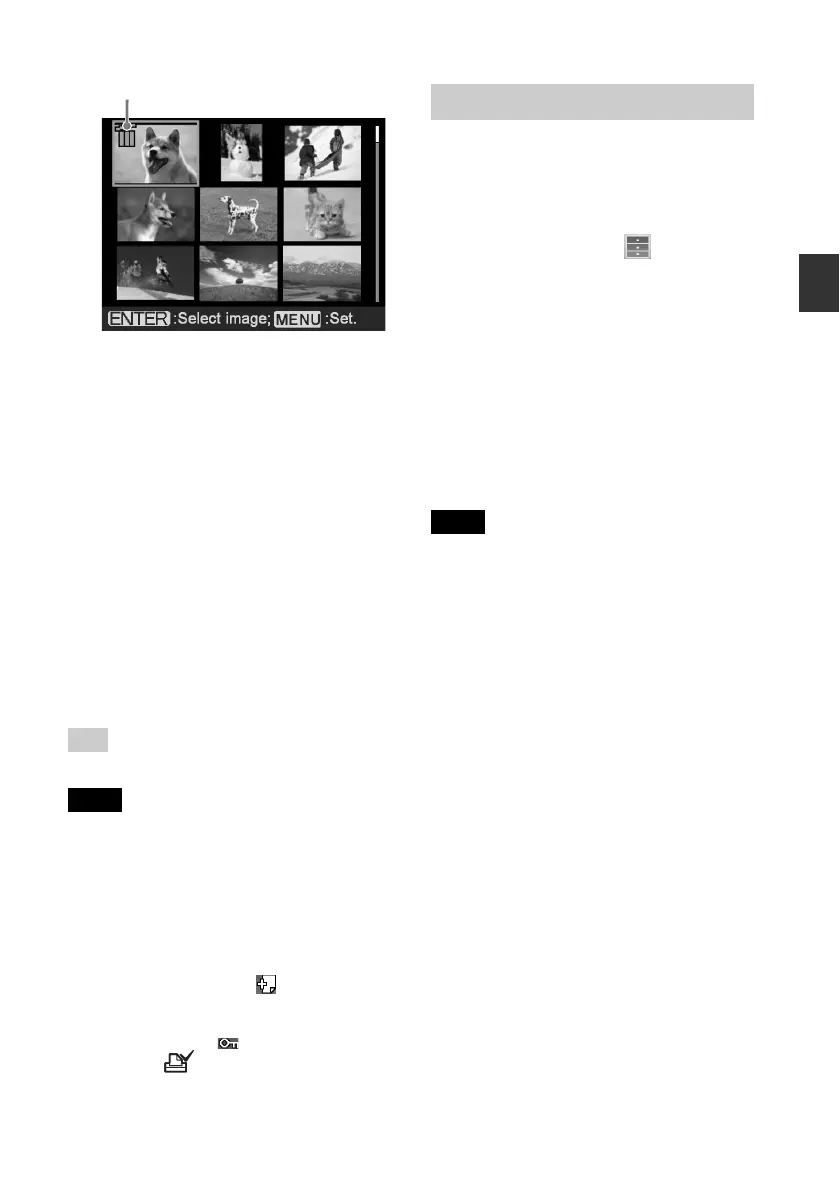
Trash icon
4
Press g/G/f/F to move the trash
icon to the image you want to
delete, then press ENTER.
To delete multiple images, repeat this
step.
To cancel the selection
Press g/G/f/F to select the image
whose selection you want to cancel,
and press ENTER again.
5
Press MENU.
A confirmation dialog box is
displayed.
6
Press g/G to select “OK” and
press ENTER.
The selected images are deleted.
Tip
To exit the File operation menu, press CANCEL.
Notes
• During deleting, do not turn off the printer or
remove the memory card. The printer or the
memory card may be damaged. Or the data
may be lost.
• An image, once deleted, will be lost forever.
Before deleting an image, double-check that it
is the right one.
• When you delete an image with the
associated file indication ( ), the associated
motion or e-mail file will be also deleted.
• You cannot delete a protected image with the
protect indication ( ) or a DPOF preset
indication (
) displayed. To delete them,
use your digital camera. For the details, see
the operating instruction of the digital
camera.
Formatting a “Memory Stick”
You can format a “Memory Stick”.
1
Press MENU.
The menu bar is displayed.
2
Press g/G to select (File
operation) and then press ENTER.
The File operation menu is displayed.
3
Press f/F to select “Memory Stick
Format” and press ENTER.
The confirmation dialog box is
displayed.
4
Press g/G to select “OK” and
press ENTER.
The “Memory Stick” is formatted.
Notes
• When you format a “Memory Stick”, all the
images inside are deleted.
• During formatting, do not turn off the printer
or remove the memory card. The printer or
the memory card may be damaged. Or the
image may be lost.
• You cannot format a memory card other than
the “Memory Stick” or an external device.



 To Next Page