Others
Symptom,
..
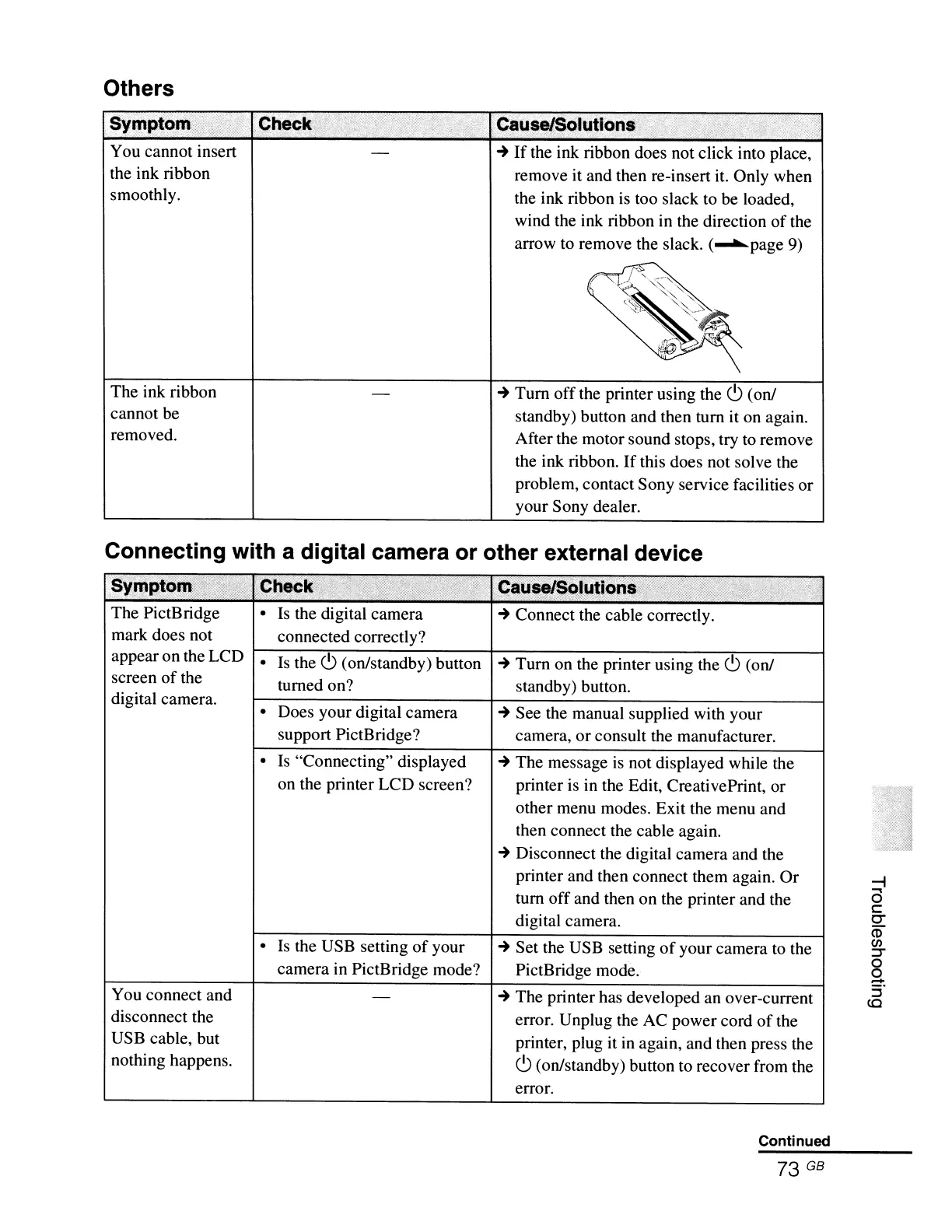
You cannot insert
the ink ribbon
smoothly.
The ink ribbon
cannot be
removed.
Che~k;
.Causel$Olutlons
i
..
If
the ink ribbon does not click into place,
remove it and then re-insert it. Only when
the ink ribbon
is
too slack to
be
loaded,
wind the ink ribbon in the direction
of
the
arrow to remove the slack.
('-""'page
9)
..
Tum off the printer using the
c.9
(on/
standby) button and then tum
it
on again.
After the motor sound stops, try
to
remove
the ink ribbon.
If
this does not solve the
problem, contact Sony service facilities or
your Sony dealer.
Connecting with a digital camera or other external device
:SYlORtb
;>,
-.
".
~
..
-,-
,-
The PictBridge
mark does not
appear on the LCD
screen
of
the
digital camera.
You connect and
disconnect the
USB cable, but
nothing happens.
•
Is
the digital camera
connected correctly?
•
Is
the
c.9
(on/standby) button
turned on?
• Does your digital camera
support PictBridge?
•
Is
"Connecting" displayed
on the printer LCD screen?
• Is the USB setting
of
your
camera in PictBridge mode?
..
Connect the cable correctly.
..
Tum on the printer using the
c.9
(on/
standby) button.
..
See the manual supplied with your
camera, or consult the manufacturer.
..
The message
is
not displayed while the
printer
is
in the Edit, CreativePrint, or
other menu modes. Exit the menu and
then connect the cable again.
..
Disconnect the digital camera and the
printer and then connect them again. Or
tum off and then on the printer and the
digital camera.
..
Set the USB setting
of
your camera to the
PictBridge mode.
..
The printer has developed an over-current
error. Unplug the AC power cord
of
the
printer, plug it
in
again, and then press the
c.9
(on/standby) button to recover from the
error.
Continued
73 GB
--i
a
c
C"
(1)
en
:T
o
o
.....
:i'
(Q



 To Next Page