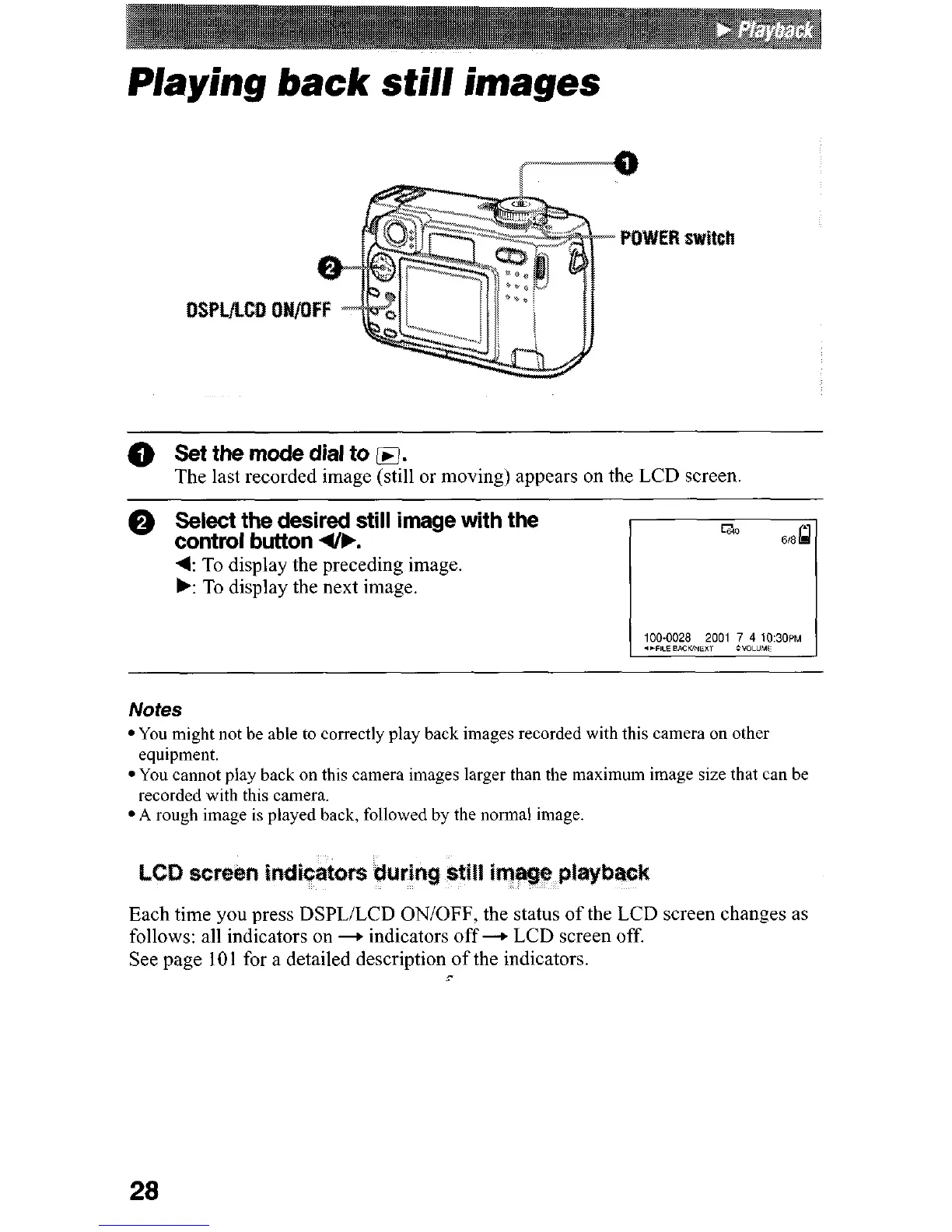
Playing back still images
@ Set the mode dial to
q
.
The last recorded image (still or moving) appears on the LCD screen
0
Select the desired still image with the
control button (IF.
4: To display the preceding image.
b: To display the next image.
Notes
l You might not be able to correctly play back images recorded with this camera on other
equipment.
l You cannot play back on this camera images larger than the maximum image size that can be
recorded with this camera.
*A rough image is played back, followed by the normal image.
Each time you press DSPL/LCD ON/OFF, the status of the LCD screen changes as
follows: all indicators on + indicators off + LCD screen off.
See page 101 for a detailed description of the indicators.
-’
28











 To Next Page