Image file storage destinations and
image files
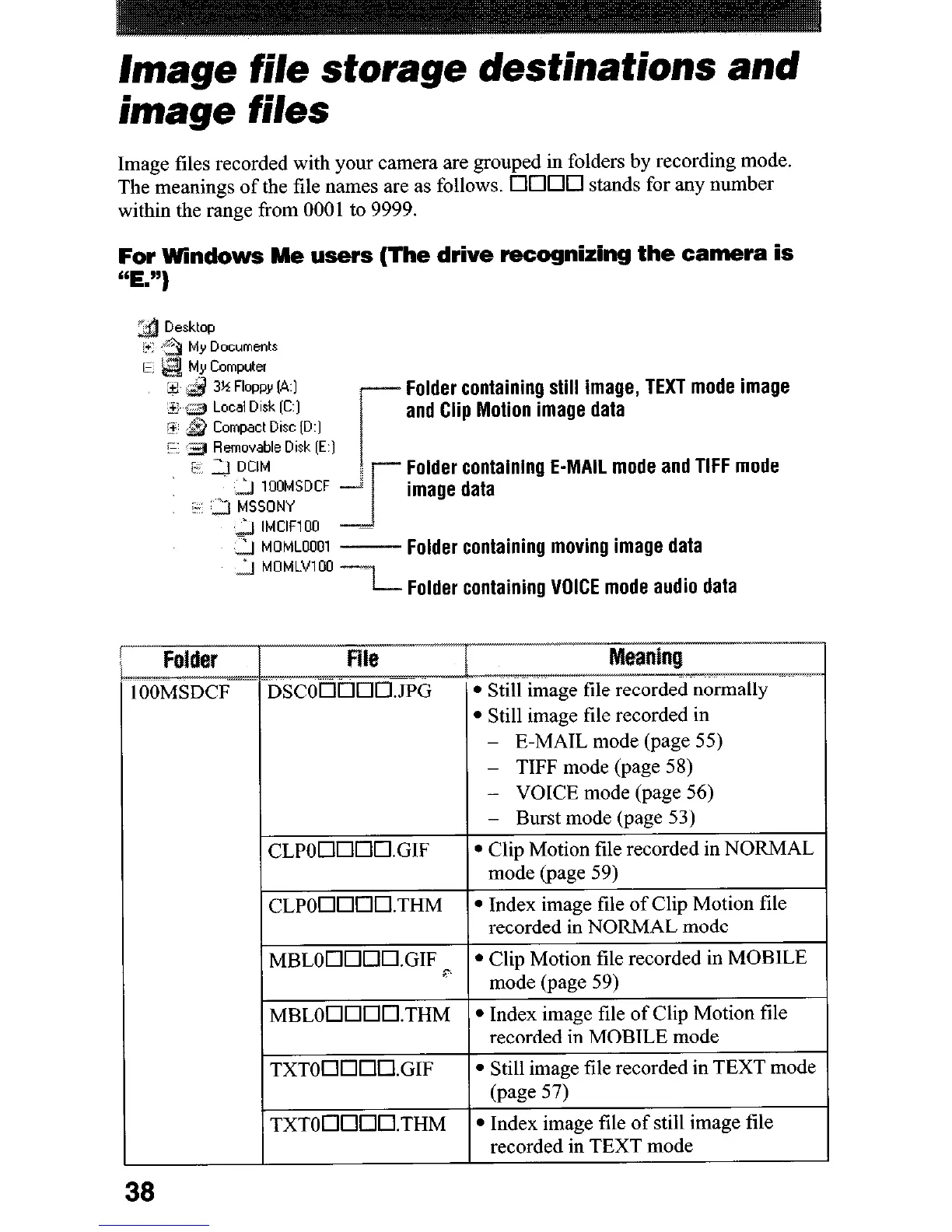
Image files recorded with your camera are grouped in folders by recording mode.
The meanings of the file names are as follows. 0000 stands for any number
within the range from 0001 to 9999.
For Windows Me users (The drive recognizing the camera is
“E.“)
P
Documents
Computer
3% Floppy (A:]
Local Dlrk [C:]
Compact Disc ID:]
Folder containing still image, TEXT mode image
and Clip Motion image data
F $gj Removable Disk [E:]
7 3 DCIM
Folder containing E-MAIL mode and TIFF mode
2 1OOMSDCF
” 3 MSSONY
image data
j IMClFlOO
2 MOMLOOOl
- Folder containing moving image data
’ I MOMLVlOO ----I
-
L Folder containing VOICE mode audio data
E-MAIL mode (page
55)
l
Clip Motion file
recorded
in NORMAL
38











 To Next Page