When “CHANGE MEMORY
STICK” is displayed, eject the
“Memory Stick.”
“INSERT MEMORY STICK”
appears.
Insert another “Memory
Stick.”
“RECORDING” appears. When
copying is completed,
“COMPLETE” appears.
To end copying, select [EXIT]
with AII, then press 0.
To copy the image to
another “Memory Stick”
Select [CONTINUE] with UT in step
8, press 0, then repeat steps 7 and 8.
To cancel copying part-way
Select [CANCEL] with 41, in step 8
or [EXIT] with 4/b in step 6, then
press 0.
Notes
l If you do not select [EXIT] after
“COMPLETE” appears and instead insert
a new “Memory Stick,” the same image is
copied again.
l You cannot CODY uncomuressed imares.
l You cannot copy images that are bigger
than 5 MB at once. If “NOT ENOUGH
MEMORY” appears or \/ flashes on the
INDEX screen, cancel some images to
copy and try again.
Selecting still images
to print (PRINT)
Mode dial:
q
You can mark a print mark on still
images recorded with your camera.
This mark is convenient when you
have images printed at a shop that
conforms with the DPOF (Digital Print
Order Format) standard.
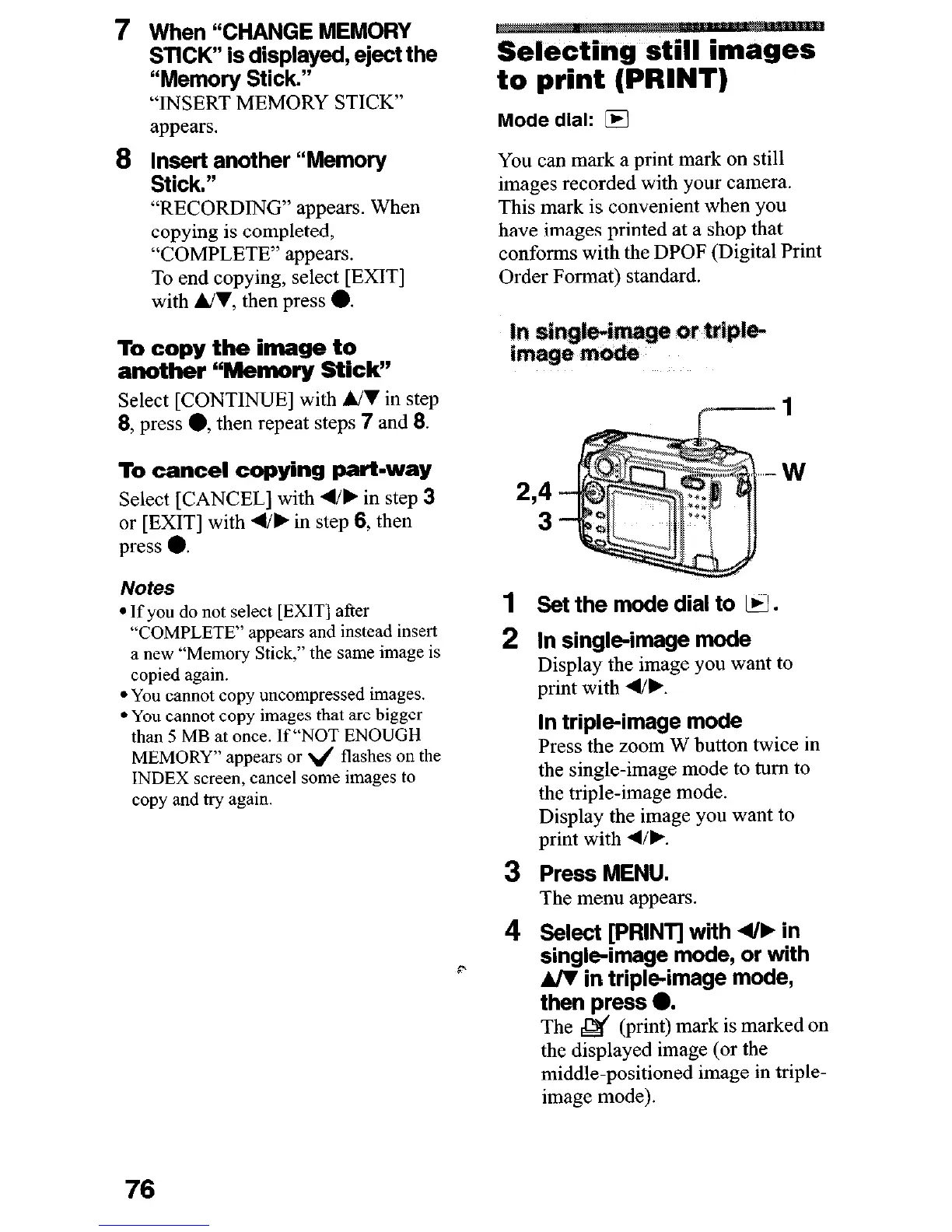
In
im
W
2,4
3
1
2
3
4
Set the mode dial to
q
.
In single-image mode
Display the image you want to
print with 41,.
In triple-image mode
Press the zoom W button twice in
the single-image mode to turn to
the triple-image mode.
Display the image you want to
print with 41,.
Press MENU.
The menu appears.
Select [PRINT] with 4/, in
single-image mode, or with
A/V in tripleimage mode,
then press 0.
The & (print) mark is marked on
the displayed image (or the
middle-positioned image in triple-
image mode).
76











 To Next Page