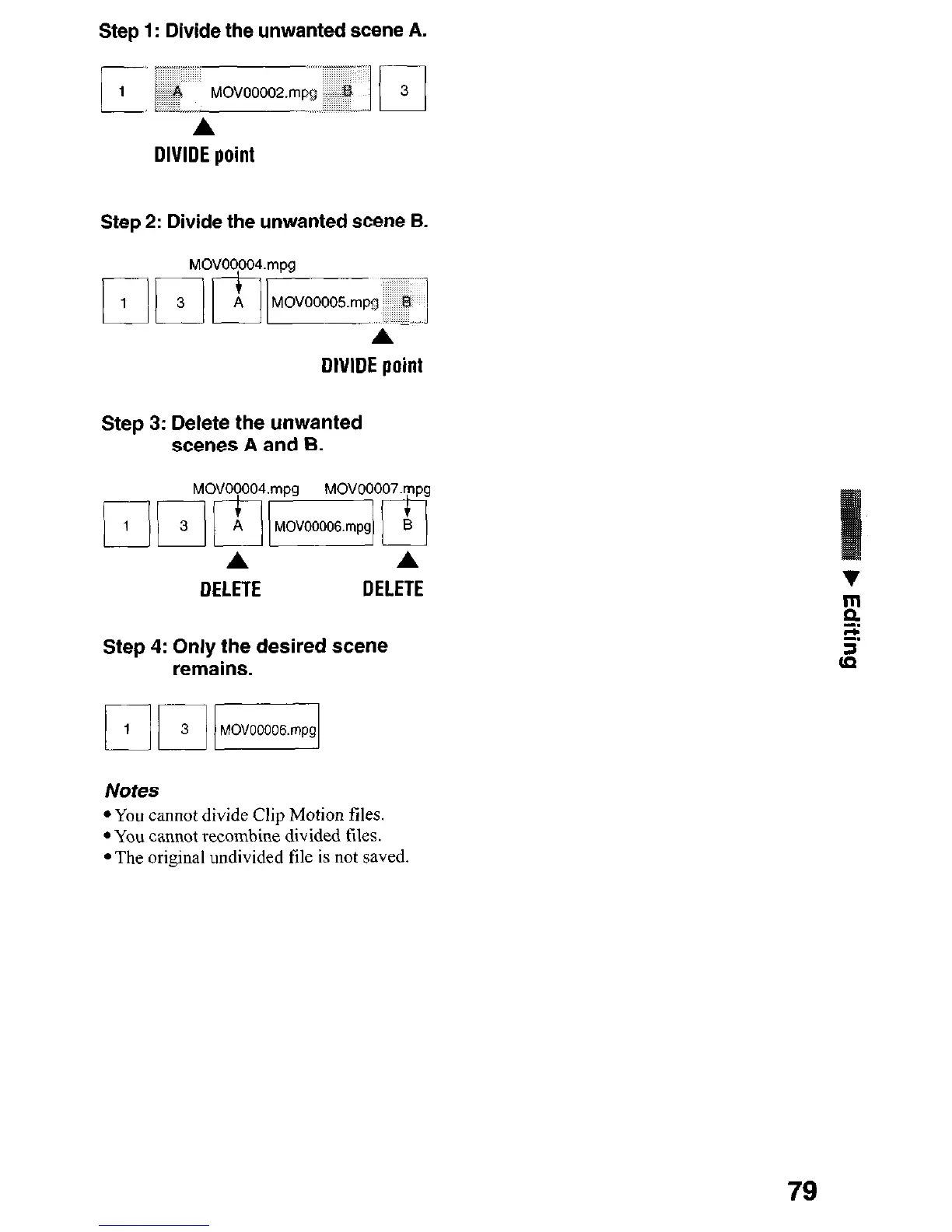
Step 1: Divide the unwanted scene A.
A
DIVIDE point
Step 2: Divide the unwanted scene B.
DIVIDE point
Step 3: Delete the unwanted
scenes A and B.
Step 4: Only the desired scene
remains.
Notes
l You cannot divide Clip Motion files.
l You cannot recombine divided files.
l The original undivided file is not saved.
79











 To Next Page