113
Quick Reference
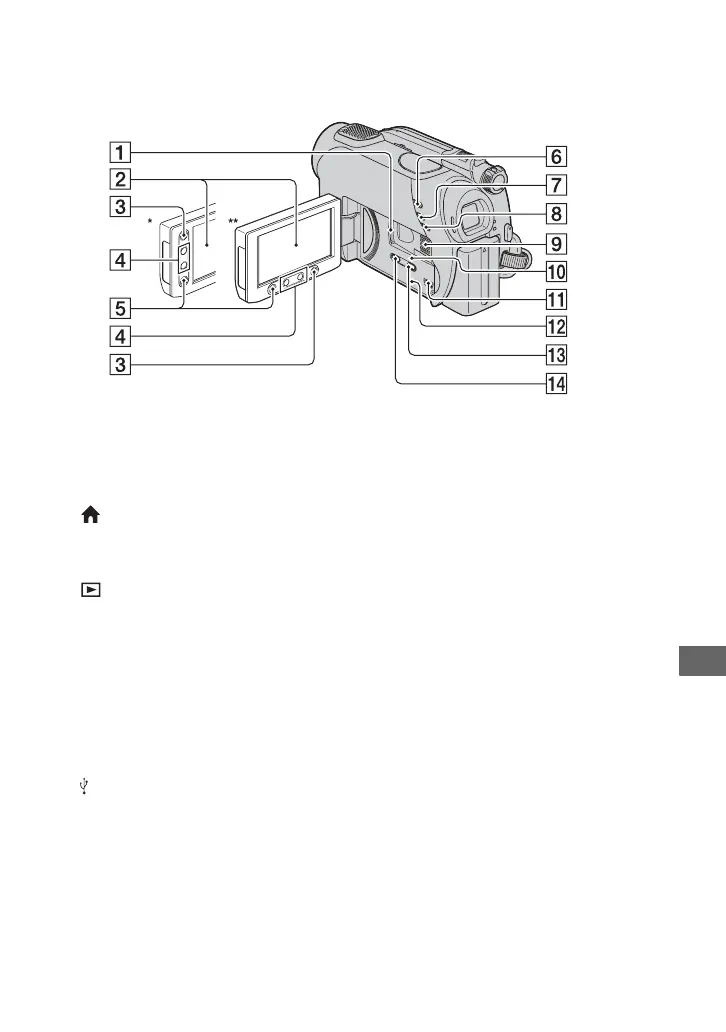
A “Memory Stick Duo” slot (29)
B LCD screen/touch panel (19, 27)
C (HOME) button (19, 62)
D Zoom buttons (36, 41)
E START/STOP button (31, 35)
F (VIEW IMAGES) button (32, 39)
G EASY button (31)
H BACK LIGHT button (37)
I Speaker
Playback sounds come out from the
speaker. For how to adjust the volume,
see page 40.
J Access lamp (“Memory Stick Duo”)
(29)
K (USB) jack (55)
L RESET button
Initializes all the settings, including the
setting of the date and time.
M DISP/BATT INFO button (23)
N WIDE SELECT button** (37)
* DCR-DVD108/DVD608
** DCR-DVD308/DVD708
Continued ,













 To Next Page