EasyManua.ls Logo

Sony EV-C100 - Recording Functions

Sony EV-C100
28 pages
Print Icon
To Next Page IconTo Next Page
To Previous Page IconTo Previous Page
Loading...
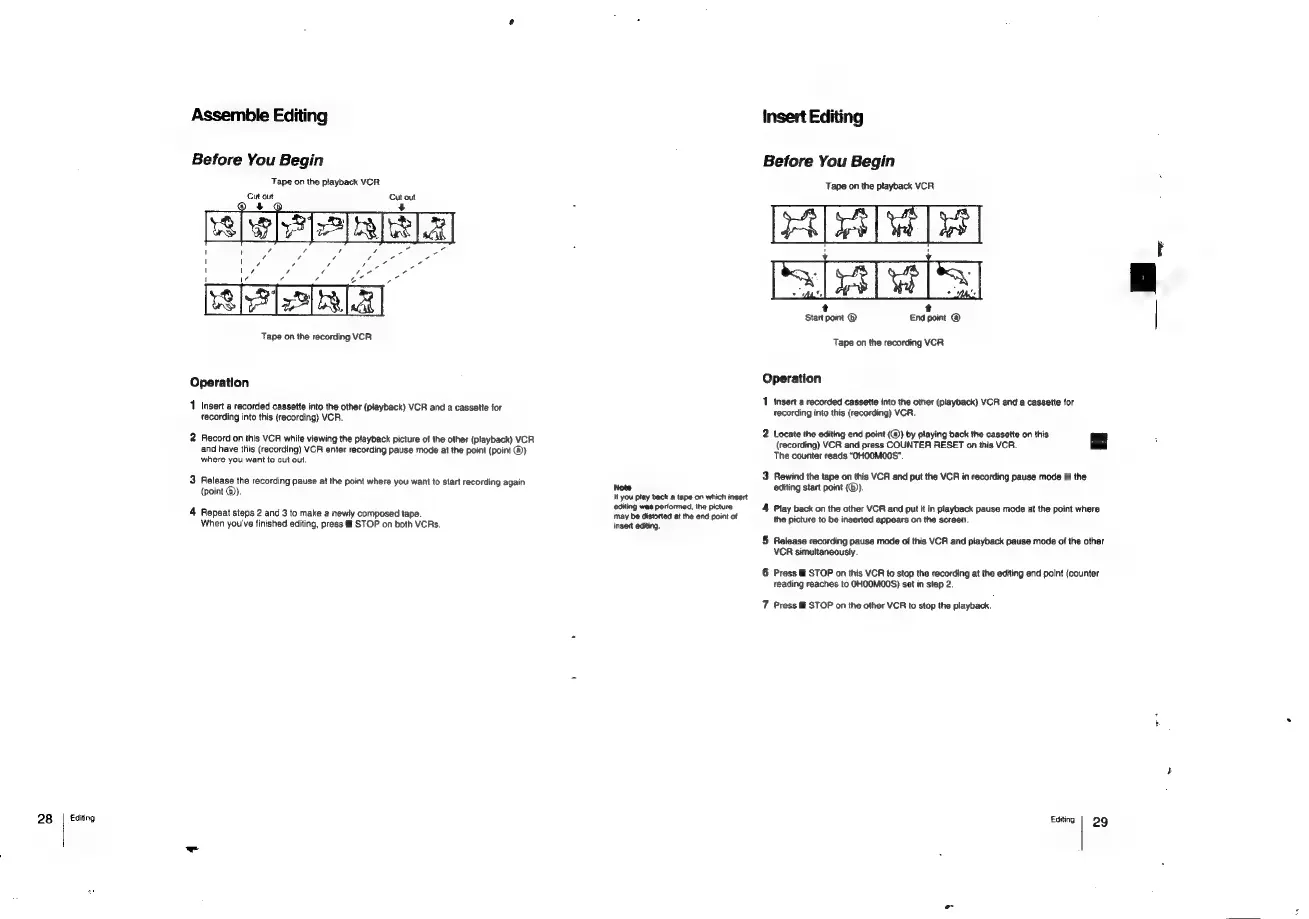
Assemble
Editing
Before
You
Begin
Tape
on
the
playback
VCR
Cut
out
Cut
out
Tape
on
the
recording
VCR
Operation
1
Insert
a
recorded
cassette
into
the
other
(playback)
VCR
and
a
cassette
for
recording
into this
(recording)
VCR.
2
Record
on
this
VCR
while
viewing
the
playback
picture
of
the
other
(playback)
VCR
and
have
this
(recording)
VCR
enter
recording
pause
mode
at
the
point
(point
@)
where
you
want
to
cut
out.
3
Release
the
recording
pause
at
the
point
where
you
want
to
start
recording
again
(point
@)).
4
Repeat
steps
2
and
3
to
make
a
newly
composed
tape.
When
you've
finished
editing,
press
STOP
on
both
VCRs
28
|
Editing
Insert
Editing
Before
You
Begin
Tape
on
the
playback
VCR
t t
Start point
®
End
point
@
Tape
on
the
recording
VCR
Operation
1
Insert
a
recorded
cassette
into
the
other
(playback)
VCR
and
a
cassette
for
recording
into
this
(recording)
VCR.
2
Locate
the
editing
end
point
(@)
by
playing
back
the
cassette
on
this
—|
{recording)
VCR
and
press
COUNTER
RESET
on
this
VCR.
The
counter
reads
“OHOOMO0S"
3
Rewind
the
tape
on
this
VCR
and
put
the
VCR
in
recording
pause
mode
at
the
Note
editing
start
point
(®).
If
you
play
back
@
tape
on
which
insert
editing
was
pertormed,
the
picture
4
Play
back
on
the
other
VCR
and
put
it
in
playback
pause
mode
at
the
point
where
may
be
distorted
at
the
end
point
of
i
he
jn.
bingy
.
the
picture
to
be
inserted
appears
on
the
scree
5
Release
recording
pause
mode
of
this
VCR
and
playback
pause
mode
of
the
other
VCR
simultaneously.
6
Press
&@
STOP
on
this
VCR
to
stop
the
recording
at
the
editing
end
point
(counter
reading
reaches
to
OHOOMO0O0S)
set
in
step
2.
7
Press
STOP
on
the
other
VCR
to
stop
the
playback.
Editing
23g
-

Related product manuals