EasyManua.ls Logo

Sony EV-C100 - Page 17

Sony EV-C100
28 pages
Print Icon
To Next Page IconTo Next Page
To Previous Page IconTo Previous Page
Loading...
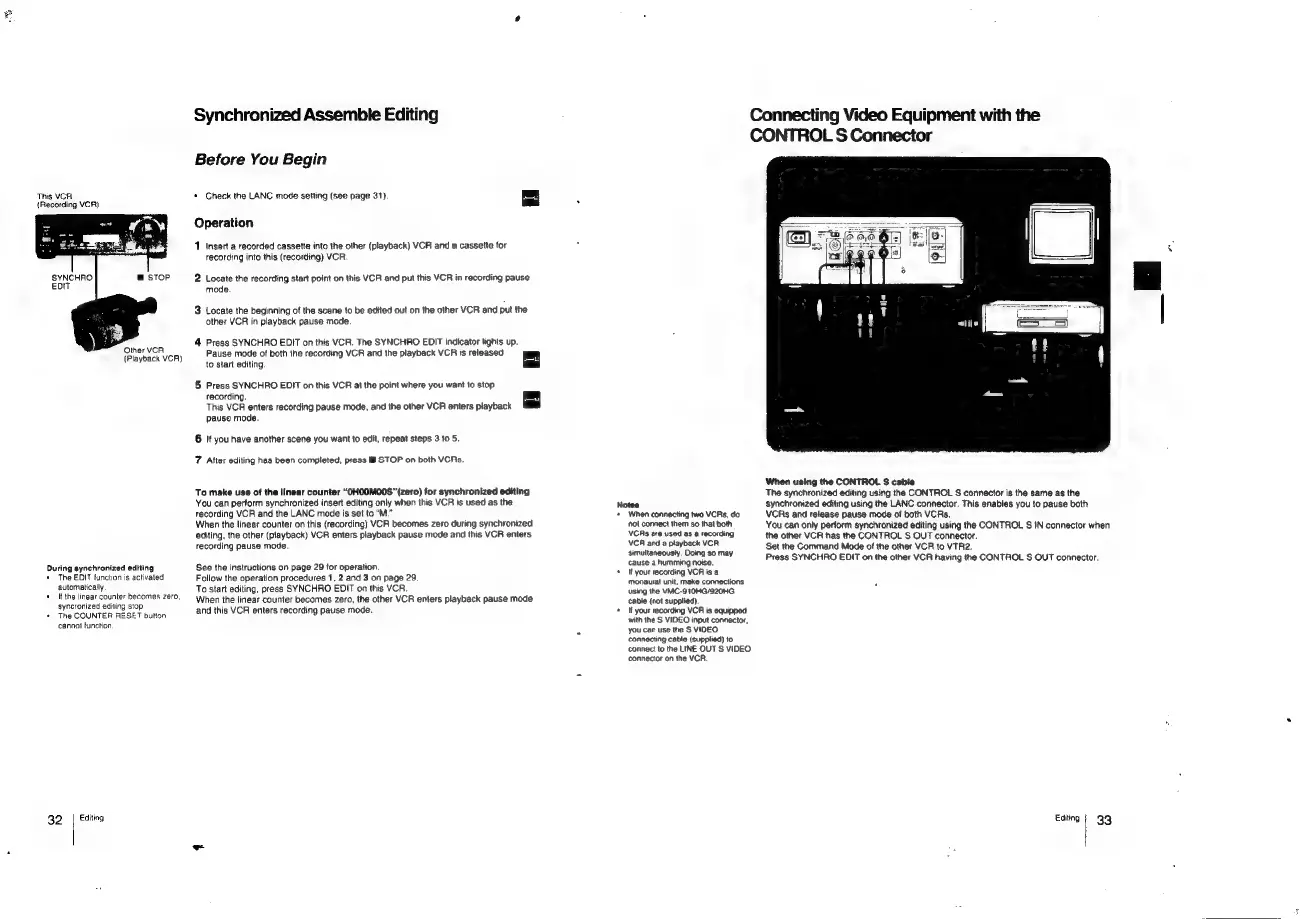
Synchronized
Assemble
Editing
Connecting
Video
Equipment
with
the
CONTROL
S
Connector
Before
You
Begin
This
VCA
*
Check
the
LANC
mode
setting
(see
page
31
(Recording
VCR)
9
(see
page
31}
4
Other
VCR
(Playback
VCR)
During
synchronized
editing
+
The
EDIT
function
is
activated
automatically
«Ifthe
linear
counter
becomes
zero,
syncronized
editing
stop
*
The
COUNTER
RESET
button
cannot
function,
32.
|
Exiting
Operation
1
Insert
a
recorded
cassette
into
the
other
(playback)
VCR
and
a
cassette
for
recording
into
this
(recording)
VCR.
2
Locate
the
recording
start
point
on
this
VCR
and
put
this
VCR
in
recording
pause
mode.
3
Locate
the
beginning
of
the
scene
to
be
edited
out
on
the
other
VCR
and
put
the
other
VCR
in
playback
pause
mode.
4
Press
SYNCHRO
EDIT
on
this
VCR.
The
SYNCHRO
EDIT
indicator
lights
up.
Pause
mode
of
both
the
recording
VCR
and
the
playback
VCR
is
released
to
start
editing,
5
Press
SYNCHRO
EDIT
on
this
VCR
at
the
point
where
you
want
to
stop
recording.
This
VCR
enters
recording
pause mode,
and
the
other
VCR
enters
playback
pause
mode.
6
If
you
have
another
scene
you
want
to
edit,
repeat
steps
3
to
5.
7
After
editing
has
been
completed,
press
M
STOP
on
both
VCAs.
To
make
use
of
the
linear
counter
“OHOOMO00S"(zero)
for
synchronized
editing
You
can
pertorm
synchronized
insert
editing
only
when
this
VCR
is
used
as
the
recording
VCR
and
the
LANC
mode
is
set
to
“M.”
When
the
linear
counter
on
this
(recording)
VCR
becomes
zero
during
synchronized
editing,
the
other
(playback)
VCR
enters
playback
pause
mode
and
this
VCR
enters
recording
pause
mode.
See
the
instructions
on
page
29
for
operation.
Follow
the
operation
procedures
1,
2
and
3
on
page
29.
To
start
editing,
press
SYNCHRO
EDIT
on
this
VCR.
When
the
linear
counter
becomes
zero,
the
other
VCR
enters
playback
pause
mode
and
this
VCR
enters
recording
pause
mode.
Notes
‘When
connecting
two
VCRs,
do
‘not
connect
them
so
that
both
VCRs
are
used
as
a
recording
VCR
and
a
playback
VCR
Simultaneously.
Doing
so
may
cause
a
humming
noise.
If
your
recording
VCA
is
a
monaurat
unit,
make
connections
using
the
VMC-910HG/920HG
cable
{not
supplied).
Hf
your
recording
VCR
is
equipped
with
the
S
VIDEO
input
connector,
you
can use
the
S
VIDEO
connecting
cable
(supplied)
to
connect
to
the
LINE
OUT
S
VIDEO
connector
on
the
VCR.
When
using
the
CONTROL
S
cable
The
synchronized
editing
using
the
CONTROL
S
connector
is
the
same
as
the
synchronized
editing
using
the
LANC
connector.
This
enables
you
to
pause
both
VCRs
and
release
pause
mode
of
both
VCRs.
You
can
only
perform
synchronized
editing
using
the
CONTROL
S
IN
connector
when
the
other
VCR
has
the
CONTROL
S
OUT
connector.
Set
the
Command
Mode
of
the
other
VCR
to
VTR2.
Press
SYNCHRO
EDIT
on
the
other
VCR
having
the
CONTROL
S
OUT
connector,
Editing
33

Related product manuals