HCD-DZ280/DZ680/HDZ284/HDZ485
12
SECTION 2
GENERAL
This section is extracted
from instruction manual.
Additional Information
95
GB
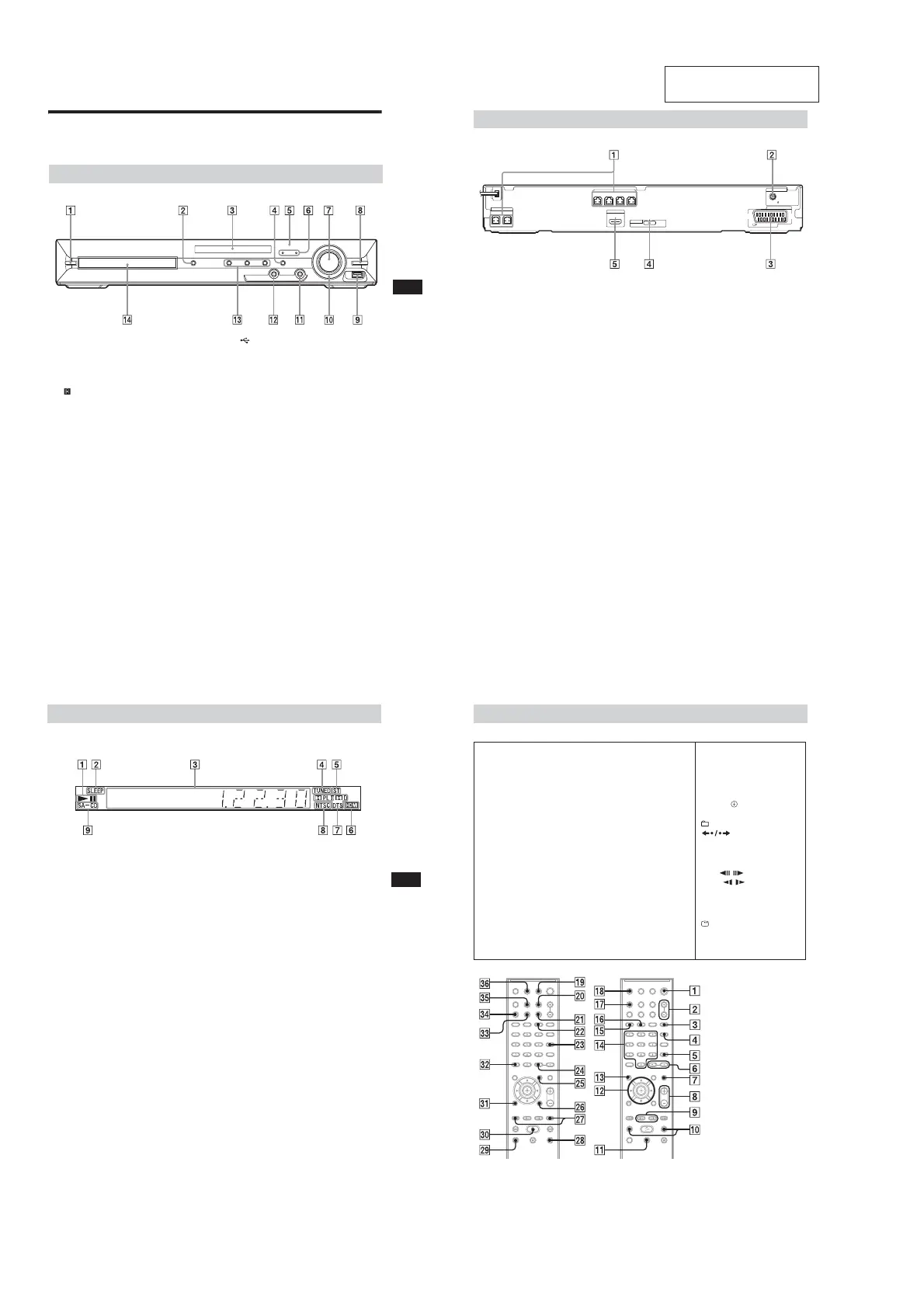
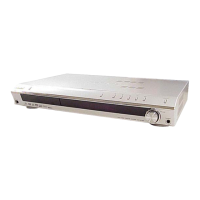
Index to Parts and Control
(DZ280)
For more information, refer to the pages indicated in parentheses.
" / (on/standby) (21, 78)
# ; (open/close) (27)
$ Front panel display (97)
% FUNCTION (23)
& (remote sensor) (10)
' MOVIE/MUSIC indicator (73)
( VOLUME control (27)
) REC TO USB (67)
* (USB) port (58)
+ OPERATION DIAL (27)
, PHONES jack (27)
- AUDIO IN jack (17)
. Play operation buttons (27)
/ Disc tray (27)
Front panel
96
GB
" SPEAKER jacks (15)
# COAXIAL 75Ω FM jack (19)
$ EURO AV 5 OUTPUT (TO TV) jack (16)
% DMPORT (DIGITAL MEDIA PORT) jack
(17, 69)
& HDMI OUT jack (16)
Rear panel
CENTER
SUBWOOFER
FRONT R FRONT L SURR SUR L
SPEAKER
HDMI OUT
SPEAKER
EURO AV
OUTPUT(TO TV)
COAXIAL 75
FM
ANTENNA
DMPORT
DC5V
0.7A MAX
Additional Information
97
GB
About the indications in the front panel display
" Playing status
# Flashes when the sleep timer is set.
(74)
$ Displays the system’s status such as
chapter, title, or track number, time
information, radio frequency, playing
status, decoding mode, etc.
% Lights up when a station is received.
(Radio only) (52)
& Stereo/Monaural effect (Radio only)
(53)
' Lights up when the HDMI OUT jack is
correctly connected to HDCP (High-
bandwidth Digital Content Protection)
compliant device with HDMI or DVI
(Digital Visual Interface) input. (16)
( Current surround format (Except for
JPEG image file)
) Lights up when an NTSC disc is
loaded.
* Lights up when a Super Audio CD/CD
is loaded. (30)
Front panel display
98
GB
Remote control
SNOITPIRCSEDNOTTUBREDROLACITEBAHPLA
Z–PO–A
ANGLE XT (28)
AUDIO RH (29)
CLEAR FT (32, 53)
D.TUNING RI (53)
DIMMER FE (75)
DISPLAY XB (54, 64, 75)
DVD MENU XH (35)
DVD TOP MENU RE (35)
DYNAMIC BASS (72)
ENTER XG (72)
FUNCTION +/– (23, 27)
MEMORY SELECT
1)
XT
MENU XH (72)
MUTING (27)
NIGHT XE (72)
ONE-TOUCH PLAY FI (56)
PICTURE NAVI FG (38, 60)
PRESET +/– XK (53)
PROG +/– XK (72)
S-AIR MODE
2)
FH
SLEEP RK (74)
SOUND MODE (73)
SUBTITLE RI (28)
SYSTEM MENU (20, 24, 52,
74)
THEATRE RL (55)
TOOLS XI (72)
TUNING +/– (52)
TV XM (72)
TV INPUT X (72)
VOLUME +/– (27)
Number buttons RG (31, 52, 72)
</ (on/standby) (20, 21, 27)
TV </ (on/standby) RM (72)
$/9/Y/D/ RT (20, 21, 30, 32,
52, 71)
+/– (37, 57)
REPLAY/ADVANCE
(27)
/ XK (27)
N/. (27)
STEP / (27)
SLOW / (27)
)(play) F (27)
Y (stop) XL (27)
9 (pause) RB (27)
DISPLAY
3)
XI (21, 30, 32, 45,
71, 99)
0RETURN FB (31, 72)
-/-- FT (72)
1)
See the included supplement.
2)
This button is not available
for this model.
3)
This button is available for
the “DVD,” “USB,” or
“DMPORT” function.
Depending on the DIGITAL
MEDIA PORT adapter, this
button may not work.


 To Next Page