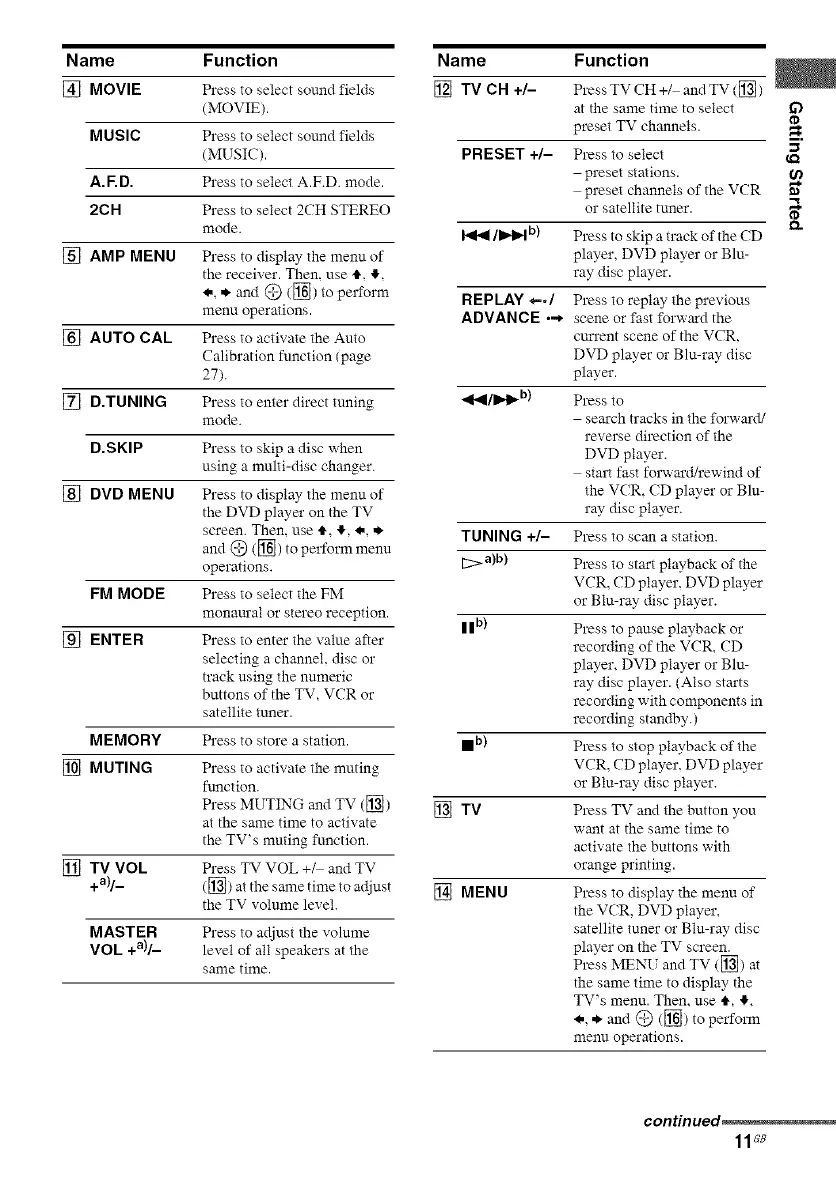
Name Function
[] MOVIE Press to select sound fiehts
(MOVIE).
MUSIC Press to select sound fields
(MUSIC).
A.F.D. Press to select A.F.D. mode.
2CH Press to select 2CH STEREO
mode.
[] AMP MENU Press to display the menu of
the receiver. Then, use 4",,I,,
<.,,*"and @ ([]) to perform
menu operations.
[] AUTO CAL Press to activate the Auto
Calibration function (page
27).
[] D.TUNING Press to enter direct tuning
mode.
D.SKIP Press to skip a disc when
using a multi-disc changer.
[] DVD MENU Press to display the menu of
the DVD player on the TV
screen. Then, use 4", _,, <., ,*,
and @ ([]) to perform menu
operations.
FM MODE Press to select the FM
monam'al or stereo reception.
[] ENTER Press to enter the value after
selecting a channel, disc or
track using the numeric
buttons of the TV, VCR or
satellite tuner.
MEMORY Press to store a station.
[] MUTING Press to activate the muting
function.
Press MUTING and TV (_)
at the same time to activate
the TV's muting function.
[] TV VOL Press TV VOL +_ and TV
+a)/_ (_) at the same time to adjust
the TV volume level.
MASTER Press to adjust the volume
VOL +a)/_ level of all speakers at the
same time.
Name Function
[] TVCH+/- PressTVCH+/ andTV([])
at the same time to select if)
TV channels.preset
=,.
PRESET +/- Press to select
preset stations.
preset channels of the VCR ,,_
satellite tuner.or
/b'q_lb) Press to skip a track of the (D
player, DVD player or Blu-
ray disc player.
REPLAY *-./ Press to replay the previous
ADVANCE ..* scene o1"fast forwm'd the
cm'rent scene of the VCR,
DVD player o1"Blu-ray disc
player.
_l/ll"t_ b) Press to
search tracks in the forward/
reverse direction of the
DVD player.
start fast fol_ard/rewind of
the V(R, (D player o1"Blu-
ray disc player.
TUNING +/- Press to scan a station.
[2::>a)b) Press to start playback of the
VCR, CD player, DVD player
or Blu-ray disc player.
| | b) Press to pause playback or
recording of the VCR, CD
player, DVD player or Blu-
ray disc player. (Also starts
recording with components in
recording standby.)
I b) Press to stop playback of the
VCR, CD player, DVD player
or Blu-ray disc player.
[] TV Press TV and the button you
want at the same time to
activate the buttons with
orange printing.
[] MENU Press to display the menu of
the V(R, DVD player,
satellite tuner o1"Blu-ray disc
player on the TV screen.
Press MENU and TV (_) at
the same time to display the
TV's menu. Then. use 4", #,
<., ,*,and @ (_) to perform
menu operations.
continued_
11G8



 To Next Page