7: Adjustingthespeaker
levelsandbalance
(TEST TONE)
You can adjust the speaker levels and balance
while listening to the test tone from your
listening position.
Tip
The receiver employs a test tone with a frequency
centered at 800 Hz.
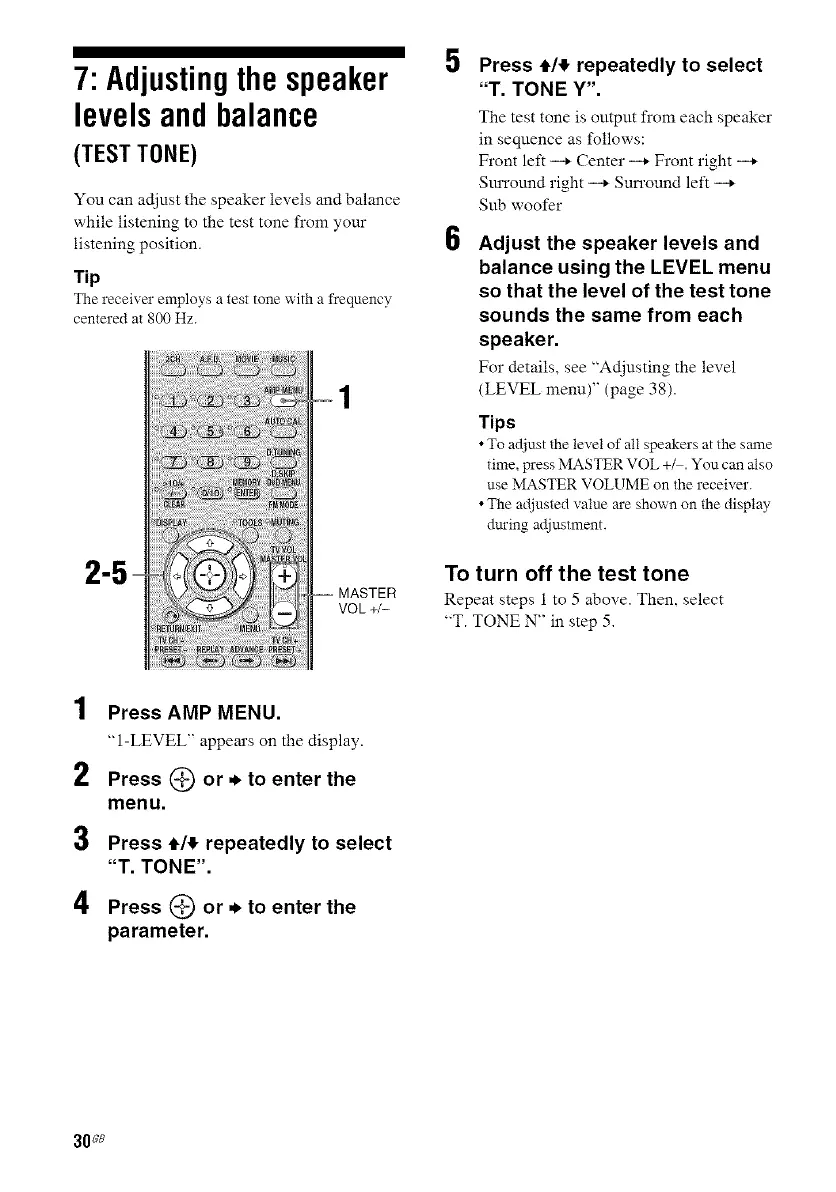
2-!
VOL +/-
5
6
Press t,14,repeatedly to select
"T. TONE Y".
The test tone is output from each speaker
in seqnence as follows:
Front let1 -* Center -* Front right -*
Sm'round right -* Sun'ound left -*
Sub woofer
Adjust the speaker levels and
balance using the LEVEL menu
so that the level of the test tone
sounds the same from each
speaker.
For details, see "Adjusting the level
(LEVEL menu)" (page 38).
Tips
•To adjust the level of all speakers at the same
time, wess MASTER VOL +M. You can also
use MASTER VOLUME on the receiver.
• The adjusted value are shown on the display
dining adjustment.
To turn off the test tone
Repeat steps 1 to 5 above. Than, select
"T. TONE N" in step 5.
1
2
3
4
Press AMP MENU.
"1-LEVEL" appears on the display.
Press (_ or. to enter the
menu.
Press t,14,repeatedly to select
"T. TONE".
Press (_) or. to enter the
parameter.
30_8



 To Next Page