3: Connectingtheaudio/
videocomponents
This section describes how"to hook up your
components to this receiver. Before you begin,
refer to "Component to be com_ected" below
for the pages which describe how"to connect
the audio/video components.
After hooking up all your components,
proceed to "4: Connecting the antennas" (page
23).
Component to be connected
To connect See
Audio components page 18
• Super Audio (D played
(D player
Video components page 19
• DVD player/DVD recorder
• Blu-ray disc player
• Satellite tunedSet-top box
• V(R
• TV
Components with HDMI jack page 21
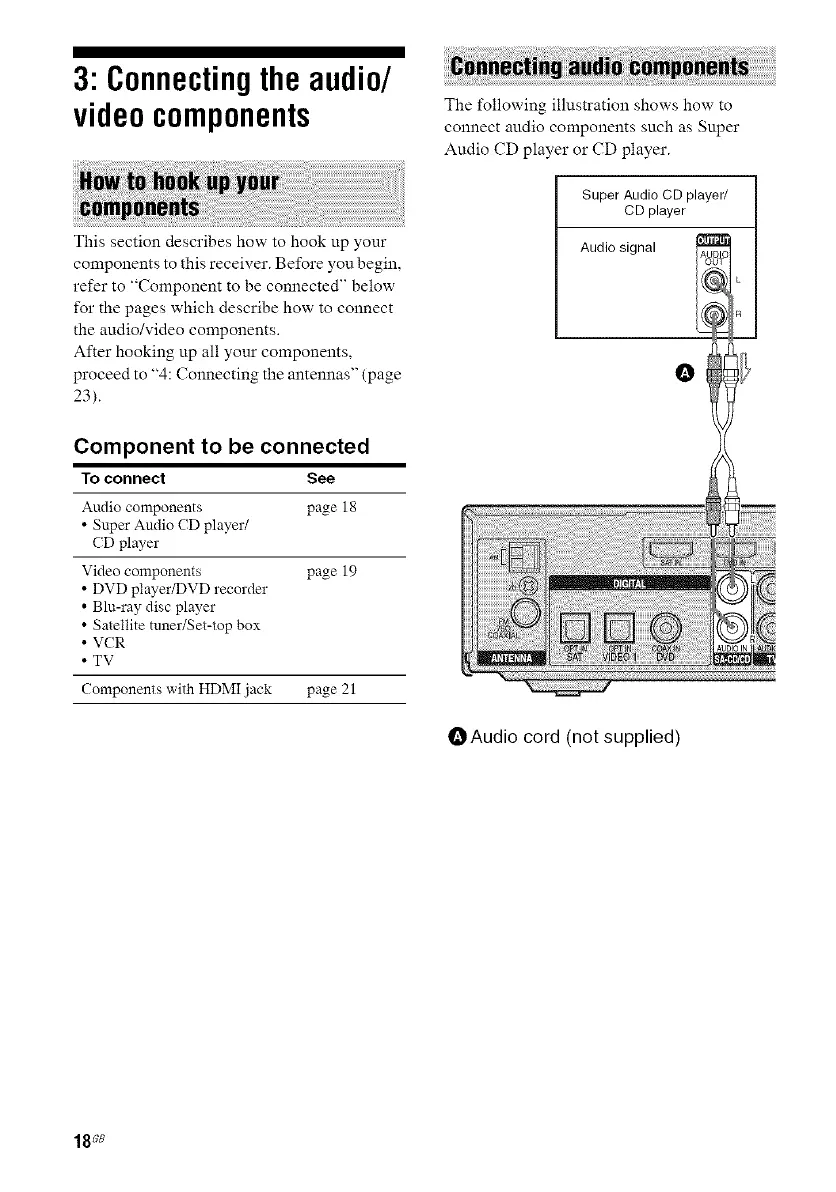
The t_Ilowing illustration shows how to
connect audio components such as Super
Audio CD player or CD player.
Super AudioCD player/
CD player
Audio signal
O
OAudio cord (not supplied)
18_e



 To Next Page