Descriptionandlocationofparts
Front panel
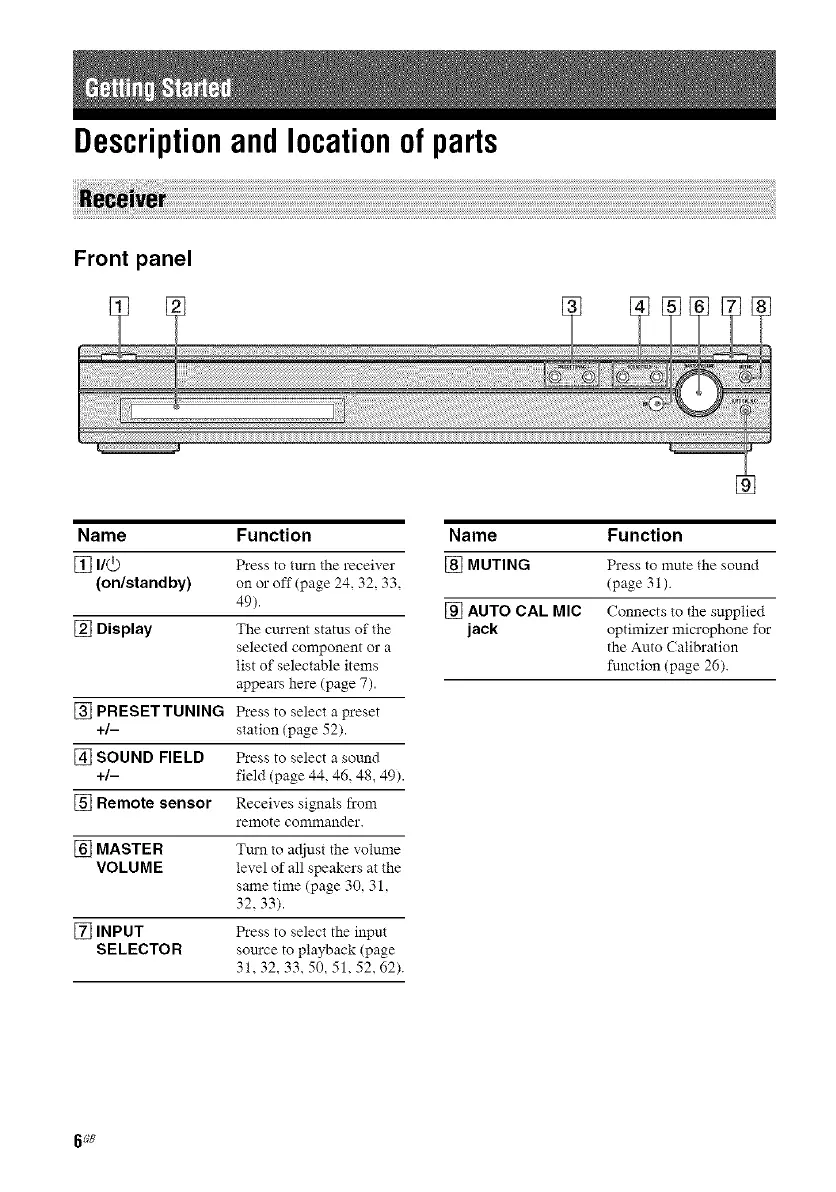
Name Function
[] I/@ Press to turn the receiver
(on/standby) on or off (page 24, 32, 33.
49).
[] Display The cm'rent status of the
selected component or a
list of selectable items
appears here (page 7).
[] PRESETTUNING Press to select a preset
+/- station (page 52).
[] SOUND FIELD Press to select a sound
+/- field (page 44, 46, 48, 49).
[] Remote sensor Receives signals from
remote commander.
[] MASTER Tm'n to adjust the volume
VOLUME level of all speakers at the
same time (page 30, 31,
32, 33).
[] INPUT Press to select the input
SELECTOR som'ce to playback (page
31,32,33,50,51,52,62).
Name Fu nction
[] MUTING Press to mute the sound
(page 31).
[] AUTO CAL MIC Connects to the supplied
jack optimizer microphone for
the Auto ( alibration
function (page 26).
6 GB



 To Next Page