Notes
• The effects provided by-the virtual speakers may
cause increased noise in the playback signal.
• When listening with sound fields that employ the
virtual speakers_ you will not be able to hear any
sound coming directly from the surround speakers.
• This function does not work for signals with a
sampling frequency of more than 48 kHz.
Tip
You can identify the encoding format of DVD
software etc.. by looking at the logo on the package.
• _,o,,,_IXI_."Dolby Digital discs
• [_[_J ItlOLBY SUlrtI1OUND t DD_SURROUND " Dolby Suxround
encoded programs
• _dlc_ : DTS Digital Sin-round encoded
DU alSum pd
programs
To turn off the surround effect
for movie/music
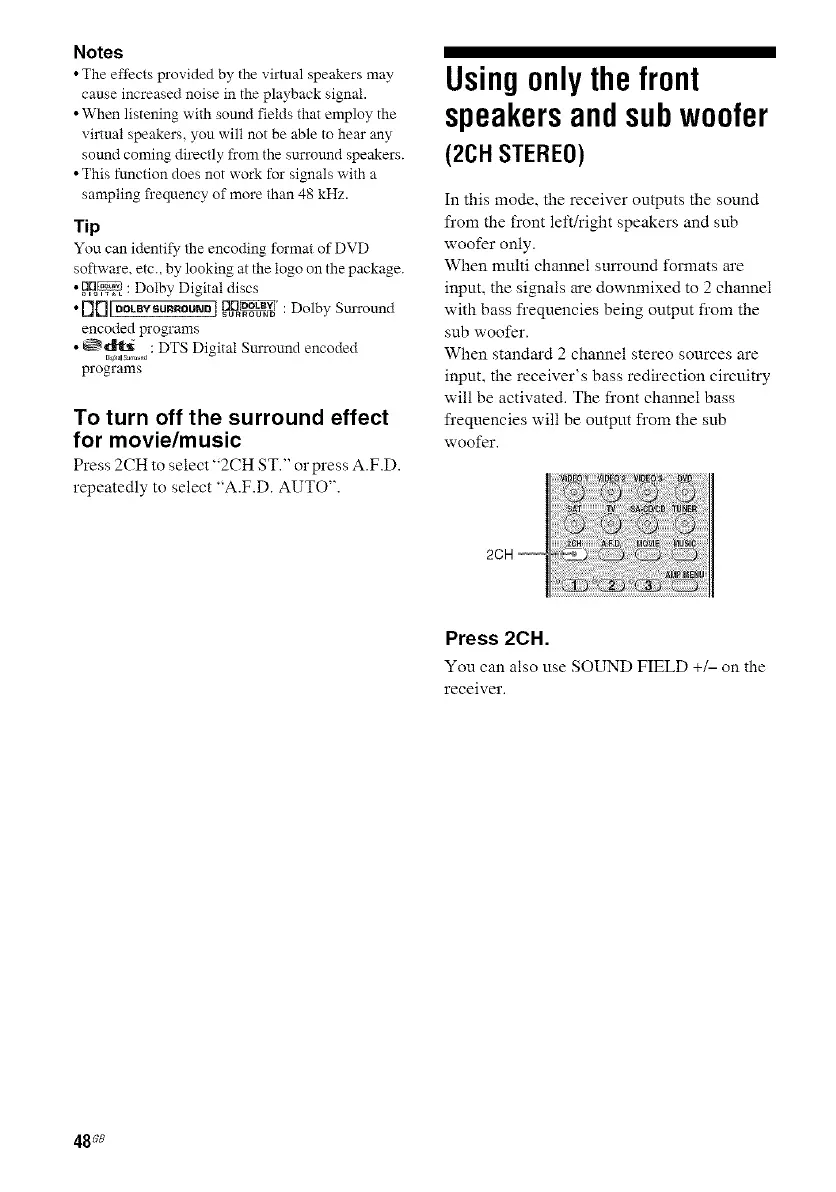
Press 2CH to select "2CH ST." o1"press A.F.D.
repeatedly to select "A.F.D. AUTO".
Usingonly thefront
speakersandsubwoofer
(2C1-1STEREO)
In this mode. the receiver outputs the sound
from the front left!right speakers and sub
woofer only.
When multi channel sun'ound formats are
input, the signals are downmixed to 2 channel
with bass frequencies being output from the
sub woofer.
When standard 2 cham_el stereo sources are
input, the receiver's bass redirection circuitry
will be activated. The front channel bass
frequencies will be ompm from the sub
woofer.
Press 2CH.
You can also use SOUND FIELD +/- on the
receiver.
48se



 To Next Page