Basic Operations
17
GB
Recording with an External Microphone
Connect an external microphone to the MIC (PLUG IN POWER) jack.
When you connect an external microphone, the built-in microphone is
automatically cut off. When a plug in power type microphone is
connected, power is automatically supplied to the microphone from the IC
recorder.
1 Recommended types of microphones
You can use the ECM-C10 Sony electret condenser microphone (not supplied).
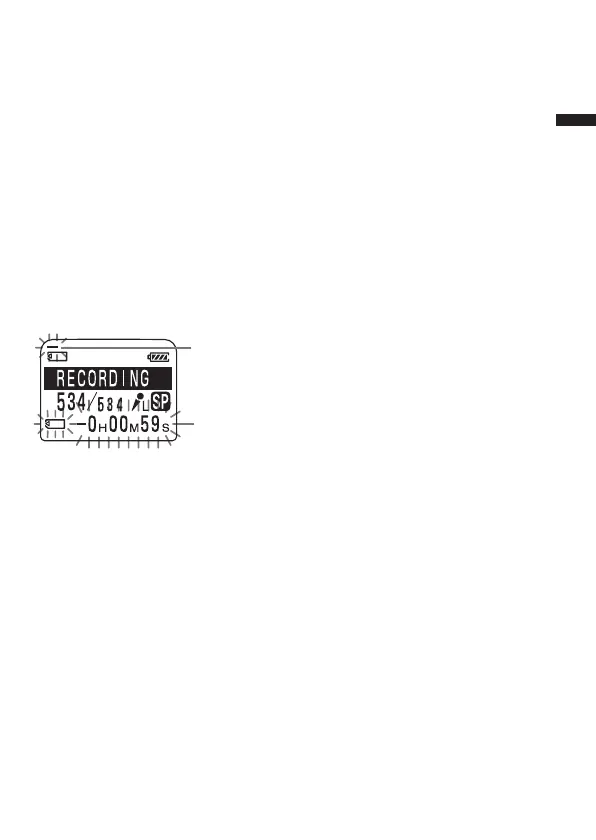
Remaining memory indication
During recording, the remaining memory indicator decreases one by one.
When the remaining recording time reaches 5 minutes, the remaining
memory indication flashes.
When the remaining time reaches 1 minute, the display mode is
automatically switched to the remaining recording time and the
remaining time indication will flash in the display window.
When the memory is full, recording automatically stops and “NO
MEMORY SPACE” will flash in the display window with an alarm sound.
To continue recording, first erase some of the messages (page 33).
Notes
• When you set the BEEP (page 59) to “OFF”, an alarm sound (beep) does not
sound.
• If the “Memory Stick” contains files other than sound data, the amount of
those files is subtracted from the remaining memory amount. To check the
remaining recording time, use the menu to switch the display mode to the
remaining time (page 25). You can switch the display mode during recording.
Remaining memory
indication
Remaining time
indication



 To Next Page