18
GB
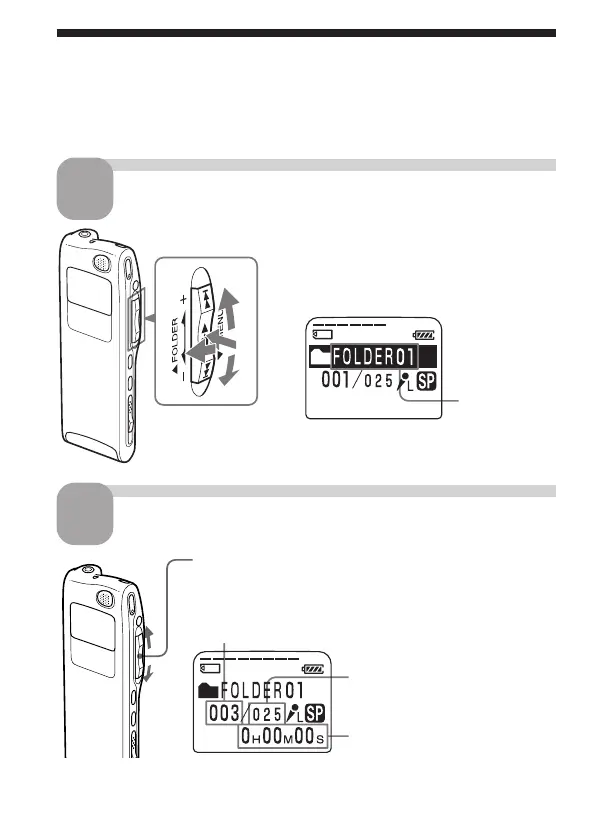
Playing Back Messages
When playing back a previously recorded message, start from Step 1.
When playing back a message you have just finished recording, start from
Step 3.
Select the folder.
1
1
2
2
3
1 Turn the jog lever toward FOLDER.
The folder is selected.
2 Press the jog lever up or down (>/
.) to display the folder containing
the message you want to play back.
3 Press the jog lever (x•B) again to
select the folder.
Folder name
(page 44)
Select the message number.
Selected message number
The number of
message in a folder
Press the jog lever up or down (>/.) to display
the desired message number.
Press up (>): for next message number.
Press down (.): for previous message number.
Counter display (The display
selected with the DISPLAY
in the menu (page 25) appears.)
2



 To Next Page