32
GB
Adding a Recording (continued)
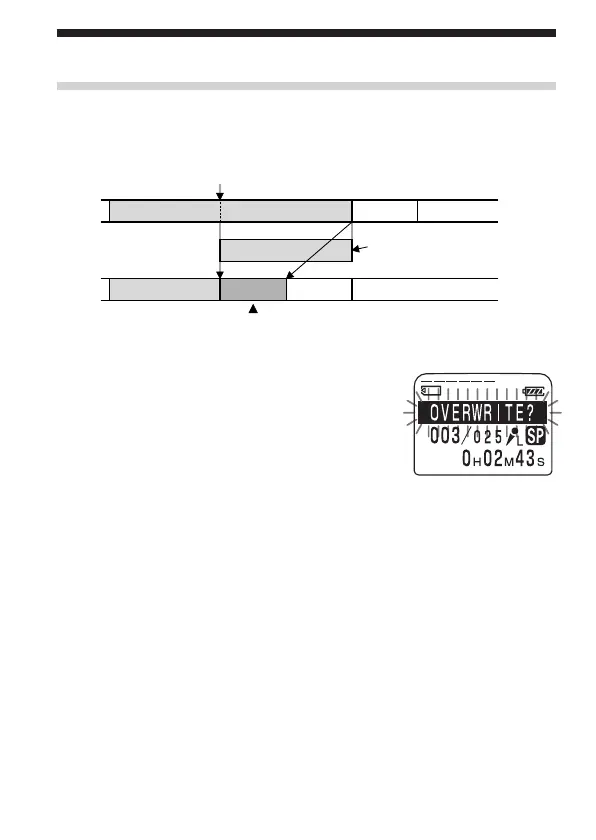
Adding an Overwrite Recording during Playback
You can add an overwrite recording after the selected point in a recorded
message. The part of the message after the selected point is deleted.
1 During playback, press zREC/REC
PAUSE briefly.
“OVERWRITE?” flashes on the display
window and the OPR indicator flashes in
red.
2 Press zREC/REC PAUSE to start recording.
“RECORDING” is displayed and the OPR indicator turns red.
3 Press STOP to stop the recording.
To cancel overwriting while “OVERWRITE?” is being
displayed
Press STOP.
The deleted part of
Message 2
Added overwrite recording in Message 2
Message 3
Message 2
Message 3
Message 4
Message 4
The starting point of an overwrite recording
Message 2



 To Next Page